
Mailchimp vs MailerLite: Which is better in 2026?
For most small and midsize lists, MailerLite costs less and includes more on its Free plan.
Tested hands-on: 2 tests on a MacBook Pro (M1 Pro), October 30, 2026. How we tested
Some links on this page are affiliate links. If you buy through them we may earn a commission at no extra cost to you. This never affects our verdicts.
Quick answer
- Choose Mailchimp if: You run an online store or a growing marketing team and want predictive segments, customer lifetime value and purchase-likelihood data, send-time optimization and branching automation flows of up to 200 steps on the Standard plan.
- Choose MailerLite if: You want an email tool at a lower monthly cost, especially once your list grows past a few thousand subscribers.
- Price at a glance: Mailchimp: Free plan; paid from $13/mo · MailerLite: Free plan; paid from $12/mo
At a glance
 Mailchimp |  MailerLite | |
|---|---|---|
| Free plan | Yes | Yes |
| Paid plans | From $13/mo | From $12/mo |
| Our tests | Won 1 of 2 | Won 1 of 2 |
| Best for | Small and midsize businesses, especially online stores, that want email, landing pages, SMS and a large integration catalog from one vendor and will use Standard-plan features such as predictive segments. | Small businesses, solo creators and nonprofits that want email, automations, a simple website and paid newsletters in one tool at a lower monthly price. |
Mailchimp and MailerLite are often weighed against each other by small businesses picking an email tool, and the difference between them in 2026 is mostly about price and plan limits. Mailchimp's Free plan allows 250 contacts and 500 emails a month. MailerLite's Free plan also stops at 250 subscribers but allows 2,500 emails a month, automations and a landing page. This comparison puts their plans, US list prices and eight core features side by side: free tier, automations, landing pages, paid newsletters, segmentation, referral program, API and deliverability tools.
Pricing
| Plan | Monthly | Yearly (12-month total) |
|---|---|---|
| Mailchimp | ||
| FreeUp to 250 contacts; max 500 emails/month or 250/day; 1 seat, 1 audience | Free Free plan | |
| EssentialsFrom $13/month for 500 contacts; price rises with contacts; sends 10x contacts/month; 3 seats; billed monthly | $13/mo | no yearly price |
| StandardFrom $20/month for 500 contacts; sends 12x contacts/month; 5 seats; annual billing only at 10,000+ contacts via sales | $20/mo | no yearly price |
| PremiumFrom $350/month for 10,000 contacts; sends 15x contacts/month; unlimited seats; annual billing via sales | $350/mo | no yearly price |
| MailerLite | ||
| FreeUp to 250 active subscribers; 2,500 emails/month; 2 user seats | Free Free plan | |
| ComfortFrom $12/month for 500 subscribers ($10.80/month billed yearly); emails = 10x subscriber tier; 3 seats | $12/mo | $129.60/yr ($10.80/mo) |
| PowerFrom $25/month for 500 subscribers ($22.50/month billed yearly); unlimited emails (fair use) and seats | $25/mo | $270/yr ($22.50/mo) |
| Enterprise200K+ subscribers; custom sending volume; priced by active subscribers and add-ons | Custom | |
Prices checked on .
Features compared
| Feature | Mailchimp | MailerLite |
|---|---|---|
| Free tier size | Yes · 250 contacts, 500 emails/month (250/day) | Yes · 250 subscribers, 2,500 emails/month |
| Automations | Yes · Essentials: flows up to 4 steps; Standard/Premium: flows up to 200 steps with branching; Free: preview only | Yes · Free: 3 active, 5 steps; Comfort: 50 active; Power: unlimited; paid plans up to 100 steps |
| Landing pages | Yes · All plans, including Free | Yes · Free: 1; Comfort: 10; Power: unlimited |
| Paid newsletters | No · No native paid subscriptions; Mailchimp points to partner payment apps | Yes · Comfort and Power plans; not on Free |
| Segmentation | Yes · Basic on Free/Essentials; advanced and predictive on Standard/Premium | Yes · Unlimited dynamic segments and groups on all plans |
| Referral program | No · No built-in subscriber referral program listed | No · No built-in; integrates with referral tools such as GrowSurf |
| API | Yes · Marketing API; Transactional email add-on on Standard/Premium (demo only on Free/Essentials) | Yes · Full on paid plans; limited on Free (no sending) |
| Deliverability tools | Yes · Domain authentication (DKIM, DMARC); Inbox Preview on paid plans (25 tokens/month) | Yes · Domain authentication (DKIM, SPF); MailerCheck verifier from a sister company, paid separately; dedicated IP add-on on Enterprise |
How we tested
We gave Mailchimp and MailerLite the same 2 tasks on the same MacBook Pro (M1 Pro). Each test below lists the task, how we judged it, both results and screenshots; select a screenshot to see it at full size.
- Device
- MacBook Pro (M1 Pro) · macOS 26.6.2 · Chrome 156
- Tested
- October 30, 2026
- Plans used
- Mailchimp: Free · MailerLite: Free
- App versions
- Mailchimp: Email campaign editor (web), drag-and-drop, Basic layout Minimal, Embedded form builder (web), Forms > Create form · MailerLite: Email campaign editor (web), drag-and-drop, Start from scratch, Embedded form builder (web), Forms > Embedded forms
| Test | Mailchimp | MailerLite | Winner |
|---|---|---|---|
| Build the same newsletter from a fixed brief (timed) | Pass0.21 min | Pass0.35 min | Mailchimpby Time to build the email |
| Create a signup form with a first-name field | Partial | Pass | MailerLite |
| Tests won | 1 | 1 | 0 ties |
Test 1: Build the same newsletter from a fixed brief (timed)
The task
In each tool's drag-and-drop email editor, build a newsletter for Fernhill Goods (FICTIONAL): a logo area, a headline "Refills are back", three short sections, one button "Shop refills" and a footer.
How we judged it
Pass: every element of the brief, looking finished, within 20 minutes.
Partial: one element missing, or more than 20 minutes.
Fail: two or more elements missing.
The time is measured from opening the editor until the last element is done.
Mailchimp: Winner
Pass 0.21 min
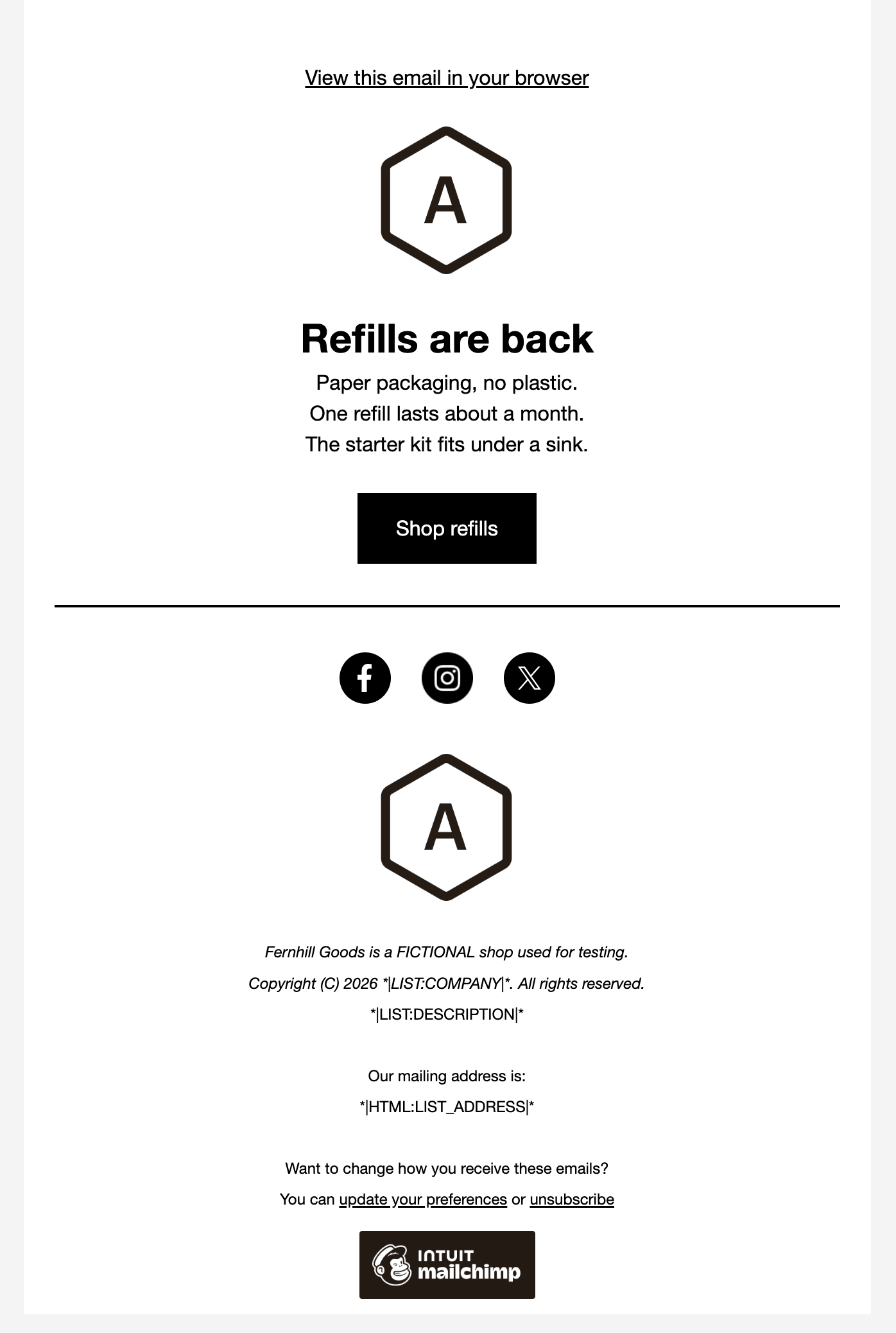
In the Minimal layout the heading became Refills are back and the text the three sections; the empty image block was deleted, the button set to Shop refills with its link, and the footer line added.
MailerLite
Pass 0.35 min
In the Start from scratch email the hero title and text became the headline and three sections, its image was turned off, the button set to Shop refills with its link and the footer line added.
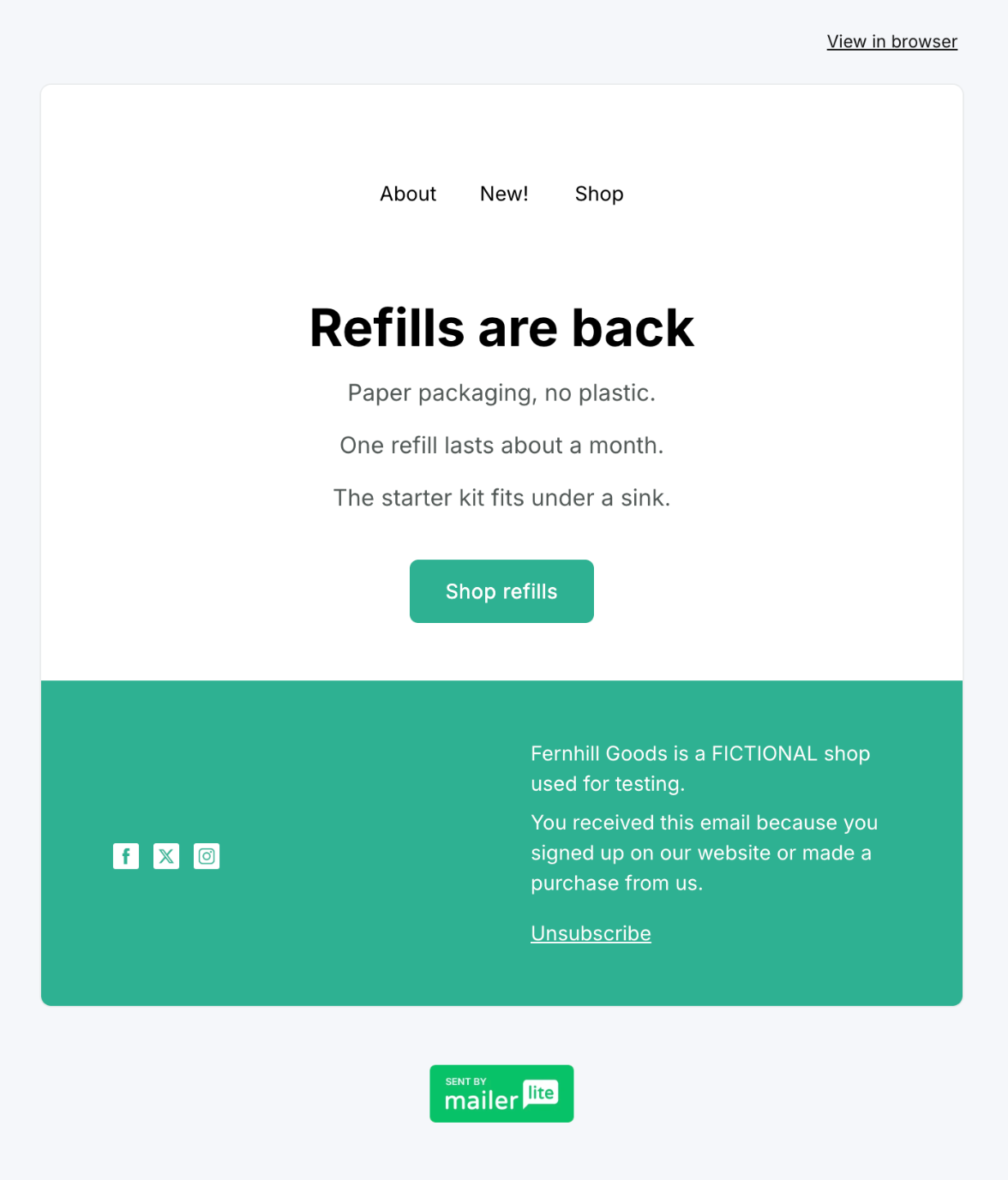
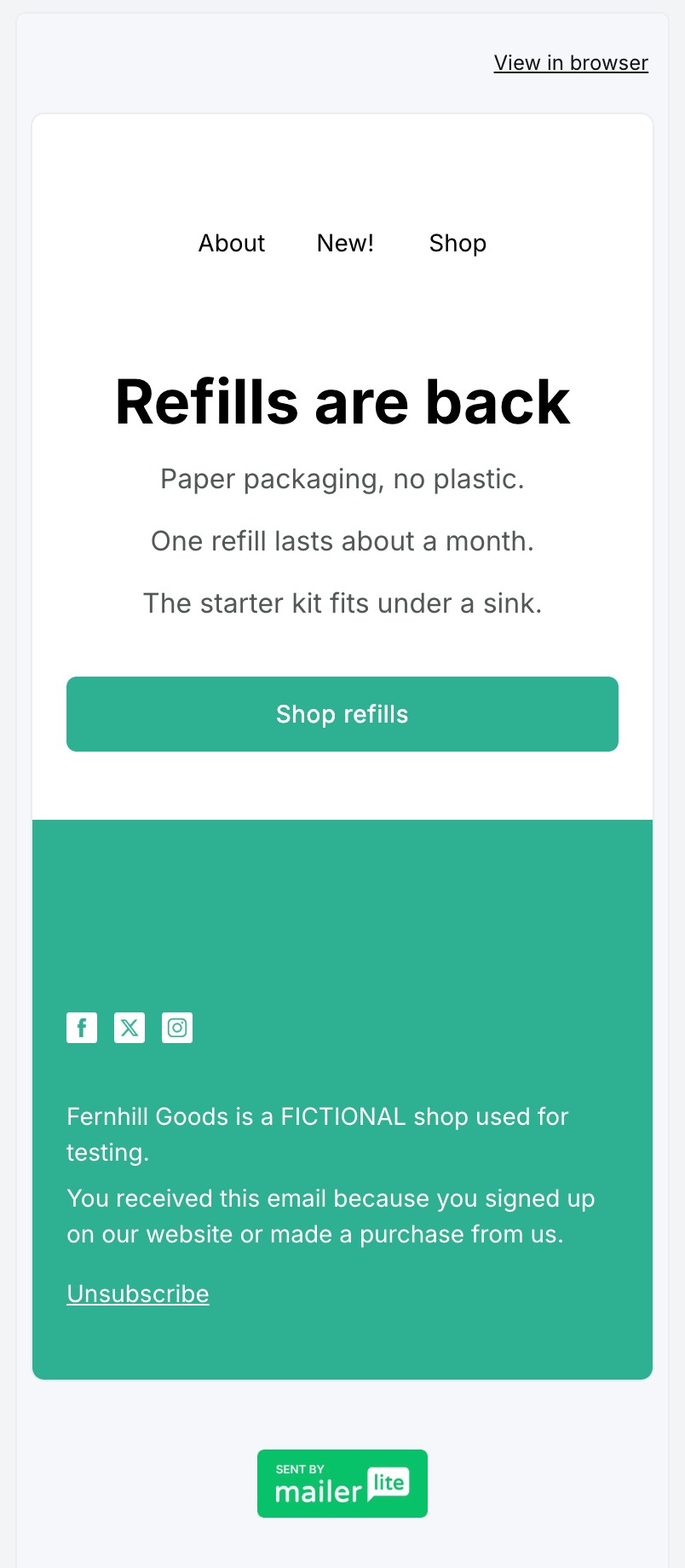
Run by the assistant in the owner's Chrome, signed in: one scripted pass per tool on a route from an untimed rehearsal, also used in the tool's other newsletter comparisons. Timing starts in the open editor; looks between parts are not counted, fixed waits and checks are. Mailchimp: 8 waits (8 s), 12 checks. MailerLite: 14 waits (16 s), 13 checks, after one void attempt (a check read hidden text); its editor left the third paragraph left-aligned, and re-centring it is counted. Its 8 s of extra waits are most of the 8.5 s gap. Both kept a logo placeholder; MailerLite's is blank in preview.
Test 2: Create a signup form with a first-name field
The task
In each tool, create a signup form for a new test audience or group with two fields (email and first name) and a thank-you message, and open its preview.
How we judged it
Pass: both fields, the thank-you message, and a preview that works, without extra paid features.
Partial: it works but needs an extra step or setting to add the first-name field.
Fail: the form cannot be made on the plan used.
Mailchimp
Partial
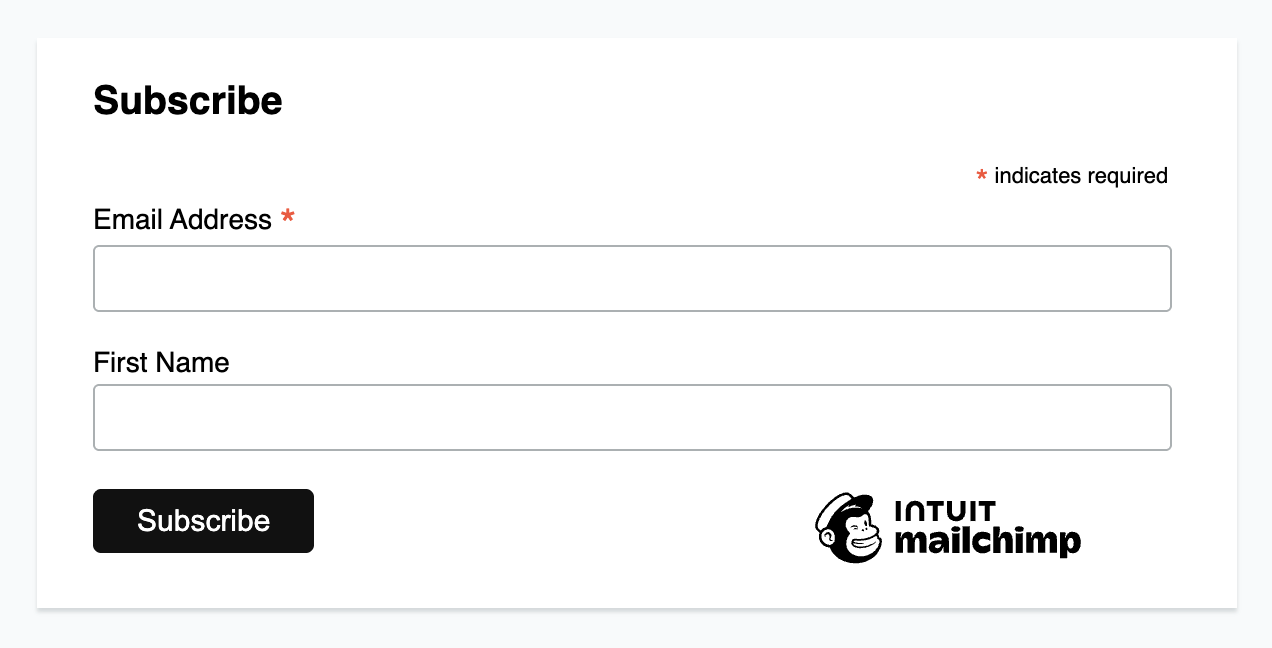
An embedded form with Email Address and First Name (one toggle) that tags signups TEST Fernhill; the builder has no thank-you message setting, so the form has none of its own.
MailerLite: Winner
Pass
An embedded form for the new TEST Fernhill group with Email, First name and Subscribe; the success message reads Thanks! Check your inbox. and the preview showed both fields.
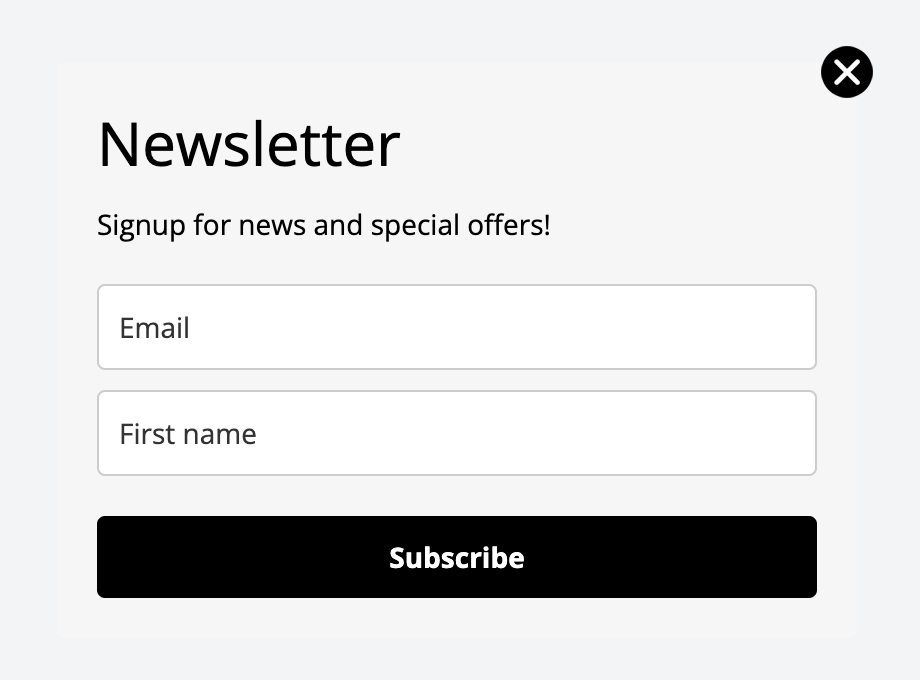

Run by the assistant in the owner's Chrome, signed in, not timed, default form styles; neither form was embedded, shared or submitted. Mailchimp's Free plan has one audience, so its form adds a new tag, TEST Fernhill, instead. Its embedded form builder has no thank-you setting, and its canvas was the only preview found; its response pages, emails and single opt-in are set for the whole audience and were left unchanged. MailerLite used a new, empty group; its Name field was relabelled First name; Double opt-in was on by default. The MailerLite run also serves its Brevo comparison.
Our verdict
For most small and midsize lists, MailerLite costs less and includes more on its Free plan. At 500 subscribers its Comfort plan costs $12 a month ($10.80 billed yearly), against $13 for Mailchimp Essentials and $20 for Standard. At 10,000 subscribers Comfort is $89 a month, while Mailchimp Essentials is $110 and Standard $135. MailerLite also bills only active subscribers, whereas Mailchimp counts unsubscribed and non-subscribed contacts toward your total. Its Free plan includes automations, a landing page and a website, and its paid plans add paid newsletter subscriptions, which Mailchimp leaves to third-party payment apps.
Mailchimp earns its higher price in specific cases. Standard and Premium add predictive segments, customer lifetime value and purchase-likelihood data, send-time optimization and branching automation flows of up to 200 steps, which suits ecommerce teams with a connected store. Mailchimp also lists more than 300 integrations, a Transactional email add-on, an SMS add-on in select countries and, on Premium, phone support and enterprise SSO.
If you mainly send newsletters and simple automations, start with MailerLite. If you run a store and want predictive segmentation and a large integration catalog, Mailchimp Standard is the stronger fit.
Choose Mailchimp if
You run an online store or a growing marketing team and want predictive segments, customer lifetime value and purchase-likelihood data, send-time optimization and branching automation flows of up to 200 steps on the Standard plan. It also fits if you depend on an app among its 300+ integrations, want transactional email or SMS from the same vendor, or need Premium's unlimited seats, phone support and enterprise SSO. Budget accordingly: Standard starts at $20 a month for 500 contacts.
Choose MailerLite if
You want an email tool at a lower monthly cost, especially once your list grows past a few thousand subscribers. Its Free plan includes automations, a landing page and a website, and Comfort starts at $12 a month for 500 subscribers. It is also the better pick if you plan to sell paid newsletters, digital products or bookings, want a simple website with a blog, or run a nonprofit: MailerLite gives nonprofits 30% off paid plans, against 15% at Mailchimp.
Frequently asked questions
Is MailerLite cheaper than Mailchimp?
At most list sizes, yes. Billed monthly, MailerLite Comfort costs $12 a month for 500 subscribers, compared with $13 for Mailchimp Essentials and $20 for Standard. At 2,500 subscribers it is $33 against $45 and $60, and at 10,000 subscribers $89 against $110 and $135. One exception: from 1,001 to 1,500 contacts, Mailchimp Essentials ($26.50) costs less than Comfort ($33). MailerLite takes 10% off for yearly billing, while Mailchimp offers yearly billing only on Standard and Premium at 10,000+ contacts, through sales. These are list prices in US dollars, and both scale with your contact count.
How do the Mailchimp and MailerLite free plans compare?
Both stop at 250 contacts or subscribers. Mailchimp Free allows 500 emails a month with a daily cap of 250, one seat and one audience, and it leaves out email scheduling and automation flows beyond a preview. MailerLite Free allows 2,500 emails a month, 2 seats, 3 active automations of up to 5 steps, one landing page and one website. If you go over the 250 limit, both pause sending until you upgrade or remove contacts.
Can I run a paid newsletter with Mailchimp or MailerLite?
MailerLite has paid newsletters and recurring subscriptions built into its Comfort and Power plans, but not the Free plan. Mailchimp has no native paid subscription feature; its own resources point to partner apps such as Campaignzee, ChargeBee and MoonClerk to take payments for your list.
Which is better for an online store?
Both connect to stores. MailerLite lists Shopify, WooCommerce and Stripe integrations and includes e-commerce automation triggers on every plan. Its abandoned-cart trigger works with Shopify, WooCommerce, PrestaShop, Wix, Shoper and its e-commerce API, though on Shopify only for shoppers who subscribed through a MailerLite form on the store or clicked a link in a MailerLite email. Mailchimp's Standard and Premium plans go further with predictive segments, customer lifetime value, purchase likelihood, behavioral targeting and Google retargeting ads. If you need those predictive tools, Mailchimp Standard is the closer match; for simpler store emails, MailerLite costs less.
Compare with others
More about: Mailchimp · MailerLite · Best Email marketing