
Klaviyo vs Mailchimp: Which is better in 2026?
Klaviyo is the stronger fit for an online store that wants store-triggered flows on every plan, Free included: Mailchimp's Free plan only previews automation, and flows on its cheapest paid plan, Essentials, stop at 4 steps.
Tested hands-on: 2 tests on a MacBook Pro (M1 Pro), October 30, 2026. How we tested
Some links on this page are affiliate links. If you buy through them we may earn a commission at no extra cost to you. This never affects our verdicts.
Quick answer
- Choose Klaviyo if: You want emails that react to what shoppers do in your online store, especially one on Shopify or WooCommerce.
- Choose Mailchimp if: You want an all-round email platform for a small business and a cheaper first paid plan.
- Price at a glance: Klaviyo: Free plan; paid from $20/mo · Mailchimp: Free plan; paid from $13/mo
At a glance
 Klaviyo |  Mailchimp | |
|---|---|---|
| Free plan | Yes | Yes |
| Paid plans | From $20/mo | From $13/mo |
| Our tests | Won 1 of 2 | Won 1 of 2 |
| Best for | Online stores, especially on Shopify or WooCommerce, that want email flows driven by store data and may later add text messages, reviews and support tools from the same vendor. | Small and midsize businesses, especially online stores, that want email, landing pages, SMS and a large integration catalog from one vendor and will use Standard-plan features such as predictive segments. |
Klaviyo and Mailchimp both court online stores, but they come at email marketing from different directions. Boston-based Klaviyo, founded in 2012, now calls itself a B2C CRM: its flows and segments run on customer profiles synced from more than 350 integrations, including Shopify and WooCommerce. Mailchimp, founded in Atlanta in 2001 and owned by Intuit since 2021, is an email marketing platform for small and midsize businesses, with landing pages, pop-up forms, an SMS add-on and more than 300 integrations. Their free plans are the same size, 250 contacts and 500 emails a month. This comparison sets out their plans, US list prices from 500 to 10,000 contacts and the same eight features.
Pricing
| Plan | Monthly | Yearly (12-month total) |
|---|---|---|
| Klaviyo | ||
| FreeUp to 250 active profiles; 500 email sends/month; $5 of mobile messages and $5 of Composer usage a month; Klaviyo logo in emails | Free Free plan | |
| EmailFrom $20/month for 251-500 active profiles and 5,000 sends; $150 at 6,501-10,000 profiles; price rises with profiles; billed monthly | $20/mo | no yearly price |
| EnterpriseKlaviyo Standard and Klaviyo Advanced through sales; Advanced priced by active profiles, with sends billed by usage | Custom | |
| Mailchimp | ||
| FreeUp to 250 contacts; max 500 emails/month or 250/day; 1 seat, 1 audience | Free Free plan | |
| EssentialsFrom $13/month for 500 contacts; price rises with contacts; sends 10x contacts/month; 3 seats; billed monthly | $13/mo | no yearly price |
| StandardFrom $20/month for 500 contacts; sends 12x contacts/month; 5 seats; annual billing only at 10,000+ contacts via sales | $20/mo | no yearly price |
| PremiumFrom $350/month for 10,000 contacts; sends 15x contacts/month; unlimited seats; annual billing via sales | $350/mo | no yearly price |
Prices checked on .
Features compared
| Feature | Klaviyo | Mailchimp |
|---|---|---|
| Free tier size | Yes · 250 active profiles, 500 email sends/month, $5 of mobile messages/month | Yes · 250 contacts, 500 emails/month (250/day) |
| Automations | Yes · Flows on all plans, including Free; list, segment, metric, date, price-drop and low-inventory triggers; pre-built flow library | Yes · Essentials: flows up to 4 steps; Standard/Premium: flows up to 200 steps with branching; Free: preview only |
| Landing pages | Yes · Hosted landing pages with an embedded sign-up form, on a Klaviyo or custom domain; links in pages need a paid account | Yes · All plans, including Free |
| Paid newsletters | No · No built-in paid newsletter subscriptions listed among its products or plan features | No · No native paid subscriptions; Mailchimp points to partner payment apps |
| Segmentation | Yes · Real-time segments on all plans, including Free; AI-generated segments on paid plans; RFM segmentation with the Personalization or Advanced Data Platform add-on | Yes · Basic on Free/Essentials; advanced and predictive on Standard/Premium |
| Referral program | No · No built-in program; referral apps such as ReferralCandy and Yotpo Loyalty & Referrals integrate | No · No built-in subscriber referral program listed |
| API | Yes · REST API (JSON:API) with private keys or OAuth, a client-side API and SDKs; an optional free test account for development | Yes · Marketing API; Transactional email add-on on Standard/Premium (demo only on Free/Essentials) |
| Deliverability tools | Yes · Branded sending domain (SPF, DKIM, optional DMARC record) for any account; Deliverability hub with a score and action center; dedicated IP for qualifying accounts | Yes · Domain authentication (DKIM, DMARC); Inbox Preview on paid plans (25 tokens/month) |
How we tested
We gave Klaviyo and Mailchimp the same 2 tasks on the same MacBook Pro (M1 Pro). Each test below lists the task, how we judged it, both results and screenshots; select a screenshot to see it at full size.
- Device
- MacBook Pro (M1 Pro) · macOS 26.6.2 · Chrome 156
- Tested
- October 30, 2026
- Plans used
- Klaviyo: Free · Mailchimp: Free
- App versions
- Klaviyo: Campaign email editor (web), blank layout, drag-and-drop blocks, Lists & segments (web), segment builder, Create manually · Mailchimp: Email campaign editor (web), drag-and-drop, Basic layout Minimal, Audience > Segments (web), segment builder
| Test | Klaviyo | Mailchimp | Winner |
|---|---|---|---|
| Build the same newsletter from a fixed brief (timed) | Pass0.47 min | Pass0.21 min | Mailchimpby Time to build the email |
| Build a two-condition segment of new, engaged contacts | Pass0.48 min | Partial0.4 min | Klaviyo |
| Tests won | 1 | 1 | 0 ties |
Test 1: Build the same newsletter from a fixed brief (timed)
The task
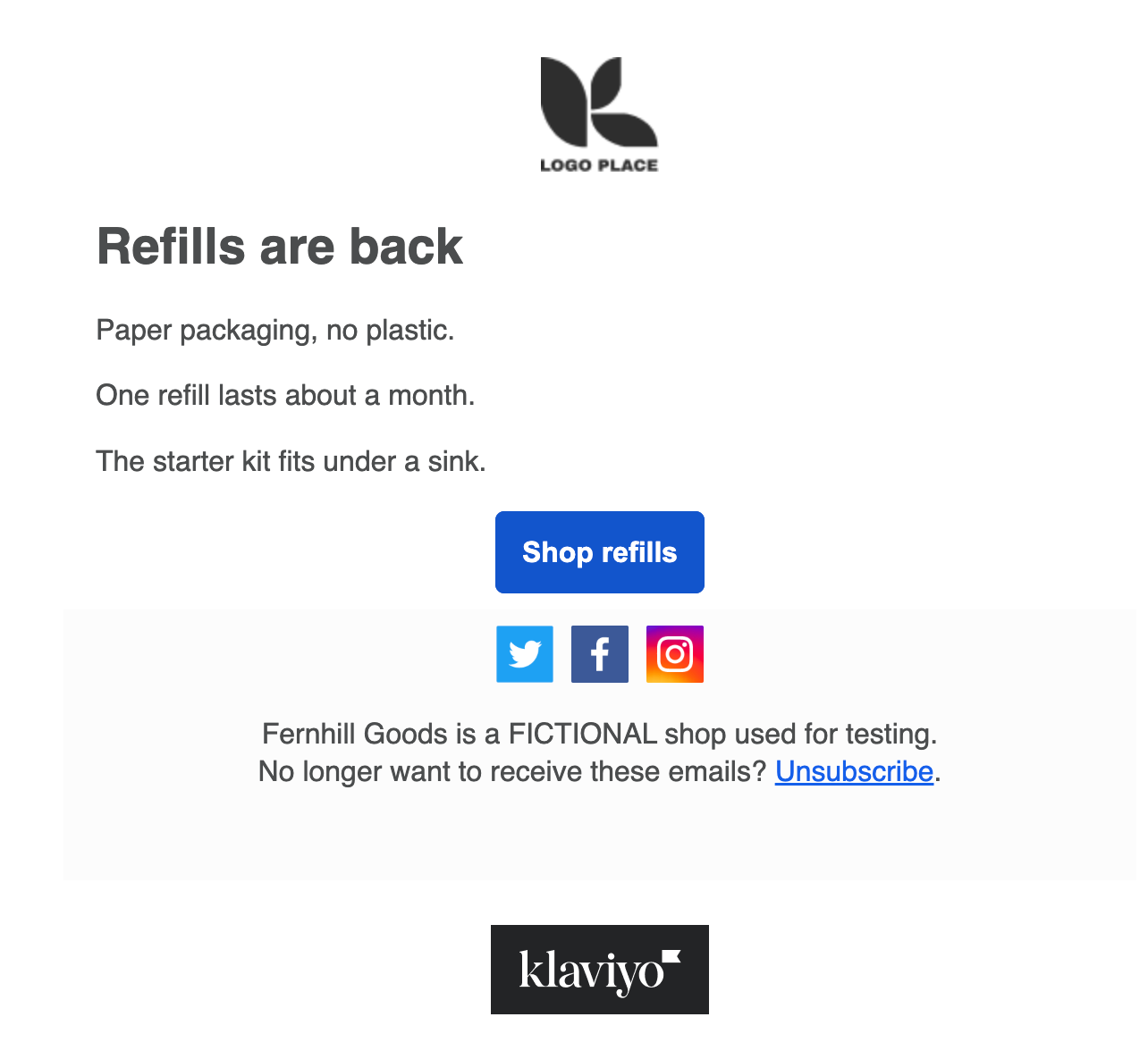
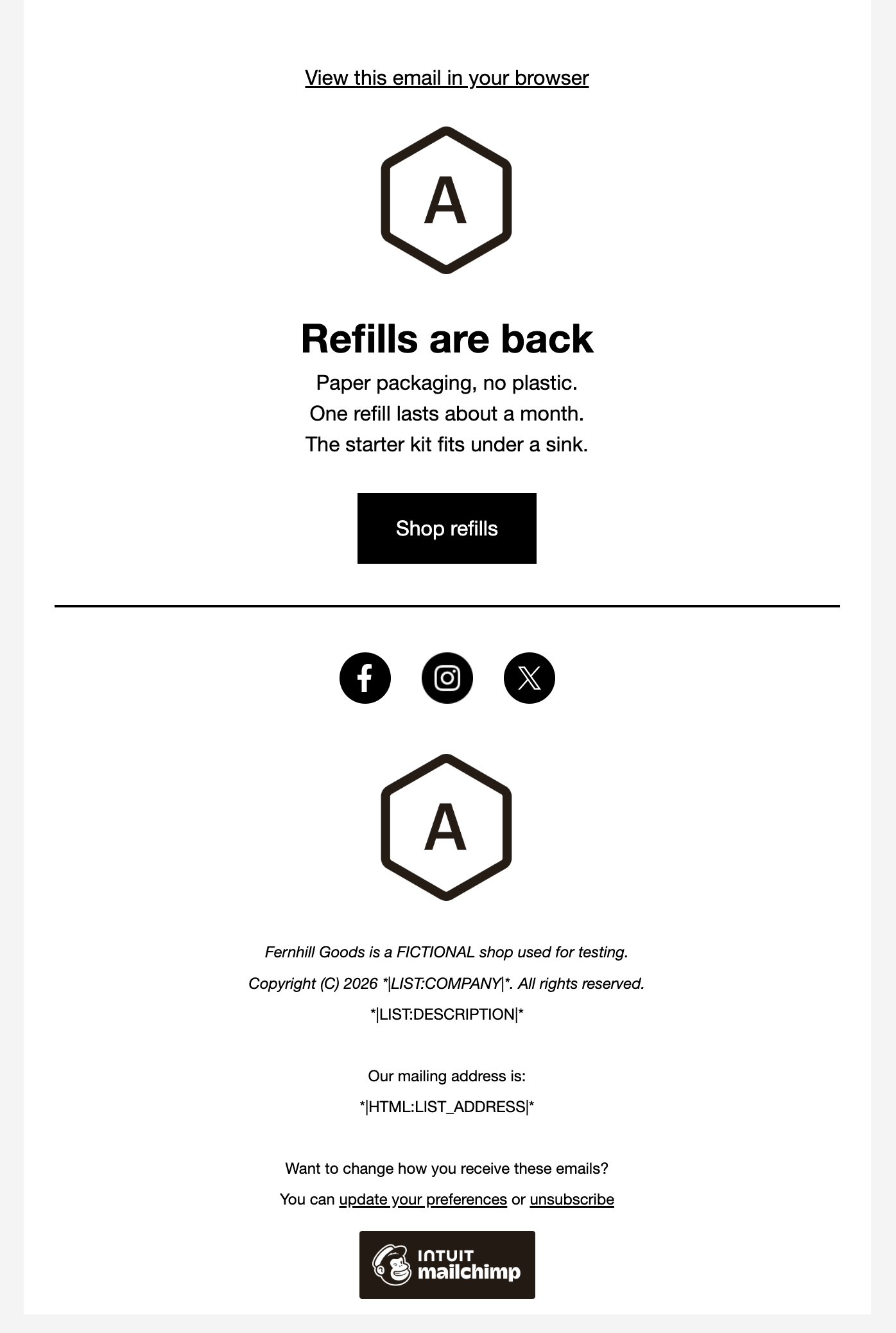
In each tool's email editor, build a newsletter for Fernhill Goods (FICTIONAL): a logo area, a headline "Refills are back", three short sections, one button "Shop refills" and a footer.
How we judged it
Pass: every element of the brief is there and looks finished, within 20 minutes.
Partial: one element missing or unfinished, or it took more than 20 minutes.
Fail: two or more elements missing.
The time is measured from opening the editor until the last element is done.
Klaviyo
Pass 0.47 min
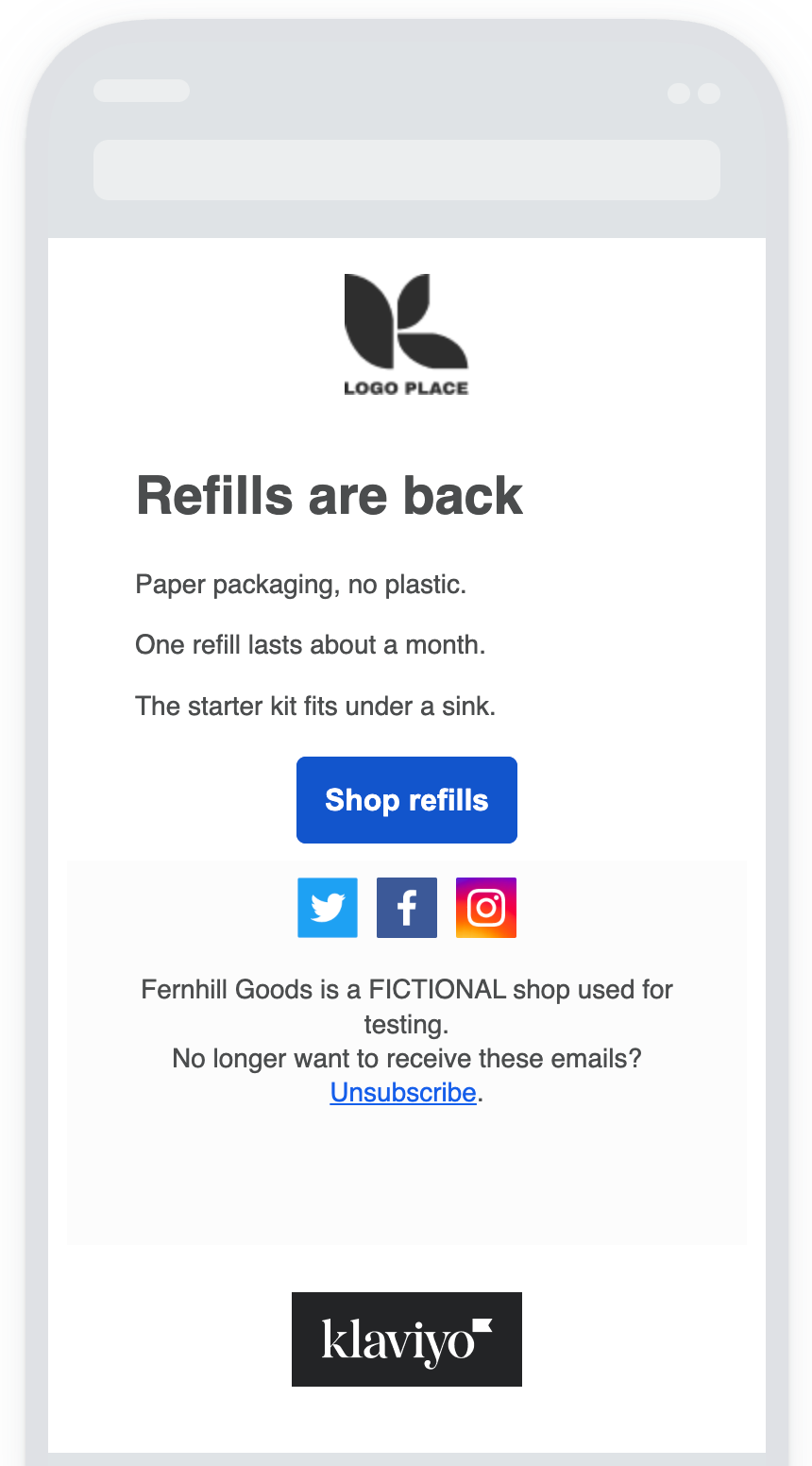
Klaviyo's sample LOGO PLACE image kept as the logo area; one Text block with the headline (Heading 1, set to 28 px bold) and three paragraphs; a Shop refills button with the link; the footer line.
Mailchimp: Winner
Pass 0.21 min
The Minimal layout's logo placeholder kept; headline and three sections typed over its sample text, its image block removed, the button set to Shop refills with the link, the footer line added.
One scripted pass each by the assistant in the owner's Chrome, signed in, on rehearsed routes; opening the editor and looks between parts not counted, fixed waits and checks counted. Mailchimp's run also serves its other newsletter comparisons; its Minimal layout already had heading, text, button and footer: 8 s of waits, 12 checks, no void attempts. Klaviyo asks for recipients first (a new, empty list); its blank layout needed text and button blocks: 21 s of waits, 10 checks, 3 void attempts (line format, lost footer line, wrong check); its 13 s of extra waits are most of the 15.5 s gap.
Test 2: Build a two-condition segment of new, engaged contacts
The task
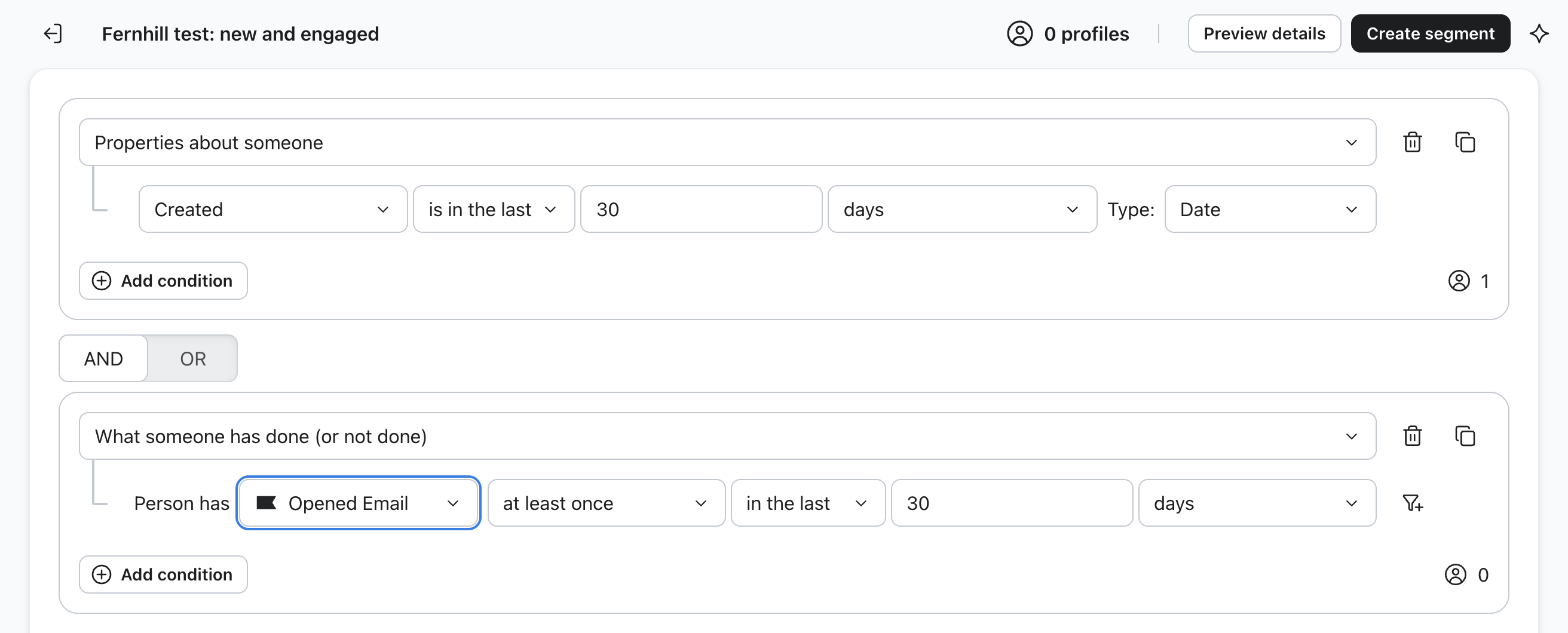
In each tool, build the same saved segment on the free plan: contacts added in the last 30 days AND who opened at least one email in the last 30 days. Name it "Fernhill test: new and engaged", save it and read the member count it shows (0 is fine).
How we judged it
Pass: both conditions are combined with AND in one saved segment, and the tool shows its member count, without an upgrade prompt.
Partial: it works only with a workaround, such as a tag or a filter that cannot be saved, or one condition needs a different time window or is missing only because the new account has sent no email yet.
Fail: the plan used cannot build a segment with both conditions.
Klaviyo: Winner
Pass 0.48 min
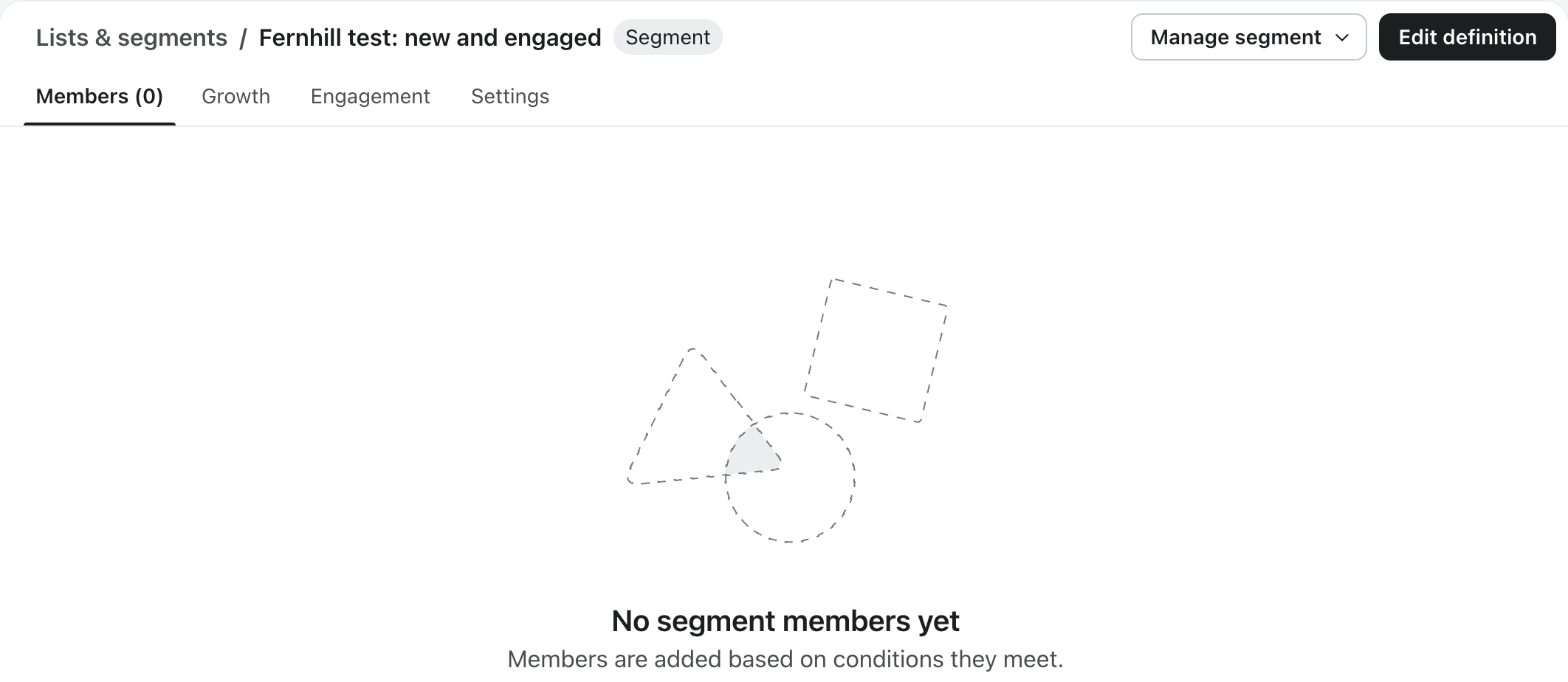
Created is in the last 30 days AND Opened Email at least once in the last 30 days, saved as one segment; its page shows Members (0) and no upgrade prompt appeared.
Mailchimp
Partial 0.4 min
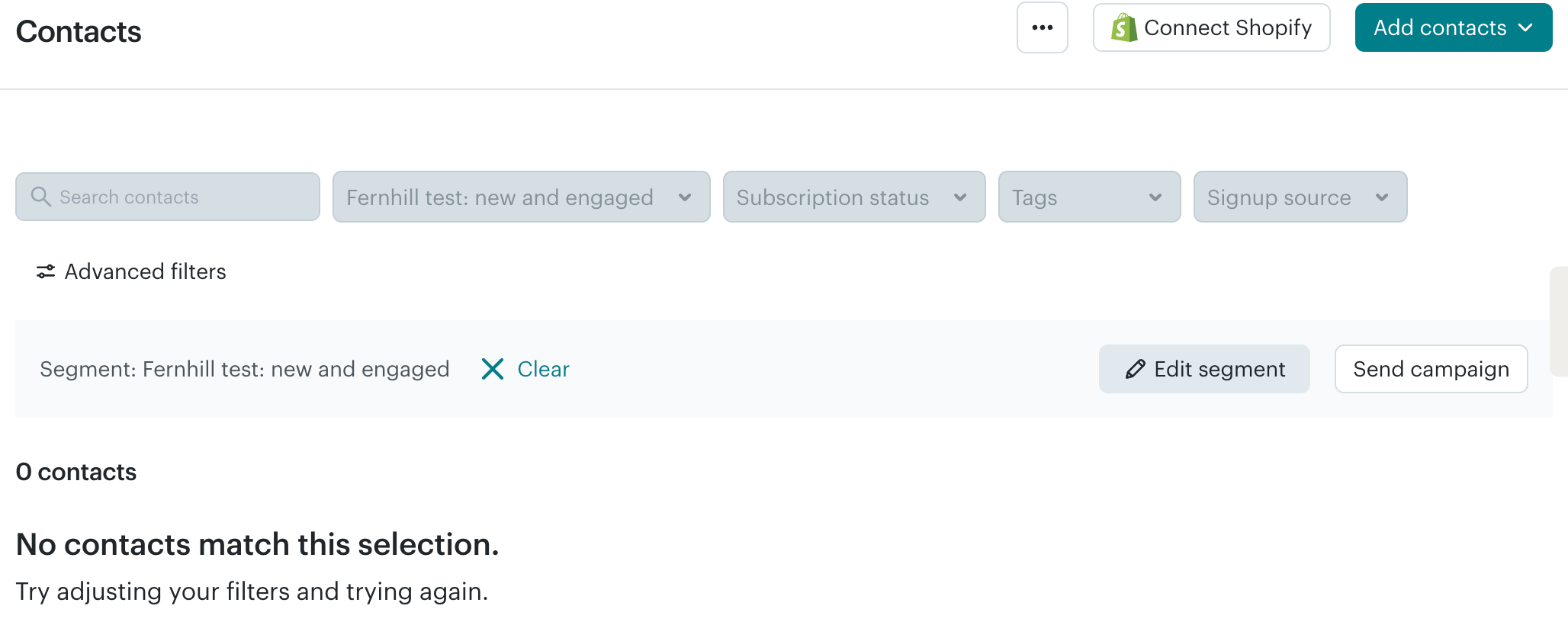
Email Subscription Date within the last 30 days AND opened Any Campaigns sent within the last 1 month (no 30-day choice), saved as one segment showing 0 contacts; no upgrade prompt.
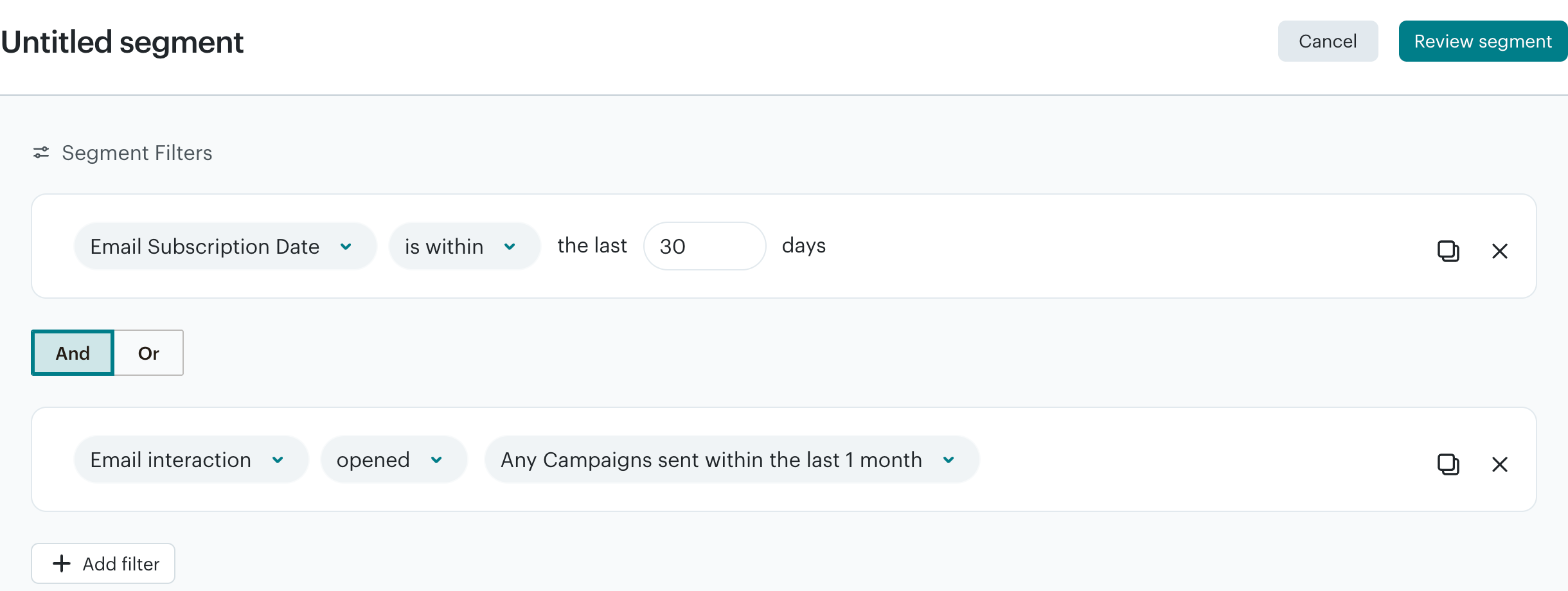
Run by the assistant in the owner's Chrome, signed in, on routes from untimed rehearsals, from the open builder to the saved segment (Klaviyo from its naming panel, so a 4 s wait for its builder counts), looks between parts not counted. Fixed waits are most of each time (Klaviyo 25 of 28.6 s, 6 checks; Mailchimp 22 of 23.9 s, 5 checks), so times count steps more than speed. Both join a new condition with OR until AND is pressed. Void attempts, 2 each: Klaviyo's panel dropped a name with a colon (renamed in the builder), AND not pressed; Mailchimp checks that threw. Each account had 1 contact.
Our verdict
Klaviyo is the stronger fit for an online store that wants store-triggered flows on every plan, Free included: Mailchimp's Free plan only previews automation, and flows on its cheapest paid plan, Essentials, stop at 4 steps. Mailchimp is the cheaper way to start paying, and its Standard plan costs the same as Klaviyo Email or less at 500, 5,000 and 10,000 contacts.
Klaviyo's Free plan also includes real-time segments and sign-up forms. A flow can start when a shopper begins checkout or places an order, or when a product drops in price or runs low, and profiles sync from more than 350 integrations, including Shopify and WooCommerce. Billed monthly, the Email plan costs $20 for up to 500 active profiles, $100 for 5,000 and $150 for 10,000 and adds predictive analytics and AI-generated segments; text messages, reviews and Personalization analytics cost extra.
Mailchimp's paid plans can also start flows from a connected store, for example after an abandoned cart or a purchase. Essentials costs $13, $75 and $110 at those sizes. Standard costs $20, $100 and $135 and adds predictive segments, send-time optimization and branching flows of up to 200 steps.
Compare list sizes with care: Mailchimp counts unsubscribed contacts and Klaviyo does not, while both count contacts who have not opted in to marketing.
Choose Klaviyo if
You want emails that react to what shoppers do in your online store, especially one on Shopify or WooCommerce. Klaviyo flows can start from a started checkout, a placed order, a price drop or low inventory, with a library of pre-built flows, and the Free plan already includes flows, real-time segments and sign-up forms for up to 250 active profiles. The Email plan costs $20 a month for 500 profiles and $150 for 10,000, and text messages, reviews and a help desk can be added from the same vendor.
Choose Mailchimp if
You want an all-round email platform for a small business and a cheaper first paid plan. Essentials costs $13 a month for 500 contacts and $110 for 10,000, and landing pages, pop-up forms and basic segmentation come with every plan. Standard, from $20, adds predictive segments, dynamic content, send-time optimization and branching flows of up to 200 steps. Mailchimp also lists more than 300 integrations, a Transactional email add-on on Standard and Premium, an SMS add-on in select countries, and Premium's unlimited seats, phone support and enterprise SSO.
Frequently asked questions
Is Klaviyo more expensive than Mailchimp?
It depends on the Mailchimp plan. Billed monthly, Klaviyo Email costs $20 for up to 500 active profiles, $100 for 5,000 and $150 for 10,000. Mailchimp Essentials costs $13, $75 and $110 at those sizes, and Standard $20, $100 and $135; Premium starts at $350 for 10,000 contacts. The steps in between differ: Klaviyo charges $30 for 501 to 1,000 profiles and $45 for 1,001 to 1,500, while Mailchimp's next tier covers up to 1,500 contacts, at $26.50 on Essentials and $45 on Standard. Klaviyo bills every profile it can email, including shoppers who never opted in, but not unsubscribed ones; Mailchimp counts subscribed, unsubscribed and non-subscribed contacts. Klaviyo's self-serve plans are billed monthly only, and Mailchimp offers yearly billing only on Standard and Premium at 10,000+ contacts, through sales. US dollar list prices as of October 2026, before any introductory offers.
How do the Klaviyo and Mailchimp free plans compare?
Both stop at 250 contacts (Klaviyo counts active profiles) and 500 emails a month. Klaviyo's Free plan includes flows, real-time segments and sign-up forms, plus $5 of mobile messages and $5 of Composer AI usage a month; emails carry the Klaviyo logo, and email support lasts 60 days. Mailchimp's Free plan caps sending at 250 emails a day and gives one seat and one audience, with landing pages, pop-up forms and basic segmentation. It has no email scheduling, adds Mailchimp branding, and shows automation flows only as a preview.
How do automations differ between Klaviyo and Mailchimp?
Klaviyo's flows run on every plan, including Free. A flow can start from a list, a segment, a date or a store event such as a started checkout or a placed order, or from a price drop or low inventory, and a library of pre-built flows gives starting points. Store data comes from more than 350 integrations, including Shopify, WooCommerce and BigCommerce. Mailchimp's Free plan shows automation flows only as a preview. On paid plans, a flow can start from a connected store, for example when a shopper buys a product or abandons a cart, and a connected Shopify store adds triggers such as an abandoned checkout. Essentials flows allow up to 4 steps; Standard and Premium allow branching flows of up to 200 steps and multiple starting points. Both vendors list personalized product recommendations on every plan, including Free.
Can Klaviyo and Mailchimp send text messages too?
Yes, but text messages are billed apart from the email plans. Klaviyo charges for them separately, and its Free plan includes $5 of mobile messages a month. Mailchimp offers an SMS add-on for paid plans in select countries. Klaviyo also sells reviews, a help desk and Personalization analytics as separate products, while Mailchimp offers a Transactional email add-on on Standard and Premium.
What deliverability tools do Klaviyo and Mailchimp offer?
Both let you authenticate your sending domain. Any Klaviyo account can set up a branded sending domain with SPF and DKIM and an optional DMARC record, and its Deliverability hub shows a score with an action center of next steps; qualifying accounts can get a dedicated IP. Mailchimp supports domain authentication with DKIM and DMARC, and its paid monthly plans include 25 Inbox Preview tokens a month for previewing an email in different email clients.
Compare with others
More about: Klaviyo · Mailchimp · Best Email marketing