
Kit vs Mailchimp: Which is better in 2026?
Kit is the better fit for creators who run a newsletter as a business; Mailchimp suits businesses, especially online stores, that want predictive segmentation and a large integration catalog.
Tested hands-on: 2 tests on a MacBook Pro (M1 Pro), October 30, 2026. How we tested
Some links on this page are affiliate links. If you buy through them we may earn a commission at no extra cost to you. This never affects our verdicts.
Quick answer
- Choose Kit if: You want to grow a newsletter and earn from it in one account.
- Choose Mailchimp if: You want an email platform for a business or online store that leans on segmentation and integrations.
- Price at a glance: Kit: Free plan; paid from $39/mo · Mailchimp: Free plan; paid from $13/mo
At a glance
 Kit |  Mailchimp | |
|---|---|---|
| Free plan | Yes | Yes |
| Paid plans | From $39/mo | From $13/mo |
| Our tests | Won 0 of 21 tie | Won 1 of 21 tie |
| Best for | Creators such as writers, YouTubers, podcasters and course sellers who want to grow a newsletter and sell digital products or paid subscriptions from one account. | Small and midsize businesses, especially online stores, that want email, landing pages, SMS and a large integration catalog from one vendor and will use Standard-plan features such as predictive segments. |
Kit, formerly ConvertKit, and Mailchimp both send newsletters and automated emails, but they are built for different senders. Kit is aimed at creators who want to grow a list and sell to it, while Mailchimp, owned by Intuit since 2021, is a broader marketing platform with landing pages, pop-up forms, reporting and more than 300 integrations. Their free plans show the gap: Kit's manages up to 10,000 subscribers, while Mailchimp's stops at 250 contacts and 500 emails a month. This comparison sets out their plans, US list prices at several list sizes and the same eight features: free tier, automations, landing pages, paid newsletters, segmentation, referral program, API and deliverability tools.
Pricing
| Plan | Monthly | Yearly (12-month total) |
|---|---|---|
| Kit | ||
| FreeUp to 10,000 subscribers; 1 user; no visual automations or sequences | Free Free plan | |
| CreatorFor up to 1,000 subscribers; price rises with list size; 2 users | $39/mo | $390/yr ($32.50/mo) |
| ProFor up to 1,000 subscribers; price rises with list size; unlimited users | $79/mo | $790/yr ($65.83/mo) |
| Mailchimp | ||
| FreeUp to 250 contacts; max 500 emails/month or 250/day; 1 seat, 1 audience | Free Free plan | |
| EssentialsFrom $13/month for 500 contacts; price rises with contacts; sends 10x contacts/month; 3 seats; billed monthly | $13/mo | no yearly price |
| StandardFrom $20/month for 500 contacts; sends 12x contacts/month; 5 seats; annual billing only at 10,000+ contacts via sales | $20/mo | no yearly price |
| PremiumFrom $350/month for 10,000 contacts; sends 15x contacts/month; unlimited seats; annual billing via sales | $350/mo | no yearly price |
Prices checked on .
Features compared
| Feature | Kit | Mailchimp |
|---|---|---|
| Free tier size | Yes · Up to 10,000 subscribers | Yes · 250 contacts, 500 emails/month (250/day) |
| Automations | Yes · Unlimited visual automations and sequences on Creator and Pro; none on Free | Yes · Essentials: flows up to 4 steps; Standard/Premium: flows up to 200 steps with branching; Free: preview only |
| Landing pages | Yes · Unlimited on all plans, including Free | Yes · All plans, including Free |
| Paid newsletters | Yes · All plans; 3.5% + 30¢ per transaction | No · No native paid subscriptions; Mailchimp points to partner payment apps |
| Segmentation | Yes · Tags and segments on all plans | Yes · Basic on Free/Essentials; advanced and predictive on Standard/Premium |
| Referral program | Yes · Pro only, via an included SparkLoop plan | No · No built-in subscriber referral program listed |
| API | Yes · All plans | Yes · Marketing API; Transactional email add-on on Standard/Premium (demo only on Free/Essentials) |
| Deliverability tools | Yes · Verified sending domain (SPF, DKIM, DMARC); deliverability reporting and custom tracking domain on Pro | Yes · Domain authentication (DKIM, DMARC); Inbox Preview on paid plans (25 tokens/month) |
How we tested
We gave Kit and Mailchimp the same 2 tasks on the same MacBook Pro (M1 Pro). Each test below lists the task, how we judged it, both results and screenshots; select a screenshot to see it at full size.
- Device
- MacBook Pro (M1 Pro) · macOS 26.6.2 · Chrome 156
- Tested
- October 30, 2026
- Plans used
- Kit: Free (14-day trial of paid features running) · Mailchimp: Free
- App versions
- Kit: Broadcast editor (web), Text only template, / block menu, Landing page editor (web), Loop template · Mailchimp: Email campaign editor (web), drag-and-drop, Basic layout Minimal, Signup landing page builder (web), Grow Your List template
| Test | Kit | Mailchimp | Winner |
|---|---|---|---|
| Build the same newsletter from a fixed brief (timed) | Pass0.53 min | Pass0.21 min | Mailchimpby Time to build the email |
| Create a signup landing page with a first-name field | Pass | Pass | Tie |
| Tests won | 0 | 1 | 1 tie |
Test 1: Build the same newsletter from a fixed brief (timed)
The task
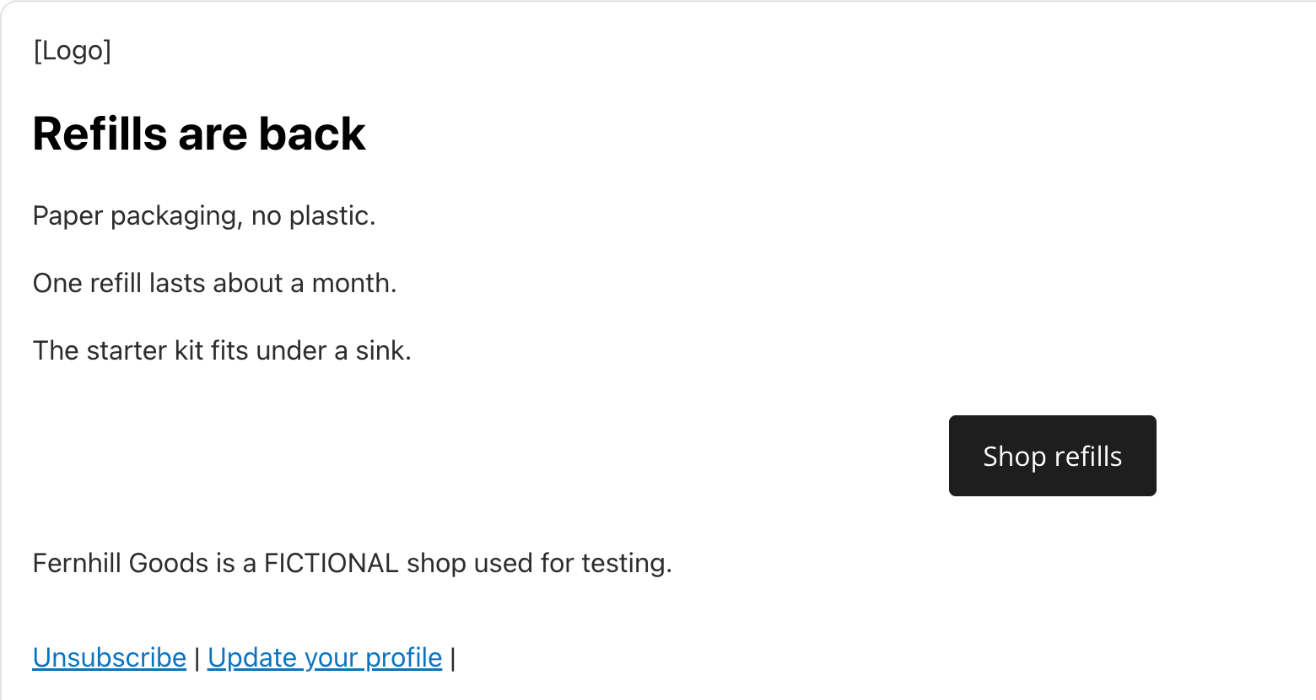
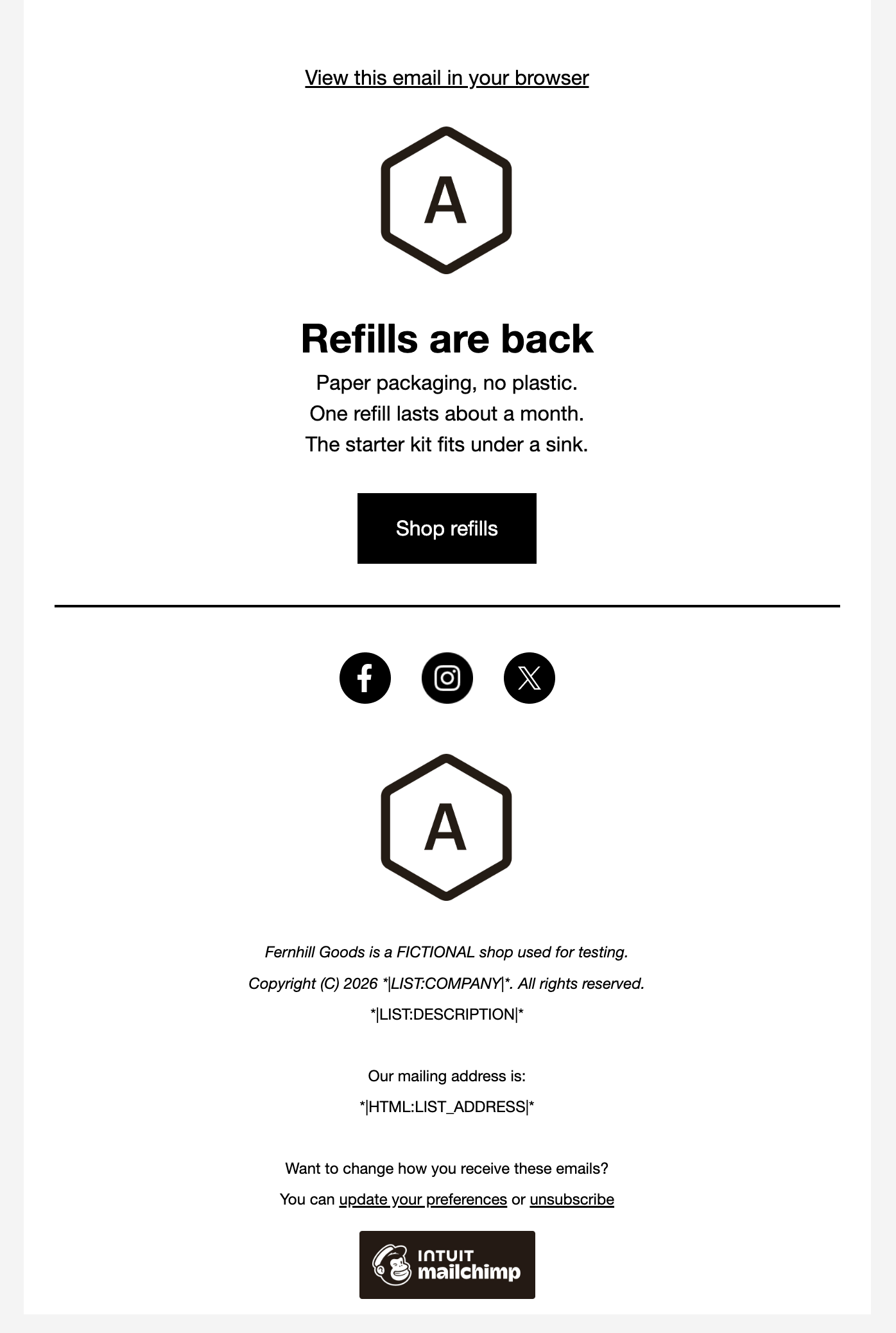
In each tool's email editor, build a newsletter for Fernhill Goods (FICTIONAL): a logo area, a headline "Refills are back", three short sections, one button "Shop refills" and a footer.
How we judged it
Pass: every element of the brief is there and looks finished, within 20 minutes.
Partial: one element missing or unfinished, or it took more than 20 minutes.
Fail: two or more elements missing.
The time is measured from opening the editor until the last element is done.
Kit
Pass 0.53 min
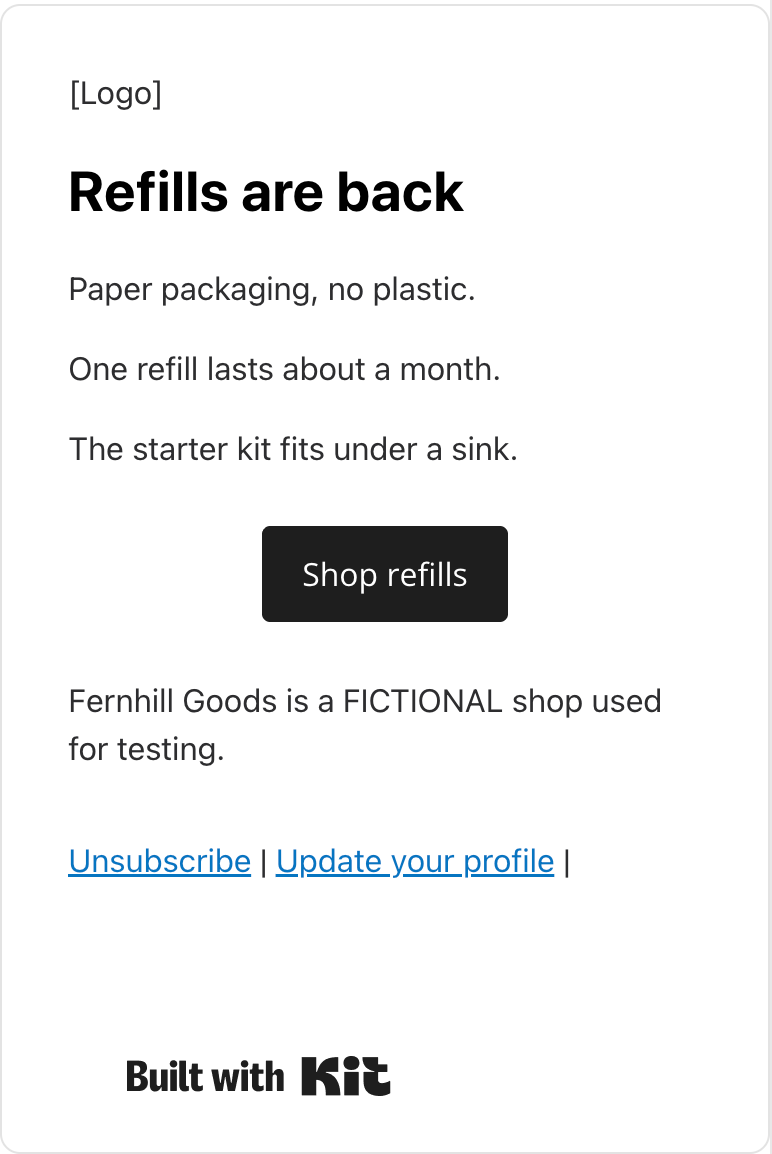
From the Text only template: a [Logo] text line, the headline as Heading 1, three paragraphs, a Shop refills button to the test address and the footer line above Kit's fixed footer.
Mailchimp: Winner
Pass 0.21 min
From the Basic layout Minimal: the headline over three lines of text, a Shop refills button to the test address and the footer line; the logo placeholder and social icons are the template's.
Run by the assistant in the owner's Chrome, signed in: one scripted pass per tool on a route found in an untimed rehearsal, each also used in the tool's other newsletter comparisons. Opening the editor and looks between parts are not counted. Kit: Text only template, 5 fixed waits (6 s), 6 checks, after 1 void attempt (a script check threw); most of its time is scripted typing, which Kit's editor took slowly. Its image block needs a picture, so the logo is a [Logo] text line. Mailchimp: Basic layout Minimal, 8 waits (8 s), 12 checks. Kit was in its 14-day trial; nothing used was marked paid.
Test 2: Create a signup landing page with a first-name field
The task
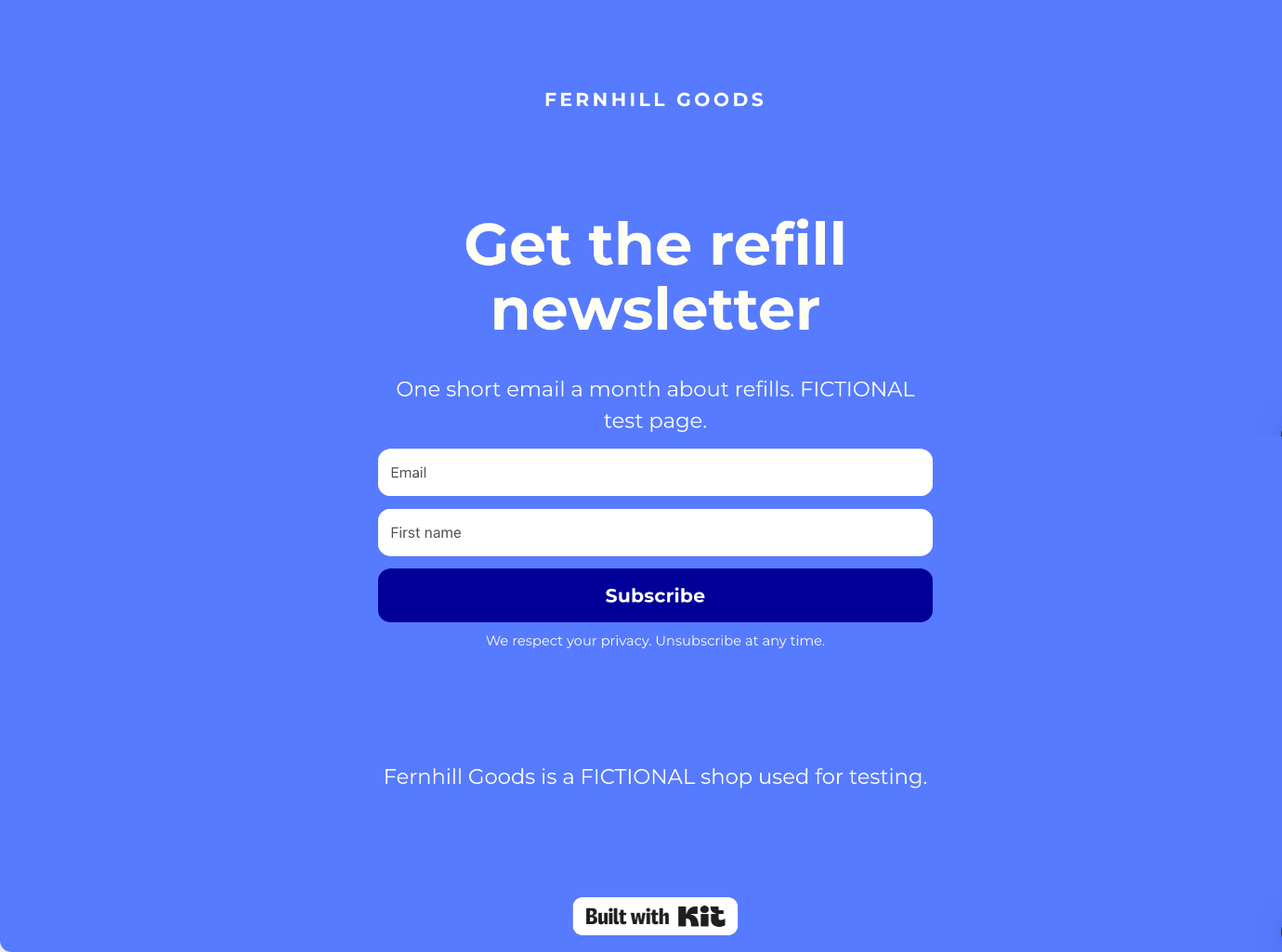
In each tool, create a landing page for Fernhill Goods (FICTIONAL) with the headline "Get the refill newsletter", one line of text, a signup form with two fields (email and first name), a "Subscribe" button and the thank-you message "Thanks! Check your inbox." Open its preview without publishing it.
How we judged it
Pass: the headline, the text, both fields, the button and the thank-you message are all there, and the preview works, without a paid feature.
Partial: it works, but the first-name field or the thank-you message needs an extra step or a setting outside the page editor.
Fail: the page, or one of the two fields, cannot be made on the plan used.
Kit
Pass
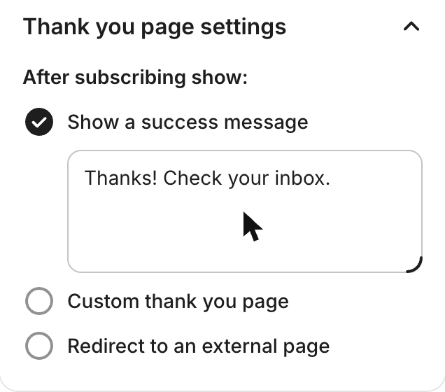
The Loop page got the headline, the text line, Email and First name fields, a Subscribe button and the success message; the preview worked. Tagging sign-ups needed a Rule, free only in the trial.
Mailchimp
Pass
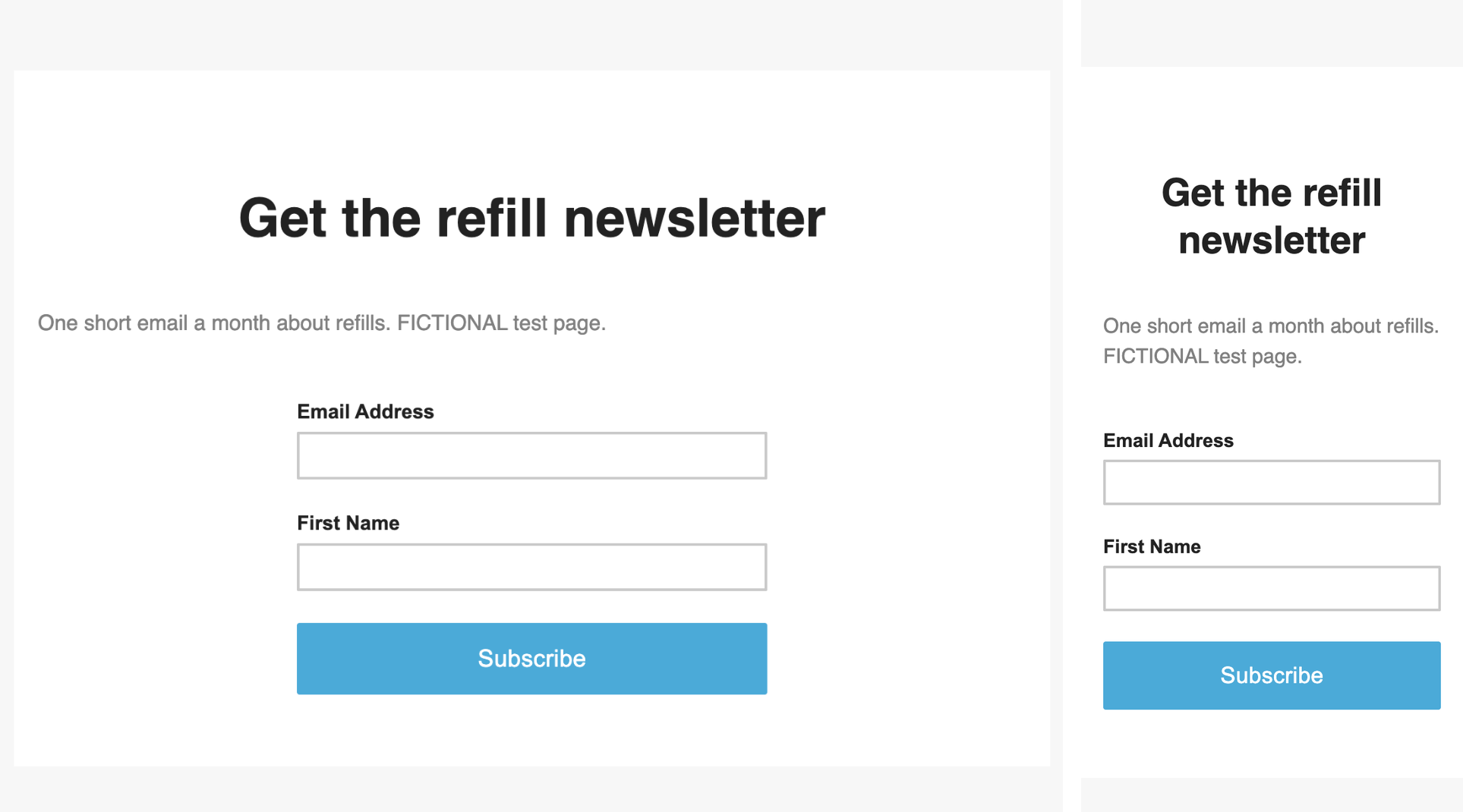
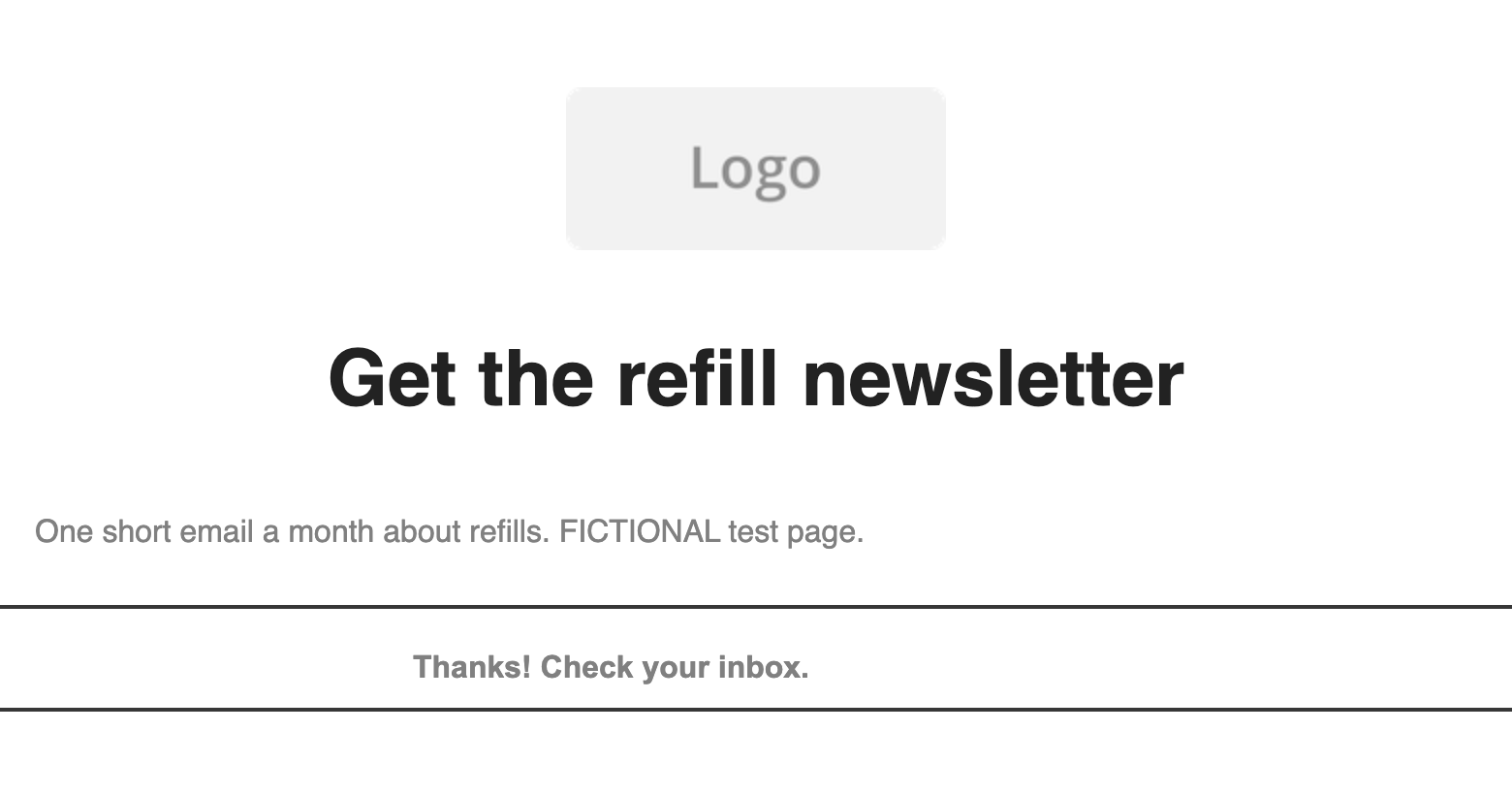
The page got the headline, the text line, Email Address and First Name (ticked in the form block), a Subscribe button and the confirmation message; desktop and mobile previews worked.
Not timed. Run by the assistant in Chrome, signed in; neither form was submitted. Each used its plainest signup template (Kit Loop, Mailchimp Grow Your List), changing only texts, fields and the button. Mailchimp's run also serves its other landing page comparison; its tag is set in the page's checklist. Kit's page editor has no tag setting, so a Rule tags sign-ups; Kit said Rules are free during the 14-day trial the account was in. The page itself showed no paid or trial notice. Kit's preview was checked on desktop. Kit's Continue button published the page at once; it was archived.
Our verdict
Kit is the better fit for creators who run a newsletter as a business; Mailchimp suits businesses, especially online stores, that want predictive segmentation and a large integration catalog.
Kit's Free plan carries a list of up to 10,000 subscribers with unlimited broadcasts, landing pages and forms, so a writer who only sends newsletters can pay nothing at a list size where Mailchimp Essentials costs $110 a month. Selling is built in on every plan: paid newsletters, digital products and tips, for 3.5% plus 30 cents a transaction. The catch is automation, which starts on Creator at $39 a month for 1,000 subscribers. Pro, from $79, adds a referral program through an included SparkLoop plan. Mailchimp's plans list no built-in paid subscriptions or subscriber referrals.
Mailchimp's Free plan is small, at 250 contacts and 500 emails a month, and Mailchimp counts unsubscribed and non-subscribed contacts toward your contact total. Even so, Essentials can cost less than Kit Creator: $26.50 a month for up to 1,500 contacts. Its flows stop at 4 steps, though. Standard, from $20, adds predictive segmentation, send-time optimization and branching flows of up to 200 steps.
Pick Kit to grow and earn from an audience, and Mailchimp Standard for segmented store marketing with many connected apps.
Choose Kit if
You want to grow a newsletter and earn from it in one account. Kit's Free plan manages up to 10,000 subscribers with unlimited landing pages, forms and broadcasts, and every plan can sell paid newsletters, digital products and tips for 3.5% plus 30 cents a transaction. Creator, from $39 a month for 1,000 subscribers or $390 billed yearly, adds unlimited visual automations and email sequences, and Pro adds a newsletter referral system and deliverability reporting. It suits writers, podcasters, YouTubers and course sellers.
Choose Mailchimp if
You want an email platform for a business or online store that leans on segmentation and integrations. Standard, from $20 a month for 500 contacts, adds predictive and advanced segmentation, dynamic content, send-time optimization and branching automation flows of up to 200 steps, with 5 seats. Mailchimp lists more than 300 integrations, Standard and Premium offer a Transactional email add-on, and Premium brings unlimited seats, phone support and enterprise SSO. For simple campaigns, Essentials starts at $13 a month for 500 contacts, or $26.50 for up to 1,500.
Frequently asked questions
Is Kit cheaper than Mailchimp?
It depends on your list size and the features you need. Kit's Free plan costs nothing for up to 10,000 subscribers, while Mailchimp's Free plan stops at 250 contacts. Billed monthly, Kit Creator costs $39 for 1,000 subscribers, $89 for 5,000 and $139 for 10,000. Mailchimp Essentials costs $26.50 for up to 1,500 contacts, $75 for 5,000 and $110 for 10,000, and Standard $45, $100 and $135. Kit Pro is $79, $139 and $189 at the same sizes. Kit's yearly billing costs 10 times the monthly price, while Mailchimp offers yearly billing only on Standard and Premium at 10,000+ contacts, through sales. Mailchimp also counts unsubscribed and non-subscribed contacts, and Kit counts only unique, active subscribers. These are US dollar list prices as of October 2026.
How do the Kit and Mailchimp free plans compare?
Kit's Free plan manages up to 10,000 subscribers with one user, unlimited landing pages, forms and email broadcasts, tagging and segmentation, and selling digital products and subscriptions. It has no visual automations or email sequences, and removing Kit branding needs a paid plan. Mailchimp's Free plan allows 250 contacts and 500 emails a month (250 a day), one seat and one audience. It includes landing pages, pop-up forms and basic segmentation, but it has no email scheduling, it adds Mailchimp branding, and automation flows are a preview only.
Can I run a paid newsletter with Kit or Mailchimp?
With Kit, yes, on every plan including Free: paid newsletters, recurring subscriptions, digital products and tip jars, for a fee of 3.5% plus 30 cents per transaction that includes card processing. Mailchimp has no native paid subscription feature; its own resources point to partner payment apps such as Campaignzee, ChargeBee and MoonClerk.
How do automations differ between Kit and Mailchimp?
Kit leaves automation out of its Free plan; Creator and Pro include unlimited visual automations and email sequences, plus RSS campaigns. Mailchimp's Free plan shows automation flows as a preview only, Essentials allows flows of up to 4 steps, and Standard and Premium allow branching flows of up to 200 steps, alongside send-time optimization and predictive segmentation. If your automations are short, the 4-step limit of Essentials may be enough; for longer sequences, compare Kit Creator with Mailchimp Standard at your list size.
How many team members can use Kit and Mailchimp?
Kit's Free plan has 1 user, Creator 2 and Pro unlimited users. Mailchimp's Free plan has 1 seat, Essentials 3, Standard 5 and Premium unlimited seats, and Premium adds phone and priority support and enterprise SSO. At 10,000 subscribers Kit Pro costs $189 a month billed monthly, against $350 for Mailchimp Premium at 10,000 contacts.
Compare with others
More about: Kit · Mailchimp · Best Email marketing