
Kit vs MailerLite: Which is better in 2026?
Kit suits a newsletter that mostly sends broadcasts and wants to earn from its readers; MailerLite costs less once you need automations, and every plan includes its website builder.
Tested hands-on: 3 tests on a MacBook Pro (M1 Pro), October 30, 2026. How we tested
Some links on this page are affiliate links. If you buy through them we may earn a commission at no extra cost to you. This never affects our verdicts.
Quick answer
- Choose Kit if: You want to grow a newsletter before you pay anything.
- Choose MailerLite if: You want automations without a large monthly bill.
- Price at a glance: Kit: Free plan; paid from $39/mo · MailerLite: Free plan; paid from $12/mo
At a glance
 Kit |  MailerLite | |
|---|---|---|
| Free plan | Yes | Yes |
| Paid plans | From $39/mo | From $12/mo |
| Our tests | Won 0 of 31 tie | Won 2 of 31 tie |
| Best for | Creators such as writers, YouTubers, podcasters and course sellers who want to grow a newsletter and sell digital products or paid subscriptions from one account. | Small businesses, solo creators and nonprofits that want email, automations, a simple website and paid newsletters in one tool at a lower monthly price. |
Kit and MailerLite are both email platforms for creators and small businesses, but they start from different places. Kit, formerly ConvertKit, is built around growing a newsletter and selling to its readers, and its Free plan manages up to 10,000 subscribers. MailerLite puts visual automations, landing pages and a website builder on every plan, including a Free plan that stops at 250 subscribers. Below we compare their plans, US list prices at 1,000, 5,000 and 10,000 subscribers, and eight core features: free tier, automations, landing pages, paid newsletters, segmentation, referral program, API and deliverability tools.
Pricing
| Plan | Monthly | Yearly (12-month total) |
|---|---|---|
| Kit | ||
| FreeUp to 10,000 subscribers; 1 user; no visual automations or sequences | Free Free plan | |
| CreatorFor up to 1,000 subscribers; price rises with list size; 2 users | $39/mo | $390/yr ($32.50/mo) |
| ProFor up to 1,000 subscribers; price rises with list size; unlimited users | $79/mo | $790/yr ($65.83/mo) |
| MailerLite | ||
| FreeUp to 250 active subscribers; 2,500 emails/month; 2 user seats | Free Free plan | |
| ComfortFrom $12/month for 500 subscribers ($10.80/month billed yearly); emails = 10x subscriber tier; 3 seats | $12/mo | $129.60/yr ($10.80/mo) |
| PowerFrom $25/month for 500 subscribers ($22.50/month billed yearly); unlimited emails (fair use) and seats | $25/mo | $270/yr ($22.50/mo) |
| Enterprise200K+ subscribers; custom sending volume; priced by active subscribers and add-ons | Custom | |
Prices checked on .
Features compared
| Feature | Kit | MailerLite |
|---|---|---|
| Free tier size | Yes · Up to 10,000 subscribers | Yes · 250 subscribers, 2,500 emails/month |
| Automations | Yes · Unlimited visual automations and sequences on Creator and Pro; none on Free | Yes · Free: 3 active, 5 steps; Comfort: 50 active; Power: unlimited; paid plans up to 100 steps |
| Landing pages | Yes · Unlimited on all plans, including Free | Yes · Free: 1; Comfort: 10; Power: unlimited |
| Paid newsletters | Yes · All plans; 3.5% + 30¢ per transaction | Yes · Comfort and Power plans; not on Free |
| Segmentation | Yes · Tags and segments on all plans | Yes · Unlimited dynamic segments and groups on all plans |
| Referral program | Yes · Pro only, via an included SparkLoop plan | No · No built-in; integrates with referral tools such as GrowSurf |
| API | Yes · All plans | Yes · Full on paid plans; limited on Free (no sending) |
| Deliverability tools | Yes · Verified sending domain (SPF, DKIM, DMARC); deliverability reporting and custom tracking domain on Pro | Yes · Domain authentication (DKIM, SPF); MailerCheck verifier from a sister company, paid separately; dedicated IP add-on on Enterprise |
How we tested
We gave Kit and MailerLite the same 3 tasks on the same MacBook Pro (M1 Pro). Each test below lists the task, how we judged it, both results and screenshots; select a screenshot to see it at full size.
- Device
- MacBook Pro (M1 Pro) · macOS 26.6.2 · Chrome 156
- Tested
- October 30, 2026
- Plans used
- Kit: Free (14-day trial of paid features running) · MailerLite: Free
- App versions
- Kit: Broadcast editor (web), Text only template, / block menu, Landing page editor (web), Loop template, Automation > Email sequences (web) · MailerLite: Email campaign editor (web), drag-and-drop, Start from scratch, Sites > Landing pages (web), Start from scratch, CTA subscribe section, Automations (web), Start from scratch
| Test | Kit | MailerLite | Winner |
|---|---|---|---|
| Write the same newsletter issue from a fixed brief (timed) | Pass0.53 min | Pass0.35 min | MailerLiteby Time to build the email |
| Make a signup landing page with a first-name field | Pass | Pass | Tie |
| Build a two-email welcome series on the free plan | Fail0 of 4 | Pass4 of 4 | MailerLite |
| Tests won | 0 | 2 | 1 tie |
Test 1: Write the same newsletter issue from a fixed brief (timed)
The task
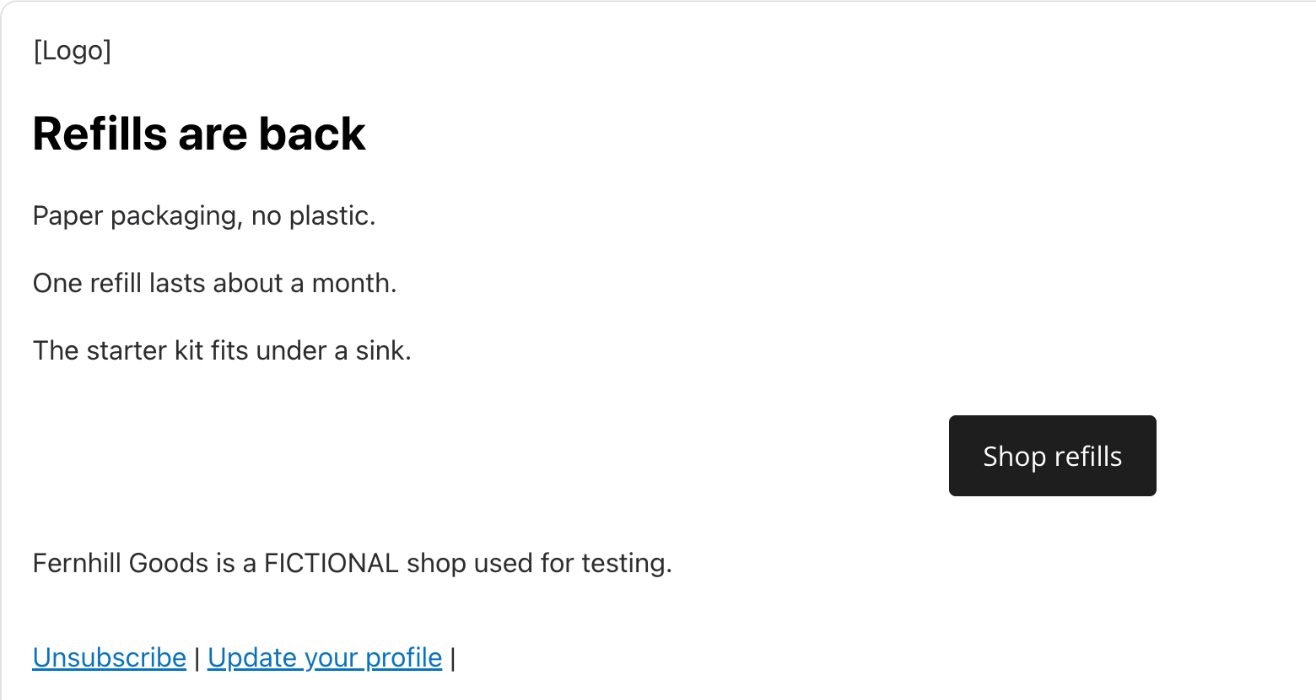
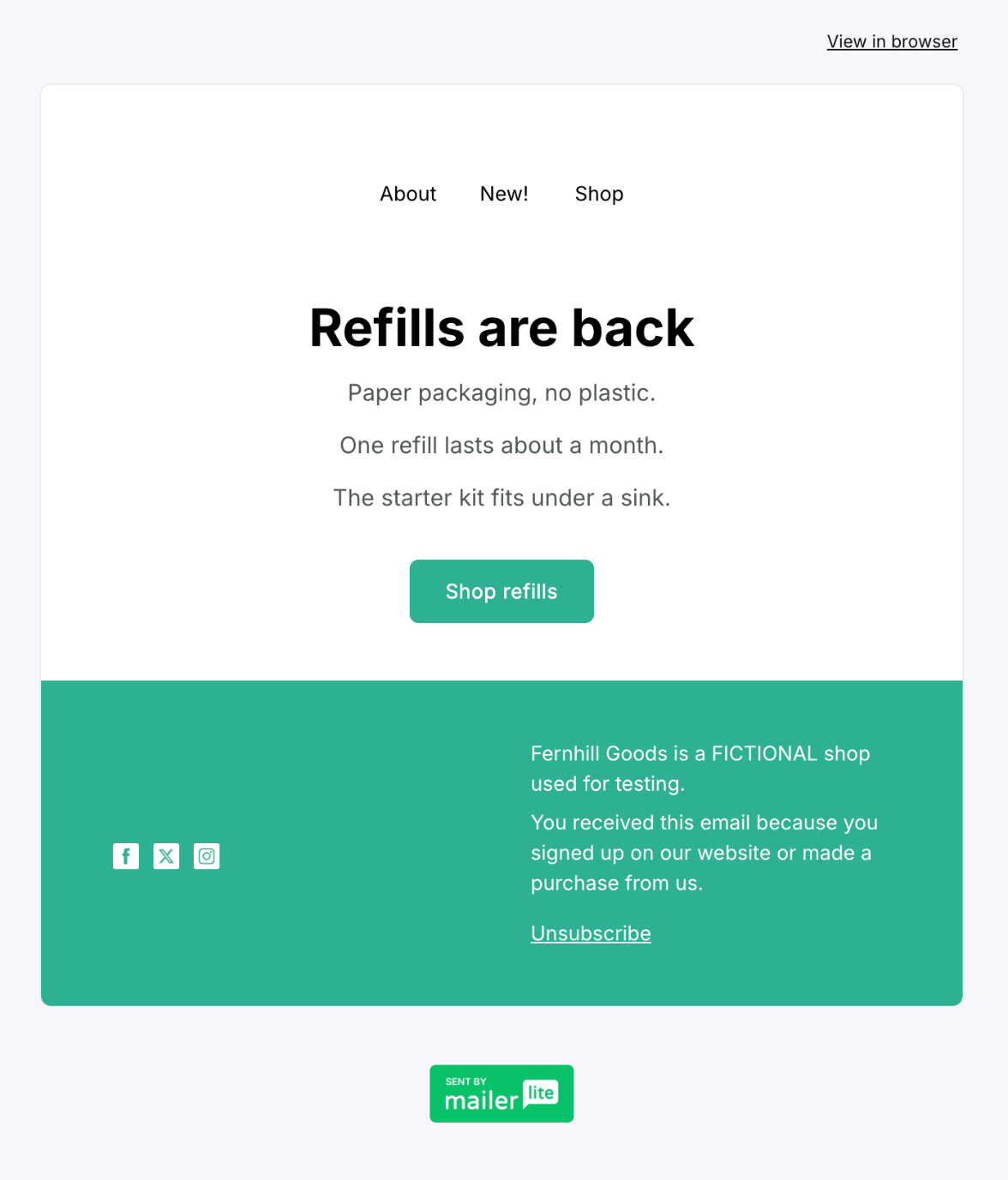
In each tool's email editor, start a new one-off email (Kit calls it a broadcast, MailerLite a campaign) and build one issue of Fernhill Notes, the newsletter of Fernhill Goods (FICTIONAL): a logo area, the headline "Refills are back", three short sections, one button "Shop refills" linking to https://example.com/refills and a footer line.
How we judged it
Pass: every element of the brief, looking finished in the preview, within 20 minutes.
Partial: one element missing or out of place, or more than 20 minutes.
Fail: two or more elements missing.
The time runs from opening the editor until the last element is in place.
Kit
Pass 0.53 min
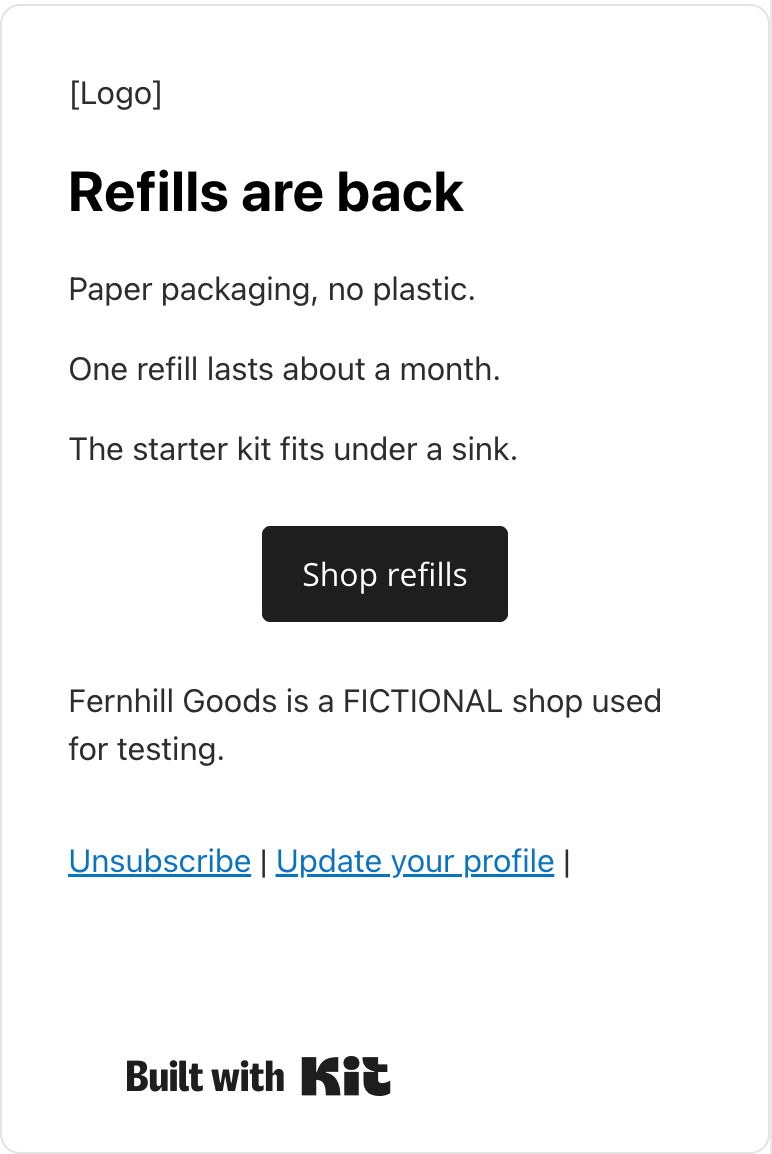
From the Text only layout: a [Logo] text line, the headline, three paragraphs, a Shop refills button linked to example.com/refills, and the footer line as the last paragraph above Kit's fixed footer.
MailerLite: Winner
Pass 0.35 min
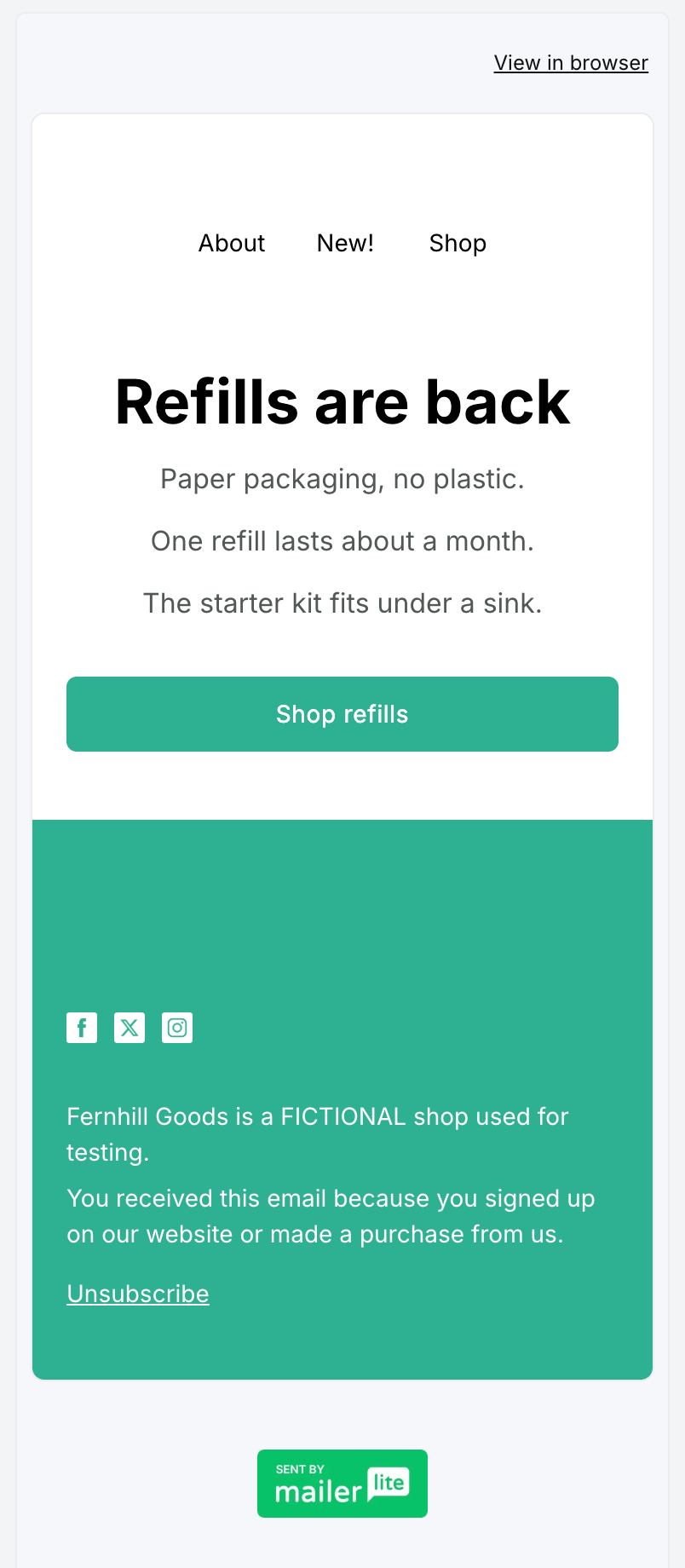
In the Start from scratch layout the hero took the headline and three paragraphs, its image was turned off, the button became Shop refills with the link, and the footer got the line.
Scripted by the assistant in Chrome, signed in, one pass per tool on a route from an untimed rehearsal, also used in its other newsletter comparisons. Editor opening and looks between parts are not counted; fixed waits and checks are, so times count steps more than speed. Kit (Text only, empty): 5 waits (6 s), 6 checks, mostly scripted typing, which its editor took slowly. MailerLite (Start from scratch; its empty logo block shows blank): 14 waits (16 s), 13 checks, a paragraph re-centred. One void attempt each (a faulty check). Kit was in a 14-day trial; nothing used was marked paid.
Test 2: Make a signup landing page with a first-name field
The task
In each tool, create a landing page for Fernhill Notes (FICTIONAL) with the headline "Get Fernhill Notes every Friday", a signup form with two fields (email and first name), a button "Subscribe" and the thank-you message "Thanks! Check your inbox.", and open its preview.
How we judged it
Pass: both fields, the button and the thank-you message, with a preview that works, on the free plan.
Partial: it works, but the first-name field or the thank-you message needs a workaround or a setting you had to look up.
Fail: the page cannot be made on the free plan, or the preview does not work.
Kit
Pass
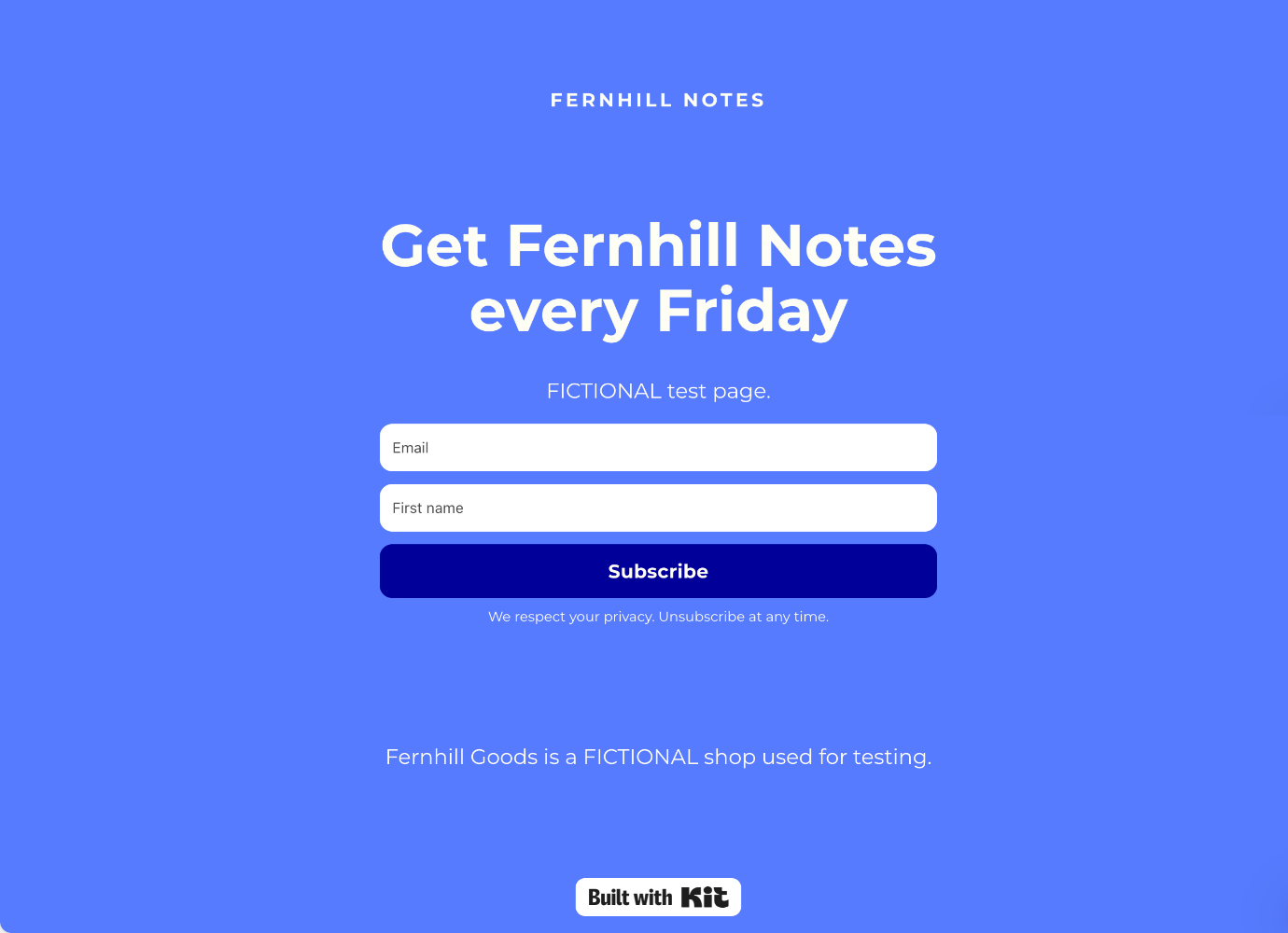
The Loop template took the headline, Email plus an added First name field and a Subscribe button; the thank-you text went on its Thank you page tab; the preview showed the page and both fields.
MailerLite
Pass
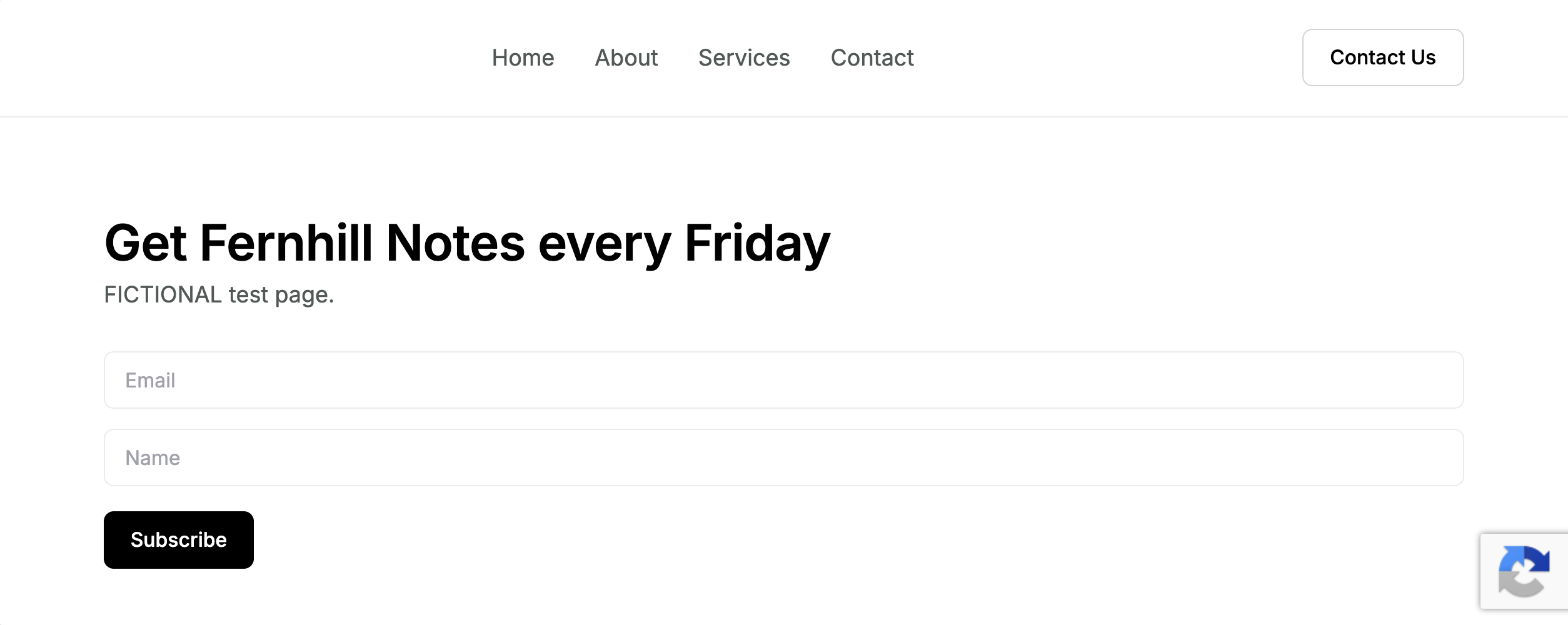
A Start from scratch page with the CTA subscribe 2 section got the headline, Email plus an added Name field and Subscribe; the form's Message tab took the thank-you text; the preview worked.
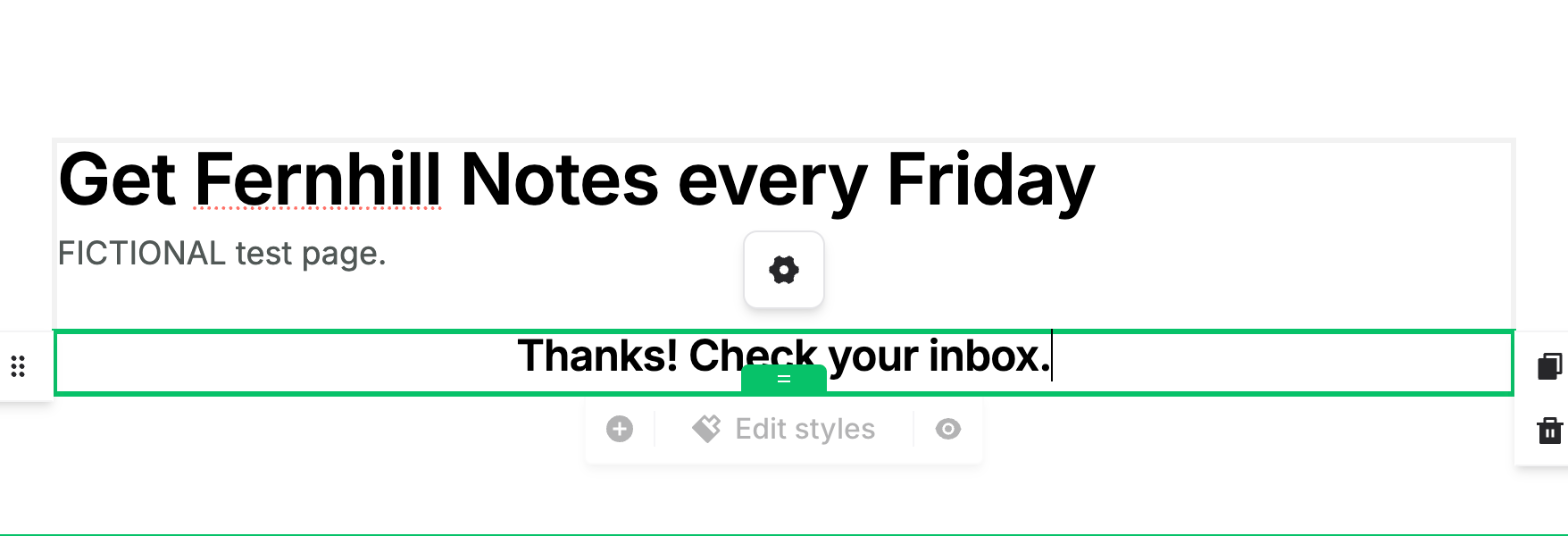
Not timed. Both pages stayed unpublished and their forms were not submitted; the thank-you text was checked in each editor. Kit used its Loop template. A Kit page has no tag setting (Rules do that, free only during the trial), so its sign-ups were not tagged. Kit's account was in a 14-day trial of paid features; whether the page needs it is not known. MailerLite's template gallery is paid, so its page started from scratch with a ready subscribe section, sending sign-ups to the TEST Fernhill group; its first-name field is Name, with that placeholder. Both turn on double opt-in by default.
Test 3: Build a two-email welcome series on the free plan
The task
In each tool, set up a welcome series for people who join the "TEST Fernhill" tag, group or list from the landing page test: email 1 "Welcome to Fernhill Notes" right away, then a 2-day wait, then email 2 "Our most-read refill tip". Use the tool's own automation or sequence feature on its free plan, and leave the series switched off.
How we judged it
The series has four parts: the trigger, email 1, the 2-day wait and email 2.
Pass: all four parts set up on the free plan.
Partial: some parts can be built on the free plan, or it needs a workaround.
Fail: the free plan cannot build any of it, or asks you to upgrade before you can start.
Kit
Fail 0 of 4
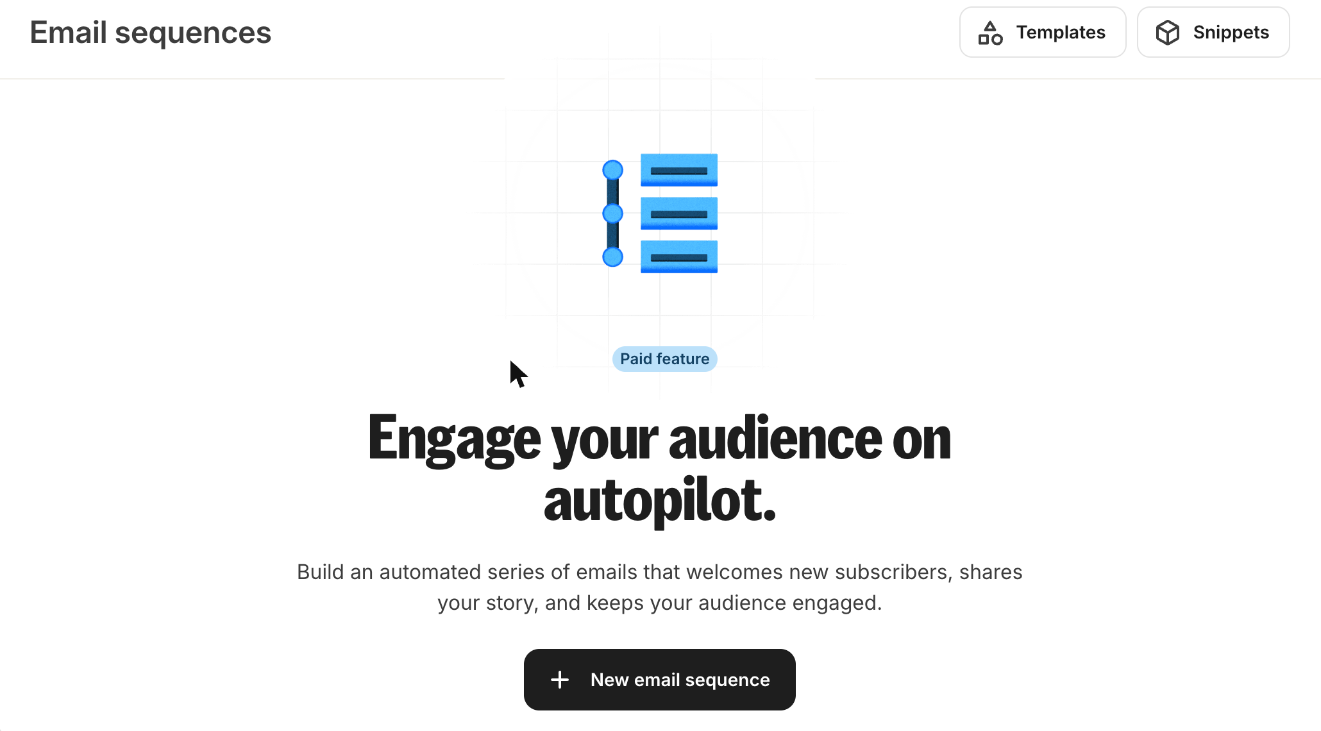
Email sequences and visual automations are labelled Paid feature, and Rules are free only during the trial; as the brief says to stop there, no part was built on Free.
MailerLite: Winner
Pass 4 of 4
A Joins group(s) TEST Fernhill trigger, email 1, a 2-day delay and email 2, with the brief's subjects and lines; every step got a green check and the automation was not activated.
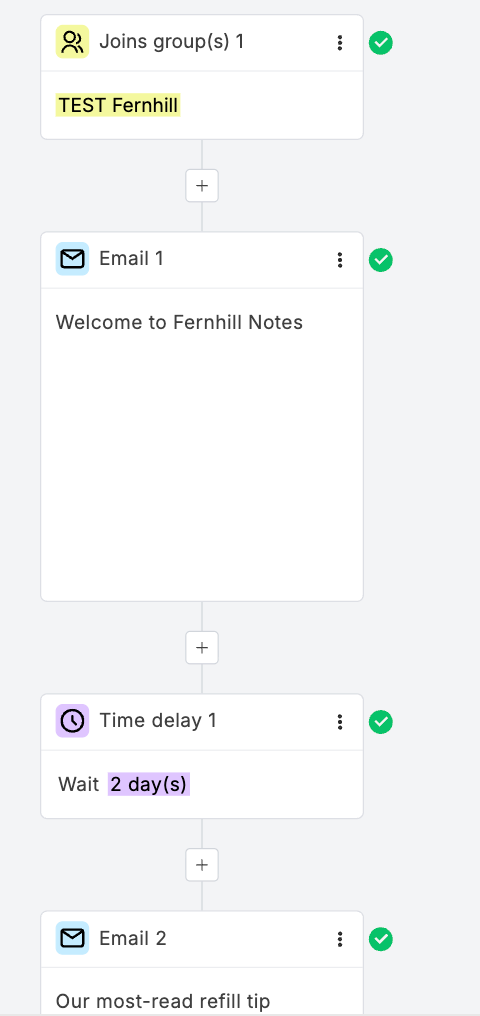
Not timed. MailerLite's run is the same one used in its automation test against Brevo: the account showed the Free plan and no trial, and the builder asked for no upgrade (only its A/B test step is marked Premium). Each email is the simple editor's default with the brief's line on top; the automation stayed off. Kit's account was in a 14-day trial of paid features. Its Email sequences and visual automations are labelled Paid feature, and Rules are free only during the trial, so the series needs the trial or a paid plan. As the brief asks, nothing was built.
Our verdict
Kit suits a newsletter that mostly sends broadcasts and wants to earn from its readers; MailerLite costs less once you need automations, and every plan includes its website builder.
Kit manages up to 10,000 subscribers for free, with unlimited broadcasts, landing pages and forms, and its Free plan already supports paid newsletters and digital products, for 3.5% plus 30 cents per transaction. Automation is where you start paying: visual automations and email sequences need Creator, at $39 a month for up to 1,000 subscribers, $89 for 5,000 and $139 for 10,000. Pro adds a newsletter referral system, deliverability reporting and unlimited users.
MailerLite caps its Free plan at 250 subscribers, but that plan already runs 3 active automations, a landing page and a website. Billed monthly, Comfort costs less than Creator, and Power less than Pro, at every list size up to 100,000 subscribers: Comfort is $19 for 1,000, $49 for 5,000 and $89 for 10,000. The trade-offs: paid newsletters need a paid plan, there is no built-in referral program, and live chat needs Power, or Comfort at its 50,000-subscriber tier or above.
Start with Kit to build an audience you will monetize. Start with MailerLite for welcome series, a simple site and a lower monthly bill.
Choose Kit if
You want to grow a newsletter before you pay anything. Kit's Free plan manages up to 10,000 subscribers with unlimited broadcasts, landing pages and forms, and it already sells paid newsletters and digital products, for 3.5% plus 30 cents per transaction with card processing included. It also fits if you plan to add a reader referral program later (Pro includes a SparkLoop plan), or if you want 24/7 email and chat support from the first paid plan, Creator.
Choose MailerLite if
You want automations without a large monthly bill. MailerLite's Free plan already runs 3 active automations and includes a landing page and a website, and billed monthly, Comfort costs less than Kit Creator: $19 a month for 1,000 subscribers and $89 for 10,000, against $39 and $139. It also suits nonprofits, which get 30% off paid plans, teams that want 3 seats on the entry paid plan, and anyone who wants account data stored in the European Union.
Frequently asked questions
Is MailerLite cheaper than Kit?
On paid plans, at most list sizes. Billed monthly, MailerLite Comfort costs $19 a month for 1,000 subscribers, $49 for 5,000 and $89 for 10,000, while Kit Creator costs $39, $89 and $139. One level up, MailerLite Power costs $39, $69 and $129 and Kit Pro $79, $139 and $189. On monthly prices, Comfort costs less than Creator and Power less than Pro at every list size up to 100,000 subscribers. Yearly billing narrows the gap, because Kit charges 10 times the monthly price for a year and MailerLite takes 10% off: from 30,001 to 35,000 and from 50,001 to 55,000 subscribers, Kit Creator billed yearly costs less than Comfort billed yearly. On free plans, Kit's manages up to 10,000 subscribers and MailerLite's stops at 250, so a list that only needs broadcasts can stay free longer on Kit.
How do the Kit and MailerLite free plans compare?
Kit's Free plan manages up to 10,000 subscribers for 1 user, with unlimited broadcasts, landing pages and forms, tags and segments, a custom domain for landing pages, email support, and sales of digital products and paid newsletters. It has no visual automations, email sequences or RSS campaigns. MailerLite's Free plan covers 250 subscribers and 2,500 emails a month for 2 user seats, with 3 active automations of up to 5 steps, 1 website and 1 landing page; paid newsletters, custom domains and email support start on Comfort. When a free MailerLite account passes 250 active subscribers, sending locks until you upgrade or remove subscribers. On both, removing the vendor's branding starts with the first paid plan.
Which is better for a paid newsletter?
Kit lets you charge for a newsletter on every plan, including Free, billed monthly, quarterly or yearly, and it also sells digital products and recurring subscriptions and offers tip jars. It charges 3.5% plus 30 cents per transaction, card processing included. MailerLite sells paid newsletters and recurring subscriptions on Comfort and Power, not on Free, and processes the payments through its Stripe integration. Kit Pro also includes a newsletter referral system through a SparkLoop plan, while MailerLite has no built-in referral program and lists referral tools such as GrowSurf as integrations.
Which is better for an online store?
It depends on your store platform. MailerLite includes e-commerce triggers, among them abandoned cart and abandoned checkout workflows, on every plan. Its help center lists abandoned-checkout workflows for Shopify, WooCommerce, BigCommerce, Wix, Shoper and PrestaShop stores and its e-commerce API, but not Squarespace Commerce, and on Shopify they reach only returning customers with an earlier order. Kit lists abandoned-checkout recovery for Shopify, Fourthwall and Wix stores on Creator and Pro, not on Free. Both also sell digital products themselves on every plan; MailerLite's Free plan allows 1 active product or booking.
Compare with others
More about: Kit · MailerLite · Best Email marketing