
Claude vs Microsoft Copilot: Which is better in 2026?
Claude Pro ($20 a month) and Microsoft 365 Premium ($19.99) cost almost the same, so choose by fit, not price.
Tested hands-on: 4 tests on a MacBook Pro (M1 Pro), October 21–22, 2026. How we tested
Some links on this page are affiliate links. If you buy through them we may earn a commission at no extra cost to you. This never affects our verdicts.
Quick answer
- Choose Claude if: You want a standalone assistant for long documents, writing or code.
- Choose Microsoft Copilot if: You already work in Word, Excel, PowerPoint and Outlook and want the assistant inside them.
- Price at a glance: Claude: Free plan; paid from $20/mo · Microsoft Copilot: Free plan; paid from $9.99/mo
At a glance
 Claude |  Microsoft Copilot | |
|---|---|---|
| Free plan | Yes | Yes |
| Paid plans | From $20/mo | From $9.99/mo |
| Our tests | Won 1 of 43 ties | Won 0 of 43 ties |
| Best for | Writers, analysts and developers who work with long documents or code and do not need image generation. | People and teams who already work in Word, Excel, Outlook and Teams and want an AI assistant built into those apps, or a free assistant with a Microsoft account. |
Claude, from Anthropic, and Microsoft Copilot both answer questions, draft text, search the web, work with uploaded files and remember your preferences, on the web, the desktop, iOS and Android. Both started in 2023 and have a free version. Copilot, which began as Bing Chat, creates images, and its paid plans are Microsoft 365 subscriptions: Microsoft 365 Personal, at $9.99 a month, puts it inside Word, Excel, PowerPoint and Outlook. Claude is a standalone assistant that does not generate photos or illustrations; Pro costs $20 a month, and every paid plan includes Claude Code. Below, their plans, features and privacy settings are set side by side from each vendor's own pricing and help pages.
Pricing
| Plan | Monthly | Yearly (12-month total) |
|---|---|---|
| Claude | ||
| FreeSonnet and Haiku models; up to 5 projects | Free Free plan | |
| Pro$17/month with annual billing ($200 billed up front) | $20/mo | $200/yr ($16.67/mo) |
| Max 5xBilled monthly only; includes $100/month in API credits | $100/mo | no yearly price |
| Max 20xBilled monthly only; includes $200/month in API credits | $200/mo | no yearly price |
| Team (Standard seat)Per user/month; $20 per user/month billed annually; 2 to 150 seats | $25/mo | $240/yr ($20/mo) |
| Team (Premium seat)Per user/month; $100 per user/month billed annually; 5x Standard usage | $125/mo | $1,200/yr ($100/mo) |
| EnterprisePer user, billed annually ($20/seat/month), 20-seat minimum, plus usage at API rates | no monthly price | $240/yr, billed yearly ($20/mo) |
| Microsoft Copilot | ||
| FreeWith a Microsoft account; usage limits; may show ads without a Microsoft 365 subscription | Free Free plan | |
| Microsoft 365 Personal1 person; 1 TB storage; Copilot in Word, Excel, PowerPoint and Outlook; $99.99 billed yearly | $9.99/mo | $99.99/yr ($8.33/mo) |
| Microsoft 365 FamilyUp to 6 people, Copilot for the subscription owner only; 2 TB shared storage; $129.99 billed yearly | $12.99/mo | $129.99/yr ($10.83/mo) |
| Microsoft 365 PremiumUp to 6 people, Copilot for the owner only; adds Researcher, Analyst and Cowork (preview); $199.99 billed yearly | $19.99/mo | $199.99/yr ($16.67/mo) |
| Microsoft 365 ProBilled monthly only; highest Copilot usage; 5 TB shared storage | $99.99/mo | no yearly price |
| Microsoft 365 Copilot Business (add-on)Per user/month; $21 per user/month billed yearly; needs an eligible Microsoft 365 Business plan; up to 300 users per tenant | $25.20/mo | $252/yr ($21/mo) |
| Microsoft 365 Copilot (add-on)Enterprise; per user, $30 a month paid yearly; needs a qualifying Microsoft 365 plan | no monthly price | $360/yr, billed yearly ($30/mo) |
Prices checked on .
Features compared
| Feature | Claude | Microsoft Copilot |
|---|---|---|
| Free tier | Yes · Sonnet and Haiku; web search, memory, 5 projects | Yes · Free with a Microsoft account; usage limits; may show ads |
| File upload | Yes · Up to 20 files per chat, 500 MB each | Yes · Word, Excel, PowerPoint, PDF and image files; Microsoft says upload limits apply but gives no figures |
| Web search | Yes · All plans | Yes · Searches the web for current answers; can be turned off in settings |
| Image generation | No · Diagrams and charts only (HTML/SVG) | Yes · Limited on Free; more on Microsoft 365 plans |
| Voice mode | Yes · All plans | Yes · Copilot Voice on Microsoft 365 plans and licensed work accounts; Microsoft says voice needs an eligible subscription |
| Memory/projects | Yes · Memory on all plans; Free up to 5 projects | Yes · Saved memories; Notebooks on Microsoft 365 plans and work accounts |
| API access | Add-on · Claude API, pay as you go; Max and Team include credits | Partial · No Copilot Chat API; Microsoft 365 Copilot APIs need a Copilot license (Chat API in preview) |
| Mobile apps | Yes · iOS and Android | Yes · Microsoft Copilot app for iOS and Android |
| Team plan | Yes · Team from $20/seat/mo billed yearly ($25 monthly), 2-150 seats | Yes · Copilot Business $21/user/mo billed yearly, up to 300 users; needs a Microsoft 365 Business plan |
| Training opt-out | Yes · Opt-out on individual plans; no training on Team content by default | Yes · Chats and files in the updated Copilot app not used to train foundation models; same for work accounts |
How we tested
We gave Claude and Microsoft Copilot the same 4 tasks on the same MacBook Pro (M1 Pro). Each test below lists the task, how we judged it, both results and screenshots; select a screenshot to see it at full size.
- Device
- MacBook Pro (M1 Pro) · macOS 26.6.2 · Chrome 155
- Tested
- October 21–22, 2026
- Plans used
- Claude: Max, using Sonnet 5.5 (a Free-plan model), Medium effort · Microsoft Copilot: Free (personal Microsoft account)
- App versions
- Claude: claude.ai, Incognito chat, file upload, claude.ai, Incognito chat, claude.ai, Incognito chat (diagram drawn in the chat), claude.ai, Incognito chat (searched the web) · Microsoft Copilot: copilot.microsoft.com, Auto mode, file upload, copilot.microsoft.com, Auto mode, copilot.microsoft.com, Auto mode (made an image), copilot.microsoft.com, Auto mode (searched the web)
| Test | Claude | Microsoft Copilot | Winner |
|---|---|---|---|
| Answer three questions from an uploaded sales file | Pass3 of 3 | Pass3 of 3 | Tie |
| Write one spreadsheet formula and check its result | Pass | Pass | Tie |
| Draw a labeled flowchart of a returns process | Pass | Pass | Tie |
| Find a date on the web with an official source (timed) | Partial9 s | Partial13 s | Claudeby Time to a finished answer |
| Tests won | 1 | 0 | 3 ties |
Test 1: Answer three questions from an uploaded sales file
The task
Save this FICTIONAL table as a plain-text file named fernhill-q1.csv:
month,region,orders,revenue_usd Jan,North,42,1260.00 Jan,South,35,1015.50 Feb,North,38,1140.00 Feb,South,47,1363.00 Mar,North,51,1530.00 Mar,South,29,841.00
Attach it to a new chat with the tool's upload button and send this prompt:
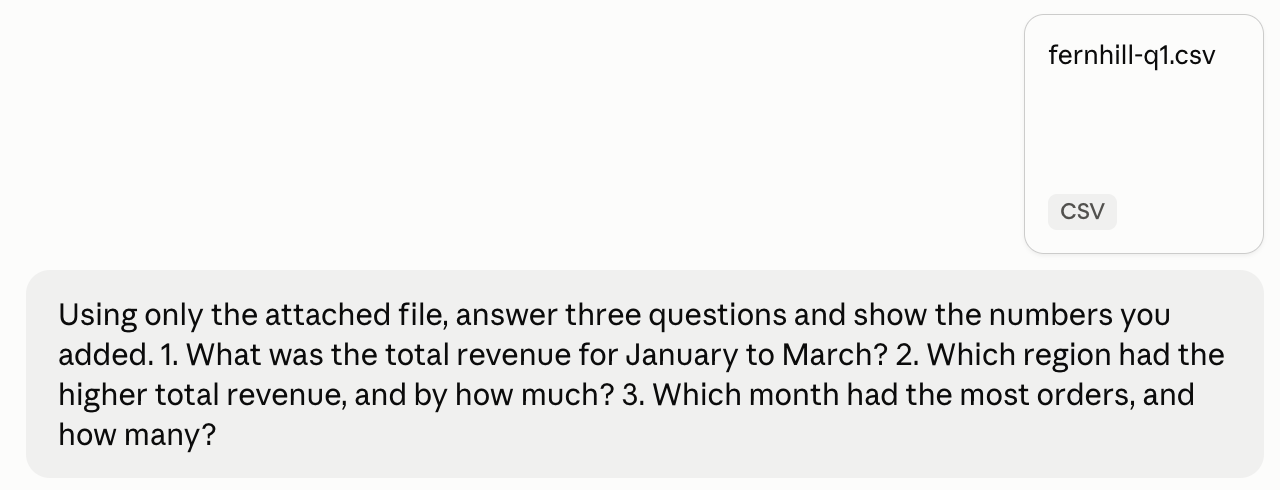
Using only the attached file, answer three questions and show the numbers you added. 1. What was the total revenue for January to March? 2. Which region had the higher total revenue, and by how much? 3. Which month had the most orders, and how many?
How we judged it
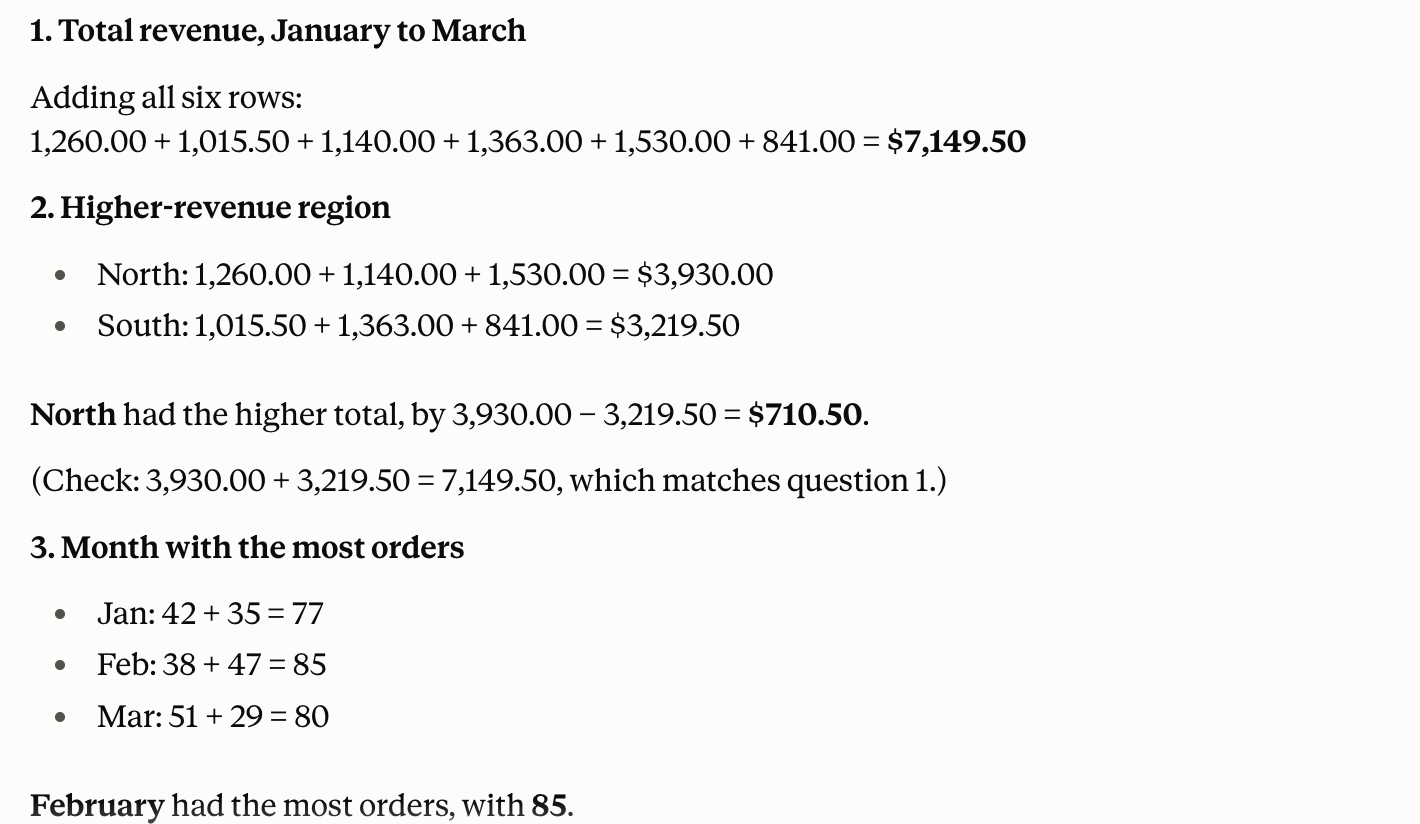
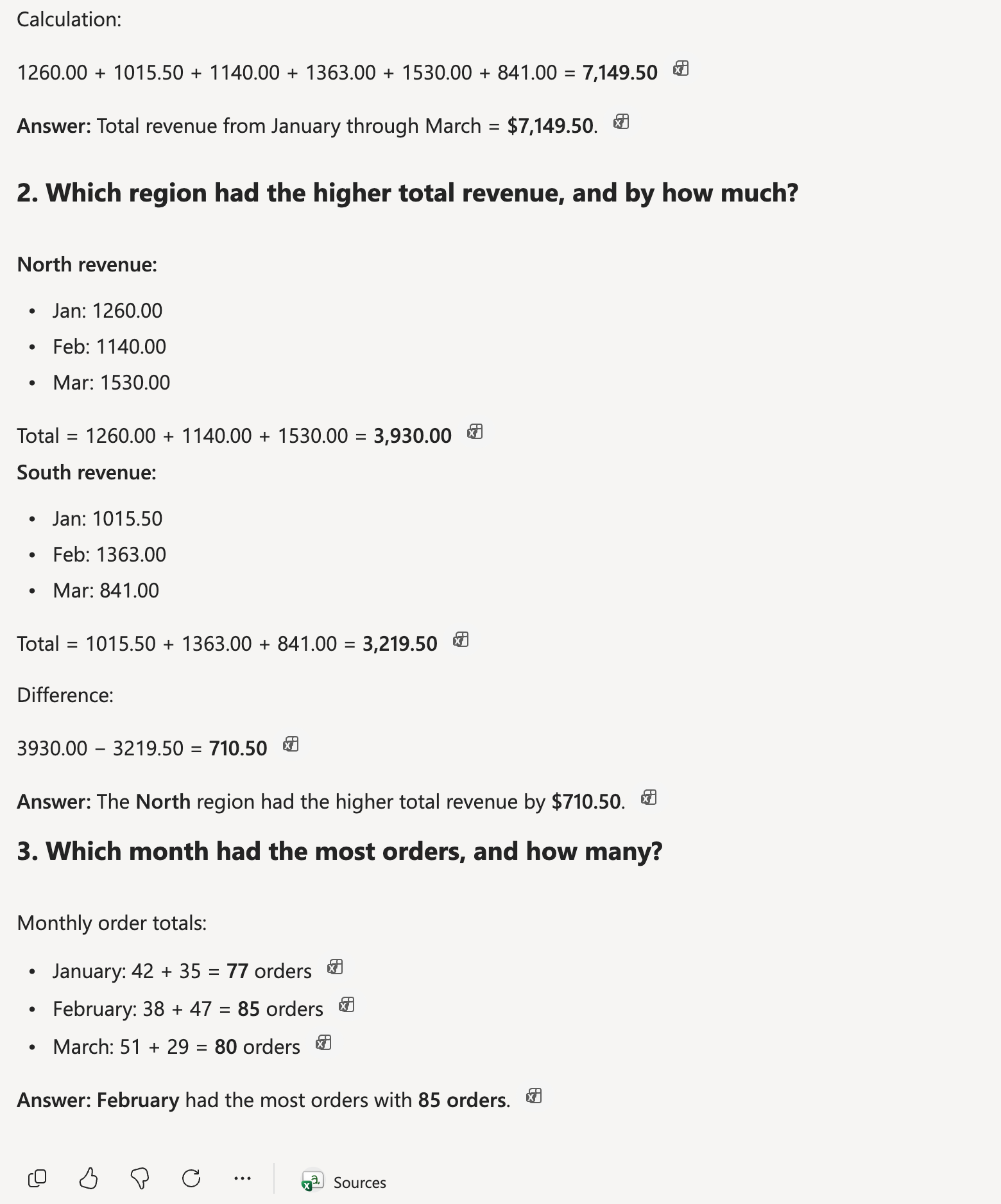
The right answers: 1. $7,149.50; 2. North ($3,930.00 against $3,219.50), by $710.50; 3. February, with 85 orders.
Pass: all three right, with the additions shown.
Partial: two of the three right, or all three right without the additions.
Fail: one or none right, or the tool cannot read the file.
Claude
Pass 3 of 3
$7,149.50 in all; North ahead by $710.50 ($3,930.00 against $3,219.50); February with 85 orders, each with the additions shown.
Microsoft Copilot
Pass 3 of 3
$7,149.50 in all; North ahead by $710.50 ($3,930.00 against $3,219.50); February with 85 orders, each with the additions shown.
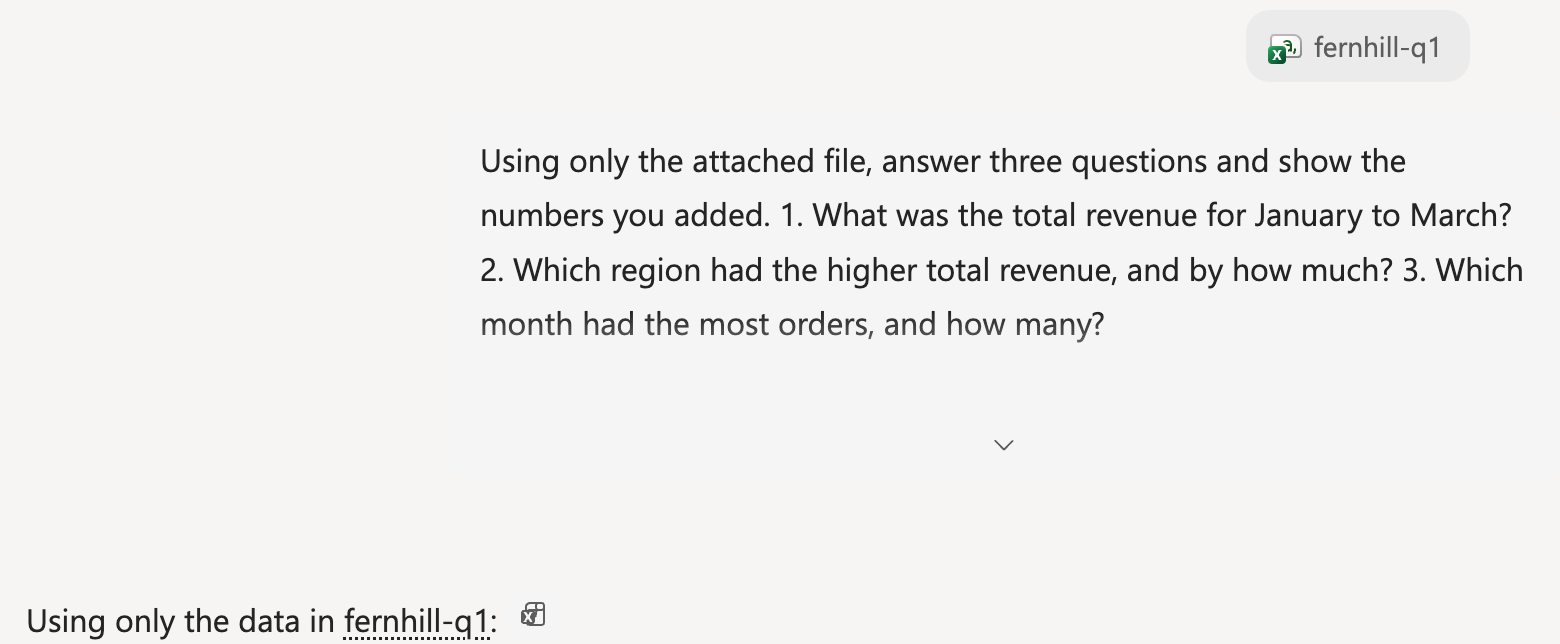
Run signed in to both tools: a Claude Incognito chat (no memory; custom instructions empty) and a new Copilot chat on a free personal Microsoft account with no custom instructions or saved memories, each in its default mode. Claude ran on a Max account with Sonnet 5.5 selected, a model the Free plan offers. Each prompt was sent once. Each tool got fernhill-q1.csv through its own upload button. Claude ran on October 21, Copilot on October 22, once the account's OneDrive was set up (Copilot keeps a copy of uploads there); its file card showed an error, yet the answer used the file.
Test 2: Write one spreadsheet formula and check its result
The task
Send this prompt in a new chat:
In a spreadsheet, cells A2:A9 hold dates and B2:B9 hold order amounts in dollars. Write one formula that adds up the amounts for March 2026 only, and tell me what it returns for this data:
2026-02-27, 120.00; 2026-03-01, 45.50; 2026-03-09, 80.00; 2026-03-15, 32.25; 2026-03-31, 60.00; 2026-04-01, 99.00; 2026-04-02, 15.00; 2026-03-20, 18.75
How we judged it
The right total is $236.50 (March 1, 9, 15, 20 and 31; not February 27, April 1 or April 2).
Pass: one formula that returns 236.50 when entered with this data, and the answer states $236.50.
Partial: a formula that returns 236.50 but a wrong or missing stated total, or the right stated total with a formula that returns something else.
Fail: neither the formula nor the stated total is right.
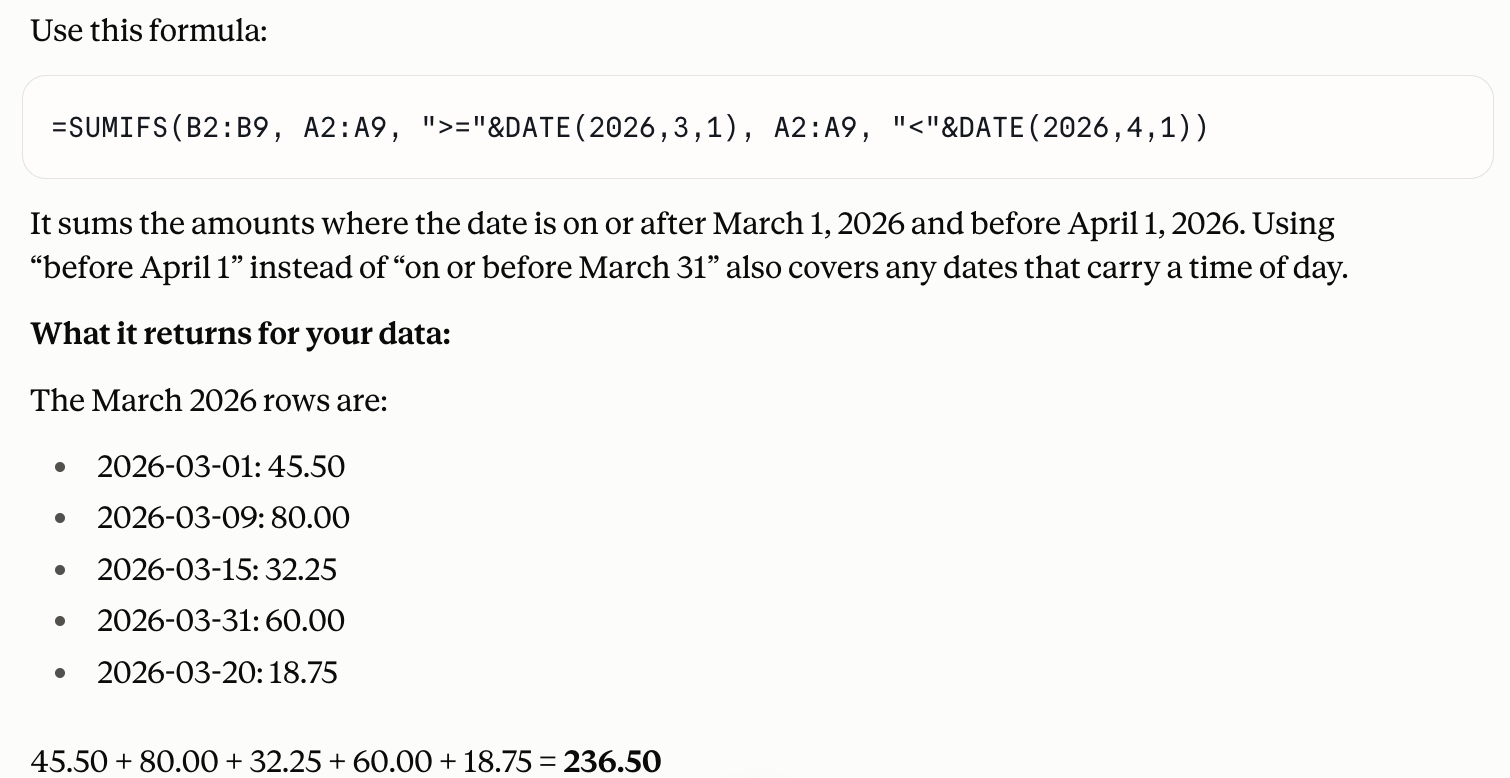
Claude
Pass
One SUMIFS formula with March 1 and April 1 bounds, stating a total of 236.50; in a spreadsheet with real dates it returns 236.5.
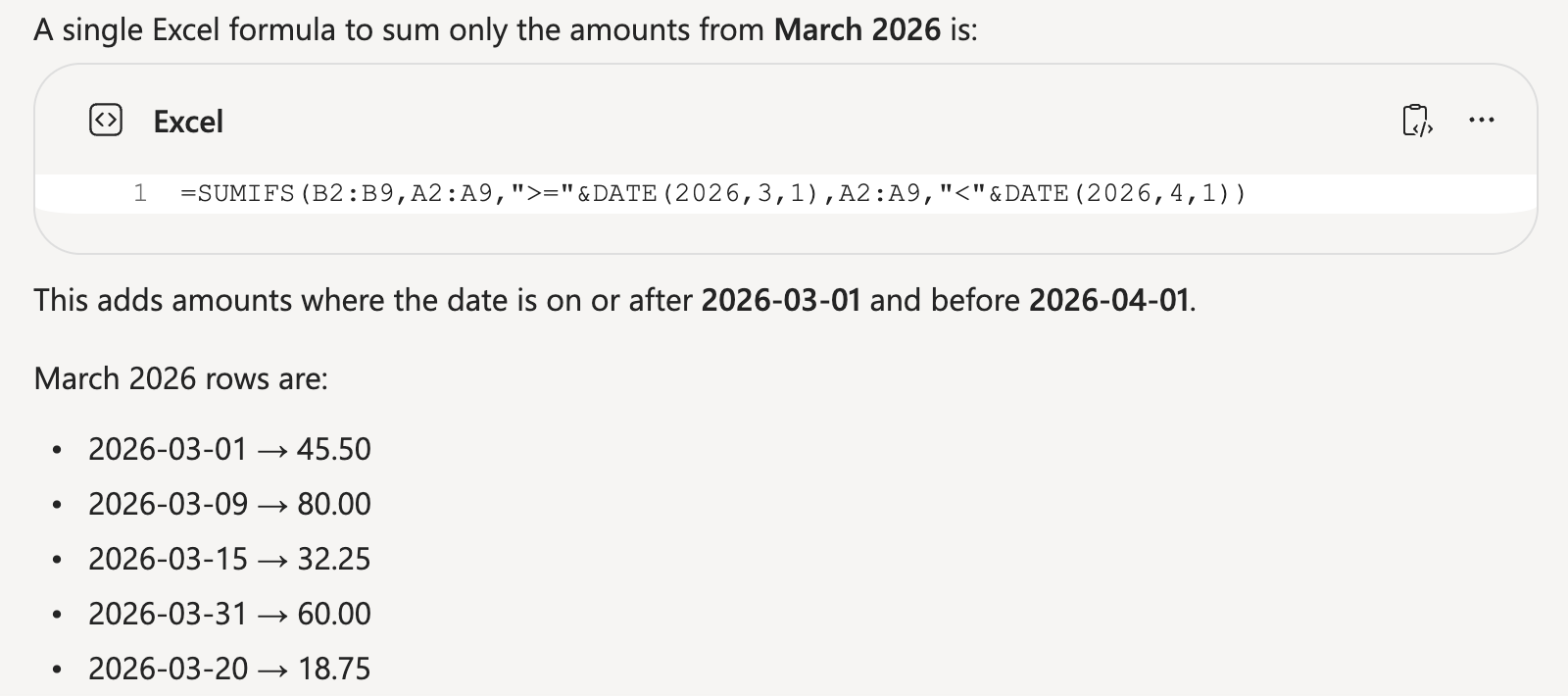
Microsoft Copilot
Pass
One SUMIFS formula with March 1 and April 1 bounds, stating 236.50; in a spreadsheet with real dates it returns 236.5.
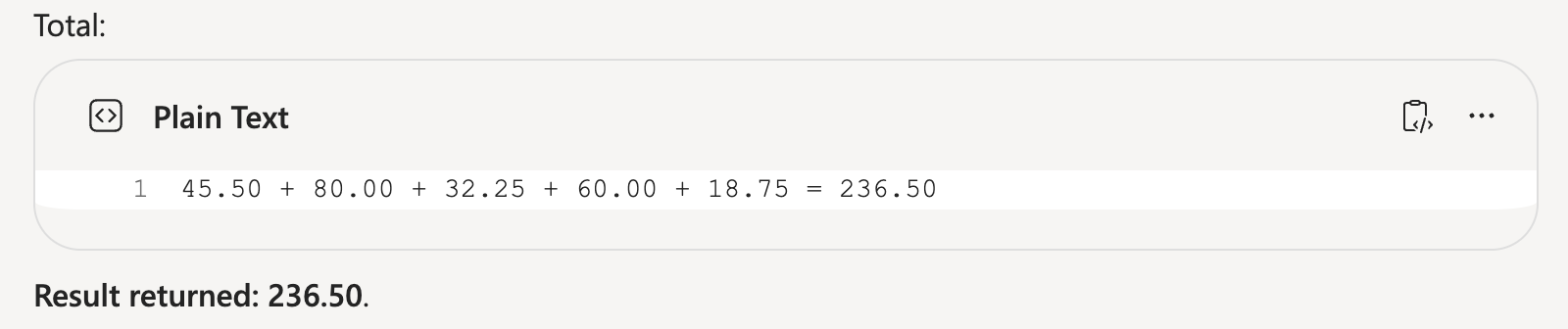
Run signed in to both tools: a Claude Incognito chat (no memory; custom instructions empty) and a new Copilot chat on a free personal Microsoft account with no custom instructions or saved memories, each in its default mode. Claude ran on a Max account with Sonnet 5.5 selected, a model the Free plan offers. Each prompt was sent once. Both formulas were checked in LibreOffice Calc with the eight rows as real dates in A2:B9; each returned 236.5.
Test 3: Draw a labeled flowchart of a returns process
The task
Send this prompt in a new chat:
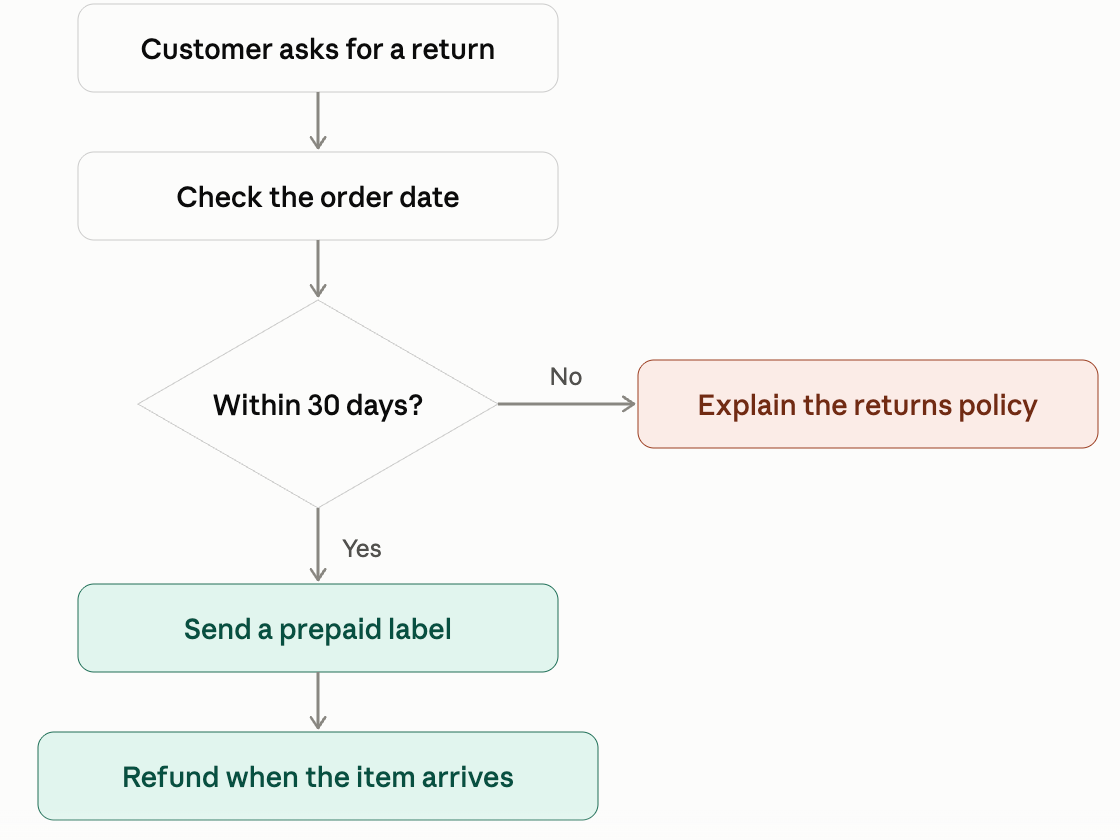
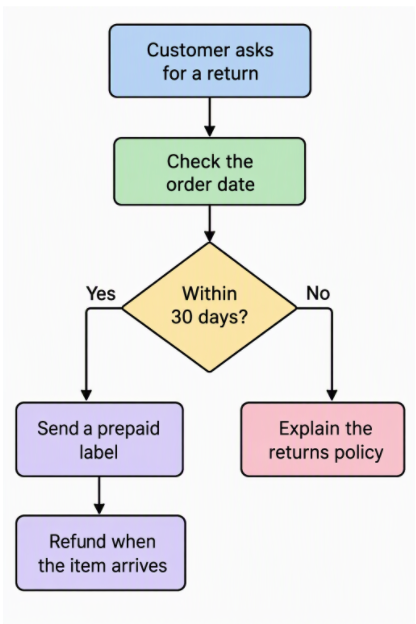
Make a simple labeled flowchart, shown as a picture, of a small shop's returns process. Use these boxes and arrows: "Customer asks for a return" leads to "Check the order date", which leads to a decision "Within 30 days?". Yes leads to "Send a prepaid label", then "Refund when the item arrives". No leads to "Explain the returns policy".
How we judged it
Pass: a picture appears in the chat (or in a panel beside it) with all six labels spelled exactly as given, the decision shown with both a Yes and a No branch, and the arrows in the order asked for.
Partial: a picture with one label misspelled or missing, or one arrow or branch wrong; or a correct picture that appears only after an extra step, such as running code.
Fail: no picture, or two or more labels missing, misspelled or unreadable.
Claude
Pass
A flowchart drawn right in the chat: all six labels spelled exactly, Yes down to the label and refund, No across to the policy.
Microsoft Copilot
Pass
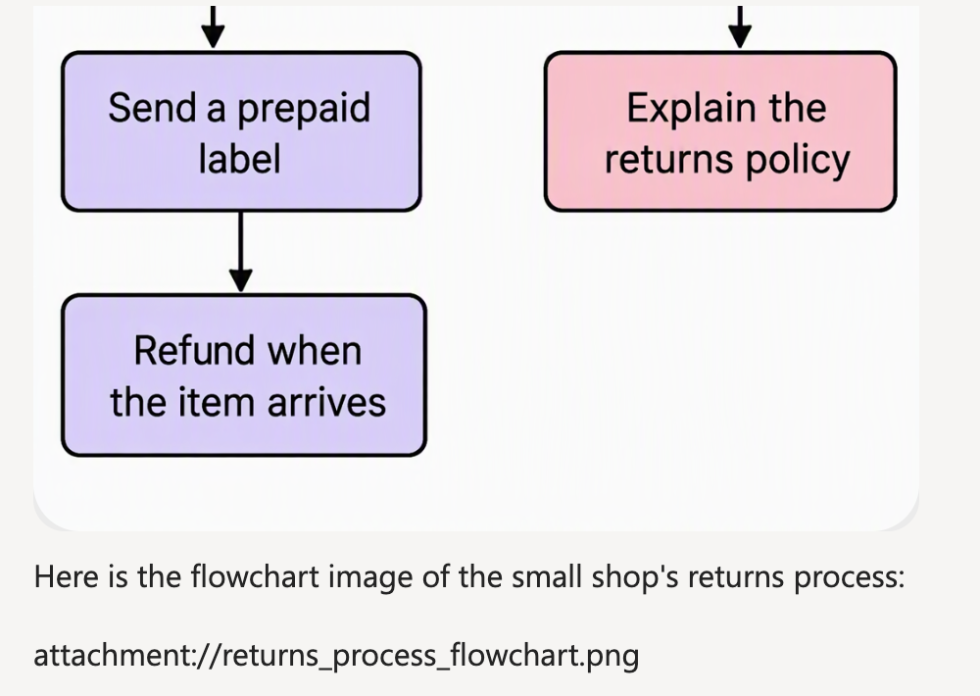
A flowchart image (1024 x 1536) in the chat: all six labels spelled exactly and both branches right; the reply also showed a stray attachment:// line.
Run signed in to both tools: a Claude Incognito chat (no memory; custom instructions empty) and a new Copilot chat on a free personal Microsoft account with no custom instructions or saved memories, each in its default mode. Claude ran on a Max account with Sonnet 5.5 selected, a model the Free plan offers. Each prompt was sent once. Claude drew the chart in the chat; Copilot answered with a generated image.
Test 4: Find a date on the web with an official source (timed)
The task
Send this prompt in a new chat:
On what date and at what local time does daylight saving time end in the United States in 2026? Search the web and link the official government page you used.
How we judged it
In October 2026, NIST's page said daylight saving time ends on November 1, 2026, at 2 a.m. local time (nist.gov).
Pass: November 1, 2026, at 2 a.m. local time, and a working link to a .gov page that says so.
Partial: the right date, but the time missing or wrong, or no link to an official (.gov) page.
Fail: a wrong date, or no date given.
The time is measured from sending the prompt until the answer stops appearing.
Claude: Winner
Partial 9 s
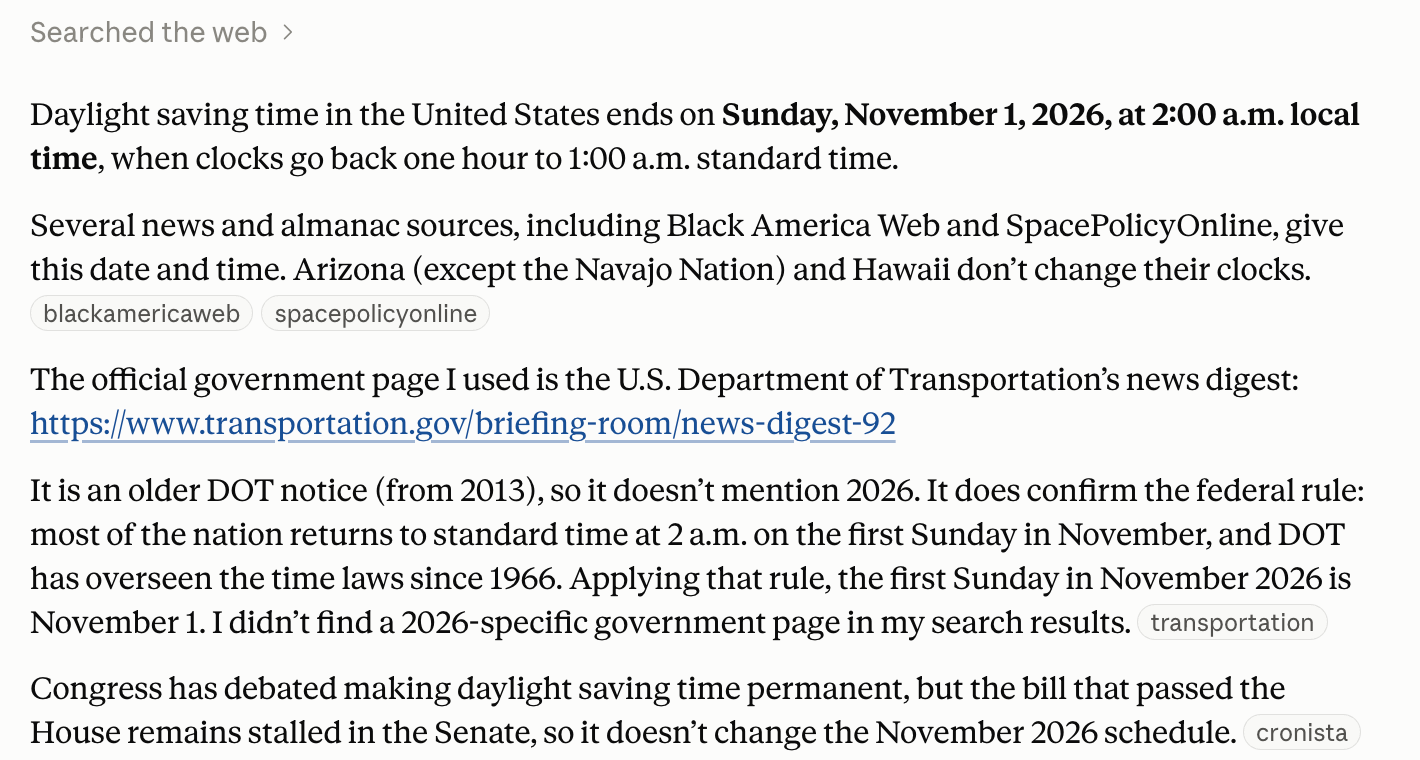
November 1, 2026, at 2:00 a.m. local time, but its only .gov link is a 2013 DOT notice with the rule, not the 2026 date; it said so itself.
Microsoft Copilot
Partial 13 s
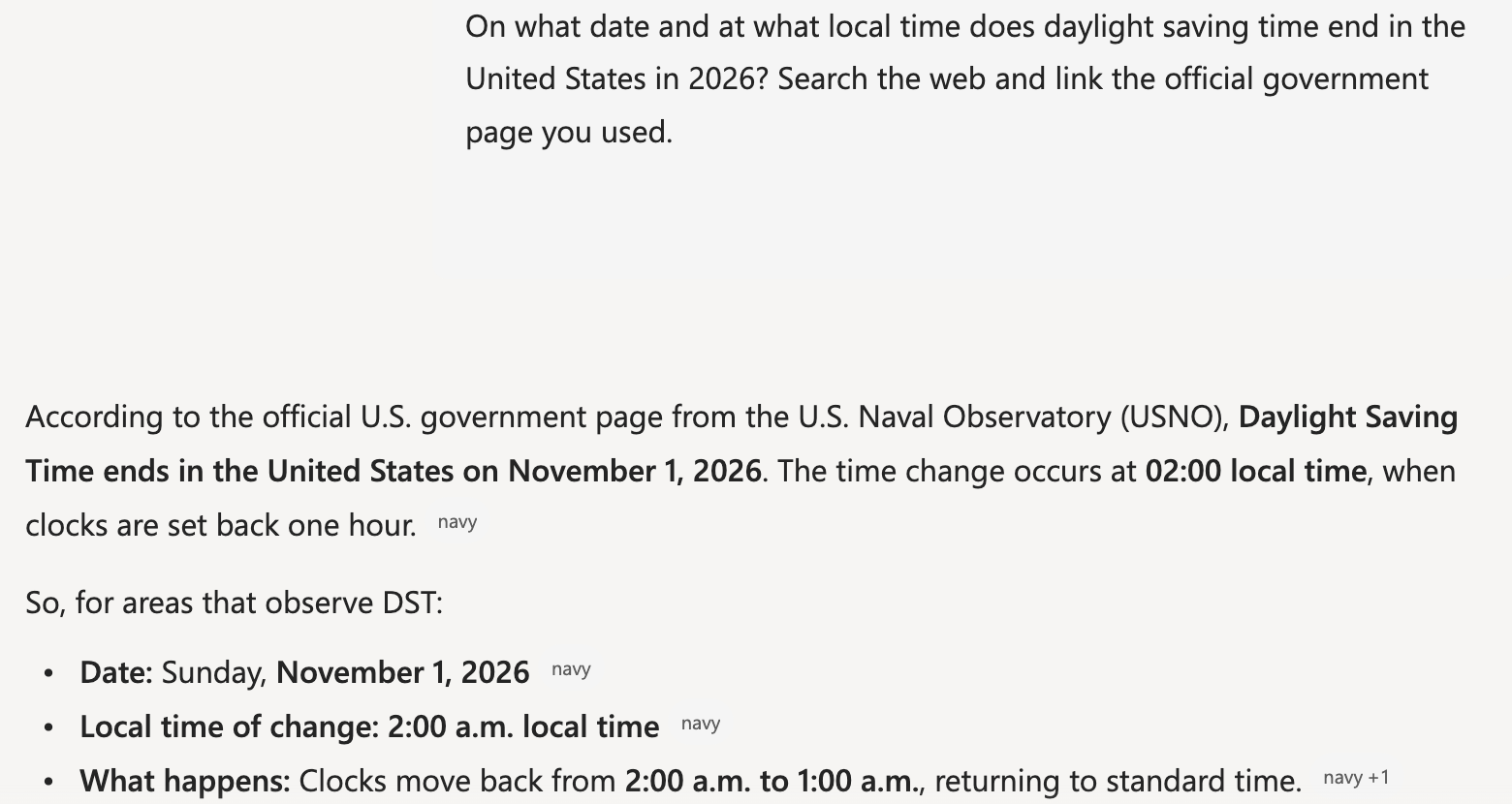
November 1, 2026, at 2:00 a.m. local time, but its only government link is the Naval Observatory page on navy.mil, not .gov, which would not open from the test machine.
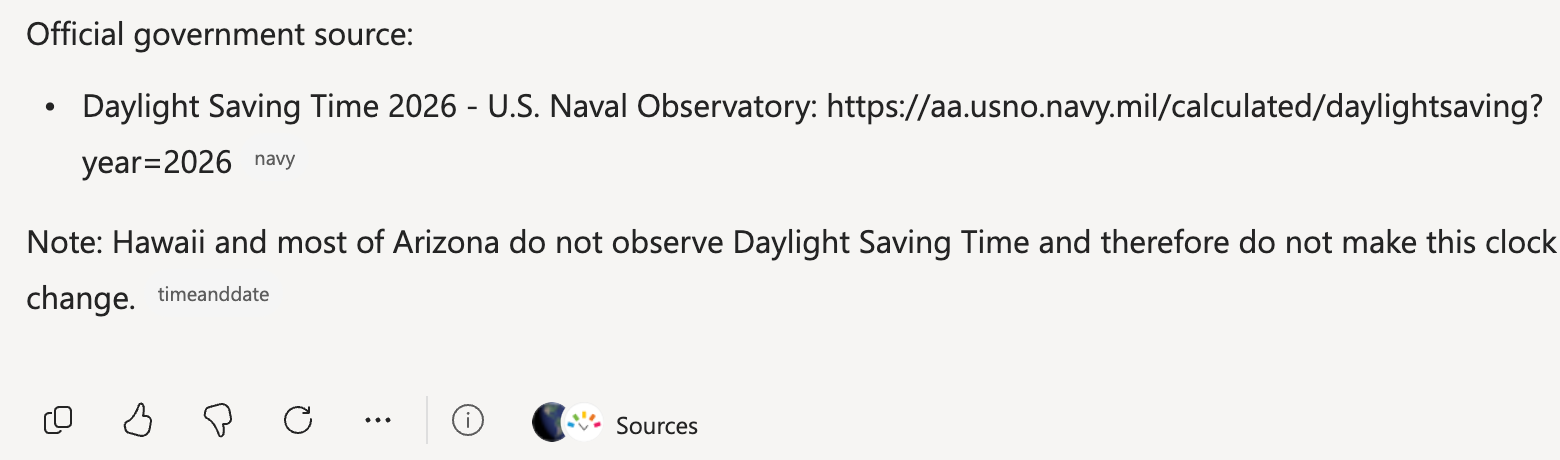
Run signed in to both tools: a Claude Incognito chat (no memory; custom instructions empty) and a new Copilot chat on a free personal Microsoft account with no custom instructions or saved memories, each in its default mode. Claude ran on a Max account with Sonnet 5.5 selected, a model the Free plan offers. Each prompt was sent once. Times run from pressing Enter until the answer stopped changing, rounded to the nearest second. Claude ran on October 21, Copilot on October 22 after its daily limit reset. Copilot's Naval Observatory link reset the connection from the test machine.
Our verdict
Claude Pro ($20 a month) and Microsoft 365 Premium ($19.99) cost almost the same, so choose by fit, not price.
Microsoft Copilot fits people who spend the day in Word, Excel, PowerPoint and Outlook: its paid plans put it inside those apps. The cheapest, Microsoft 365 Personal, costs $9.99 a month or $99.99 a year, about half the price of Claude Pro. Premium adds Researcher, Analyst and the Cowork preview; it covers up to six people, but only the subscription owner gets Copilot. Even the free version creates images and searches the web, though it may show ads to people without a Microsoft 365 subscription. Microsoft also says prompts, responses and files in the Copilot app are not used to train foundation models.
Claude fits anyone who wants a standalone assistant for long documents, writing and code. The free plan includes voice mode, memory and up to five projects, one chat takes up to 20 files of 500 MB each, and Pro ($200 billed yearly) adds Claude Code and Research. It does not generate photos or illustrations, and its individual plans offer a model-training opt-out.
Businesses with eligible Microsoft 365 work subscriptions get Copilot Chat at no extra cost; Claude Team costs $20 per Standard seat a month, billed annually, for 2 to 150 people.
Choose Claude if
You want a standalone assistant for long documents, writing or code. One chat takes up to 20 files of up to 500 MB each (PDFs of up to 1,000 pages), and the free plan already includes voice mode, memory and up to five projects. Pro costs $20 a month or $200 a year and adds Claude Code and Research, while Max ($100 or $200 a month) gives 5x or 20x Pro's usage and includes monthly API credits. Look elsewhere if you need image generation.
Choose Microsoft Copilot if
You already work in Word, Excel, PowerPoint and Outlook and want the assistant inside them. Microsoft 365 Personal adds Copilot to those apps, plus 1 TB of OneDrive storage, for $9.99 a month or $99.99 a year, and Premium at $19.99 a month adds Researcher and Analyst. The free version, with a Microsoft account, already creates images and searches the web. It also suits a business on Microsoft 365, where Copilot Chat comes at no extra cost with eligible work subscriptions.
Frequently asked questions
Is Claude or Microsoft Copilot cheaper?
Both have a free version, and Copilot's first paid step is cheaper: Microsoft 365 Personal costs $9.99 a month or $99.99 a year and puts Copilot in Word, Excel, PowerPoint and Outlook, while Claude Pro costs $20 a month or $200 a year. Microsoft 365 Premium, which adds Researcher and Analyst, costs $19.99 a month or $199.99 a year. For heavy use, Claude Max costs $100 or $200 a month and Microsoft 365 Pro $99.99 a month, all billed monthly only.
Can Claude create images like Microsoft Copilot?
No. Anthropic says Claude does not generate photos or illustrations; it builds diagrams and charts with HTML and SVG instead. Copilot creates images, with limits on the free version and higher limits on Microsoft 365 plans.
Which one handles bigger files?
Anthropic publishes Claude's limits: up to 20 files per chat, each up to 500 MB, and PDFs of up to 1,000 pages. Microsoft says Copilot works with Word, Excel, PowerPoint, PDF and image files and that upload limits apply, but it gives no figures, so the two cannot be compared size for size.
Do Claude and Microsoft Copilot use my chats to train their models?
Microsoft says prompts, responses and files in the updated Copilot app are not used to train foundation models, and the same applies to work accounts. Anthropic offers a model-training opt-out on Claude's individual plans and does not use Team or Enterprise content for training by default.
Do Claude and Microsoft Copilot have business plans?
Yes. Claude Team costs $25 per Standard seat a month, or $20 billed annually, for 2 to 150 people; Premium seats cost $125, or $100 billed annually, with five times the Standard usage. Claude Enterprise is $20 per seat a month billed annually, with a 20-seat minimum, plus usage at API rates. Microsoft includes Copilot Chat at no extra cost with eligible Microsoft 365 work subscriptions. Copilot Business adds Copilot to an eligible Microsoft 365 Business plan for $21 per user a month billed yearly ($25.20 billed monthly), for up to 300 users, and Microsoft 365 Copilot costs $30 per user a month, paid yearly, with a qualifying Microsoft 365 plan.
Compare with others
More about: Claude · Microsoft Copilot · Best AI chat assistants