
Gemini vs Grok: Which is better in 2026?
Gemini is the better value if your mail and files already sit in Google.
Tested hands-on: 4 tests on a MacBook Pro (M1 Pro), October 21, 2026. How we tested
Some links on this page are affiliate links. If you buy through them we may earn a commission at no extra cost to you. This never affects our verdicts.
Quick answer
- Choose Gemini if: You want an assistant tied to Google: answers that draw on Google Search and, on Google AI Pro ($19.99 a month), Gemini in Gmail, Docs and Vids, 5 TB of storage and a 1-million-token context window.
- Choose Grok if: You want an assistant that keeps up with what is being said on X and the web, with live citations, and you are happy to pay through The X Subscription, which also covers Cursor.
- Price at a glance: Gemini: Free plan; paid from $4.99/mo · Grok: Free plan; paid from $8/mo
At a glance
 Gemini |  Grok | |
|---|---|---|
| Free plan | Yes | Yes |
| Paid plans | From $4.99/mo | From $8/mo |
| Our tests | Won 0 of 42 ties | Won 2 of 42 ties |
| Best for | People who already use Gmail, Docs and Drive and want an assistant tied to Google Search, or the lowest-priced paid upgrade at $4.99 a month. | People who want an assistant that follows the news on X and the web, makes images and videos, and comes in one plan with Cursor and X Premium benefits. |
Gemini, from Google, and Grok, from xAI (now branded SpaceXSI), are AI chat assistants that answer questions, draft text, read uploaded files, search the web, create images and hold voice conversations. Both run on the web and in apps for iOS and Android. Both have a free plan. They differ in what surrounds the chat. Gemini draws on Google Search, and Google AI plans add cloud storage, with Gemini in Gmail and Docs on Google AI Pro. Grok searches X as well as the web, and new self-serve customers buy it through The X Subscription, which also covers Cursor and X benefits. The plans, limits and privacy settings below come from each vendor's own pages.
Pricing
| Plan | Monthly | Yearly (12-month total) |
|---|---|---|
| Gemini | ||
| FreeWith a Google Account; 15 GB storage; Flash-Lite model | Free Free plan | |
| Google AI PlusMonthly price; 400 GB storage; 2x Free usage limits | $4.99/mo | no yearly price |
| Google AI ProMonthly price; 5 TB storage; 4x Free usage limits | $19.99/mo | no yearly price |
| Google AI Ultra (5x)Monthly price; 5x AI Pro usage limits; storage from 20 TB | $99.99/mo | no yearly price |
| Google AI Ultra (20x)Monthly price; 20x AI Pro usage limits | $199.99/mo | no yearly price |
| Gemini Enterprise BusinessPer user/month, starting price; up to 300 seats | $21/mo | no yearly price |
| Gemini Enterprise Standard / PlusPer user/month, starting price; contact sales | $30/mo | no yearly price |
| Grok | ||
| FreeLimited chat, voice, image generation and Grok Build; no video generation, API access or Grok Bot | Free Free plan | |
| Plus$80 billed yearly (listed as $7/month); base usage pool shared with Cursor; no video generation or Grok Bot; not for teams | $8/mo | $80/yr ($6.67/mo) |
| Premium$300 billed yearly (listed as $25/month); 4x Plus usage; video generation, Grok Bot, X Premium+ benefits | $30/mo | $300/yr ($25/mo) |
| Super$1,000 billed yearly (listed as $84/month); 15x Plus usage; priority model access at peak times | $100/mo | $1,000/yr ($83.33/mo) |
| Ultra$2,000 billed yearly (listed as $167/month); 50x Plus usage; earliest access to products and models | $200/mo | $2,000/yr ($166.67/mo) |
| TeamsFrom $30 per user/month: Premium $30, Super $100 or Ultra $200 seats, mixable; SAML/OIDC SSO, central billing | $30/mo | no yearly price |
| EnterpriseContact sales; pooled usage, invoice billing, SCIM, audit logs | Custom | |
Prices checked on .
Features compared
| Feature | Gemini | Grok |
|---|---|---|
| Free tier | Yes · Flash-Lite model, 32k-token context | Yes · Limited chat, voice and images; no video or API access |
| File upload | Yes · Up to 10 files per prompt, 100 MB each | Yes · Up to about 100 files at once on the web (20 on Android); most files up to 150 MB |
| Web search | Yes · Google Search, even with Keep Activity off | Yes · Real-time web and X search with live citations |
| Image generation | Yes · Generation and editing, incl. Free | Yes · Grok Imagine, limited on Free; video generation from Premium |
| Voice mode | Yes · Gemini Live, incl. Free | Yes · Voice conversations, incl. Free with limits |
| Memory/projects | Yes · Memory across chats; notebooks for projects (rolling out) | Yes · Memory across chats; projects on grok.com |
| API access | Yes · Gemini API: free tier, then prepaid or pay as you go | Add-on · xAI API on prepaid credits (invoicing on request), billed separately from plans |
| Mobile apps | Yes · Android and iOS | Yes · iOS and Android |
| Team plan | Yes · Gemini Enterprise Business from $21/seat/mo, up to 300 seats | Yes · Teams from $30/seat/mo (Premium, Super or Ultra seats); SSO |
| Training opt-out | Yes · Turn off Keep Activity; chats then kept 72 hours only | Yes · Improve the Model setting or Private Chat; not for signed-out use in some regions; business content not used |
How we tested
We gave Gemini and Grok the same 4 tasks on the same MacBook Pro (M1 Pro). Each test below lists the task, how we judged it, both results and screenshots; select a screenshot to see it at full size.
- Device
- MacBook Pro (M1 Pro) · macOS 26.6.2 · Chrome 155
- Tested
- October 21, 2026
- Plans used
- Gemini: Google AI Pro · Grok: Free
- App versions
- Gemini: gemini.google.com, Temporary chat, 3.1 Pro (the default), gemini.google.com, Temporary chat, 3.1 Pro, file upload (ran code), gemini.google.com, Temporary chat, 3.1 Pro · Grok: grok.com, Private chat, Fast mode (searched the web), grok.com, Private chat, Fast mode, file upload (ran code), grok.com, Private chat, Fast mode
| Test | Gemini | Grok | Winner |
|---|---|---|---|
| Find a mid-year tax figure and link the official page (timed) | Pass273 s | Pass50 s | Grokby Time to a finished answer |
| Total a small sales file uploaded as CSV | Pass | Pass | Tie |
| Make a shop-sign image with exact wording | Partial | Pass | Grok |
| Find the one meeting slot across four time zones | Pass | Pass | Tie |
| Tests won | 0 | 2 | 2 ties |
Test 1: Find a mid-year tax figure and link the official page (timed)
The task
Send this prompt in a new chat:
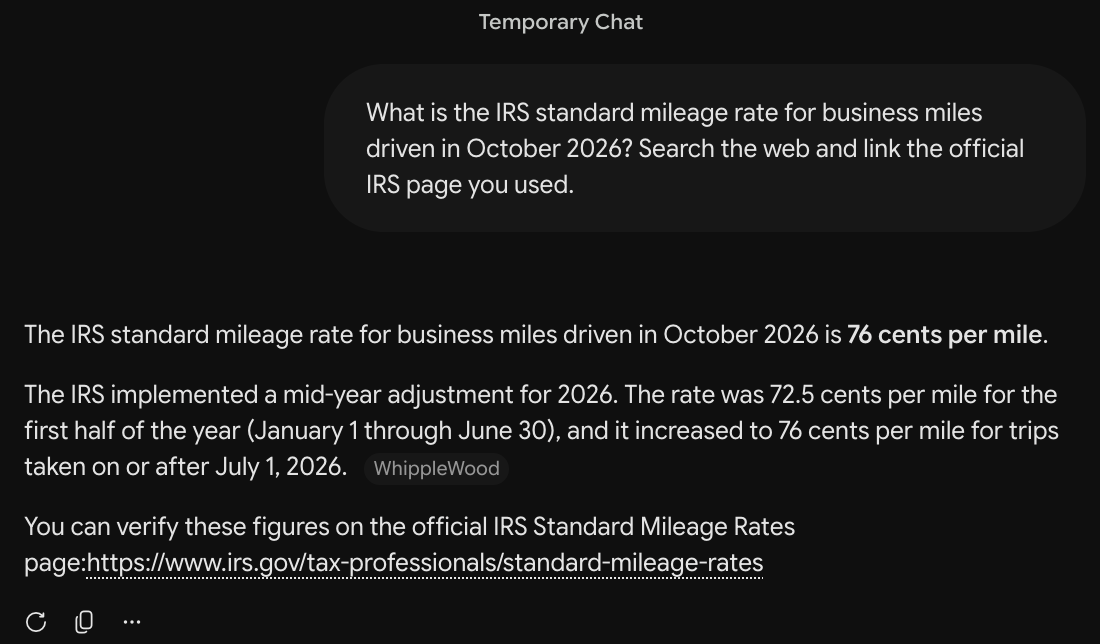
What is the IRS standard mileage rate for business miles driven in October 2026? Search the web and link the official IRS page you used.
How we judged it
On 2026-10-19 the IRS page listed 76 cents a mile for business use from July 1 to December 31, 2026, up from 72.5 cents for January 1 to June 30 (irs.gov).
Pass: 76 cents a mile, the July 1, 2026 start, and a working link to an irs.gov page.
Partial: 76 cents, but no start date or no irs.gov link; or both 2026 rates without saying which applies in October.
Fail: 72.5 cents or another wrong rate given as the answer, or no rate.
The time is measured from sending the prompt until the answer stops appearing.
Gemini
Pass 273 s
76 cents a mile from July 1, 2026 (72.5 cents before), linking the irs.gov Standard Mileage Rates page, which lists both; it took over four minutes to answer.
Grok: Winner
Pass 50 s
76 cents a mile for July 1 to December 31, 2026 (72.5 cents before), linking the irs.gov Standard Mileage Rates page, which lists both.
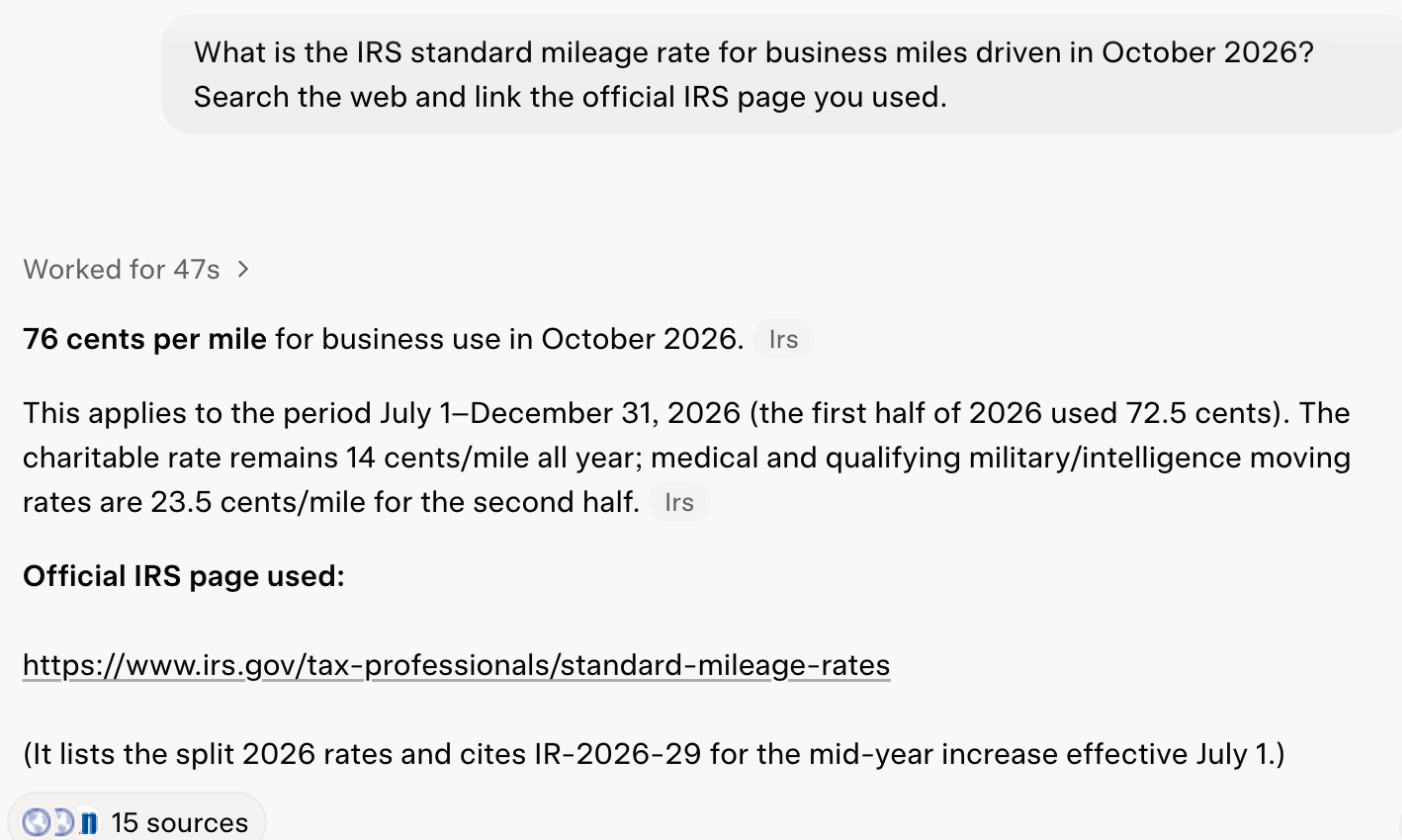
Run signed in to both tools: a Gemini temporary chat (no memory) and a Grok private chat in Fast mode on Grok's free plan (custom instructions empty). The Google account had moved to Google AI Pro on the day of the test, so Gemini ran on that plan with 3.1 Pro, its default model. Each prompt was sent once. Every link was opened and checked. Times run from pressing Enter until the answer stopped changing, measured in the browser and rounded to the nearest second; Gemini took over four minutes.
Test 2: Total a small sales file uploaded as CSV
The task
Save this FICTIONAL sales table for a FICTIONAL shop as a CSV file, fernhill-sales.csv:
| month | product | units | price |
|---|---|---|---|
| July | Tote bag | 14 | 18.00 |
| July | Mug | 22 | 12.50 |
| July | Candle | 9 | 26.00 |
| August | Tote bag | 11 | 18.00 |
| August | Mug | 30 | 12.50 |
| August | Candle | 12 | 26.00 |
| September | Tote bag | 17 | 18.00 |
| September | Mug | 19 | 12.50 |
| September | Candle | 15 | 26.00 |
Attach it to a new chat with the tool's upload button and send this prompt:
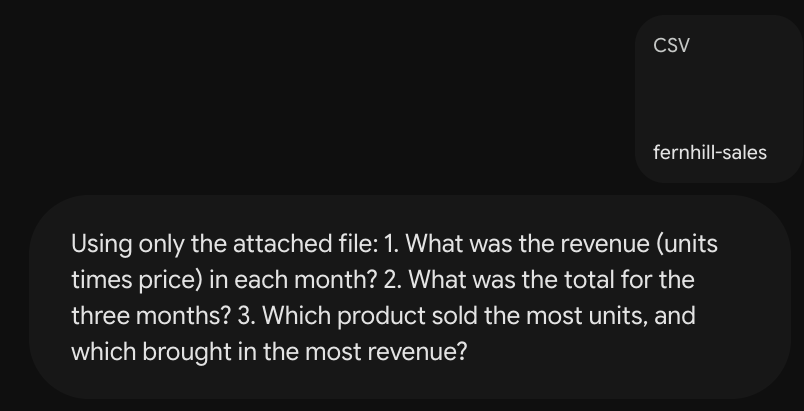
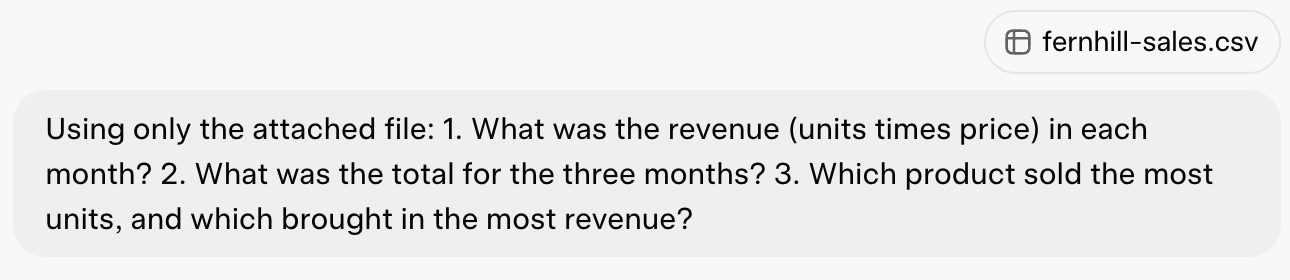
Using only the attached file: 1. What was the revenue (units times price) in each month? 2. What was the total for the three months? 3. Which product sold the most units, and which brought in the most revenue?
How we judged it
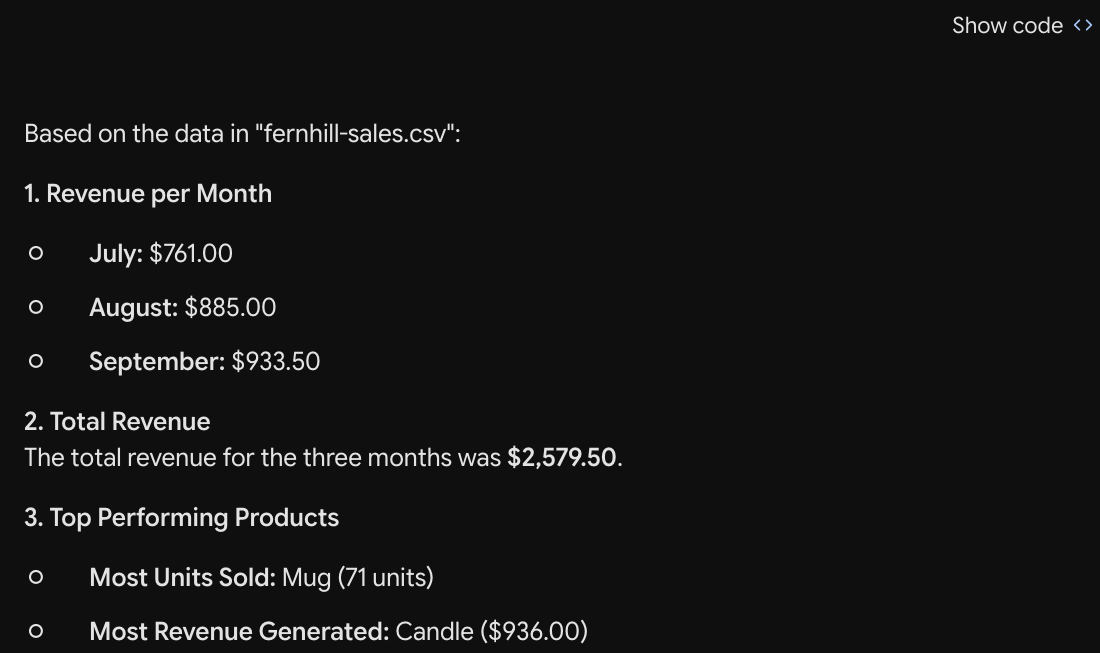
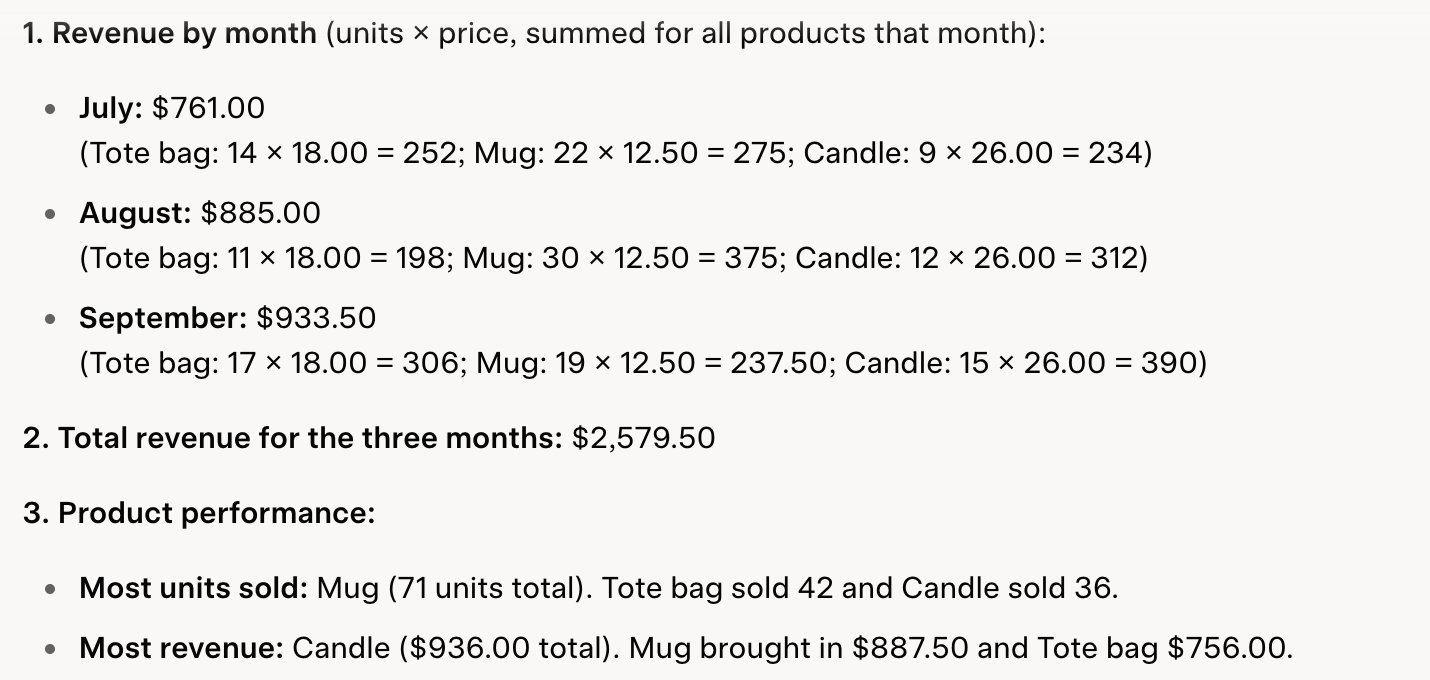
The right answers are July $761.00, August $885.00, September $933.50 and a total of $2,579.50; the mug sold the most units (71) and the candle brought in the most revenue ($936.00).
Pass: all six answers right.
Partial: one answer wrong or missing.
Fail: two or more answers wrong or missing, or the tool cannot read the file.
Gemini
Pass
All six right: July $761.00, August $885.00, September $933.50, total $2,579.50; the mug sold most (71), the candle earned most ($936.00).
Grok
Pass
All six right: July $761.00, August $885.00, September $933.50, total $2,579.50; the mug sold most (71), the candle earned most ($936.00).
Run signed in to both tools: a Gemini temporary chat (no memory) and a Grok private chat in Fast mode on Grok's free plan (custom instructions empty). The Google account had moved to Google AI Pro on the day of the test, so Gemini ran on that plan with 3.1 Pro, its default model. Each prompt was sent once. Each tool got fernhill-sales.csv through its own upload button, and both ran code before answering.
Test 3: Make a shop-sign image with exact wording
The task
Send this prompt in a new chat:
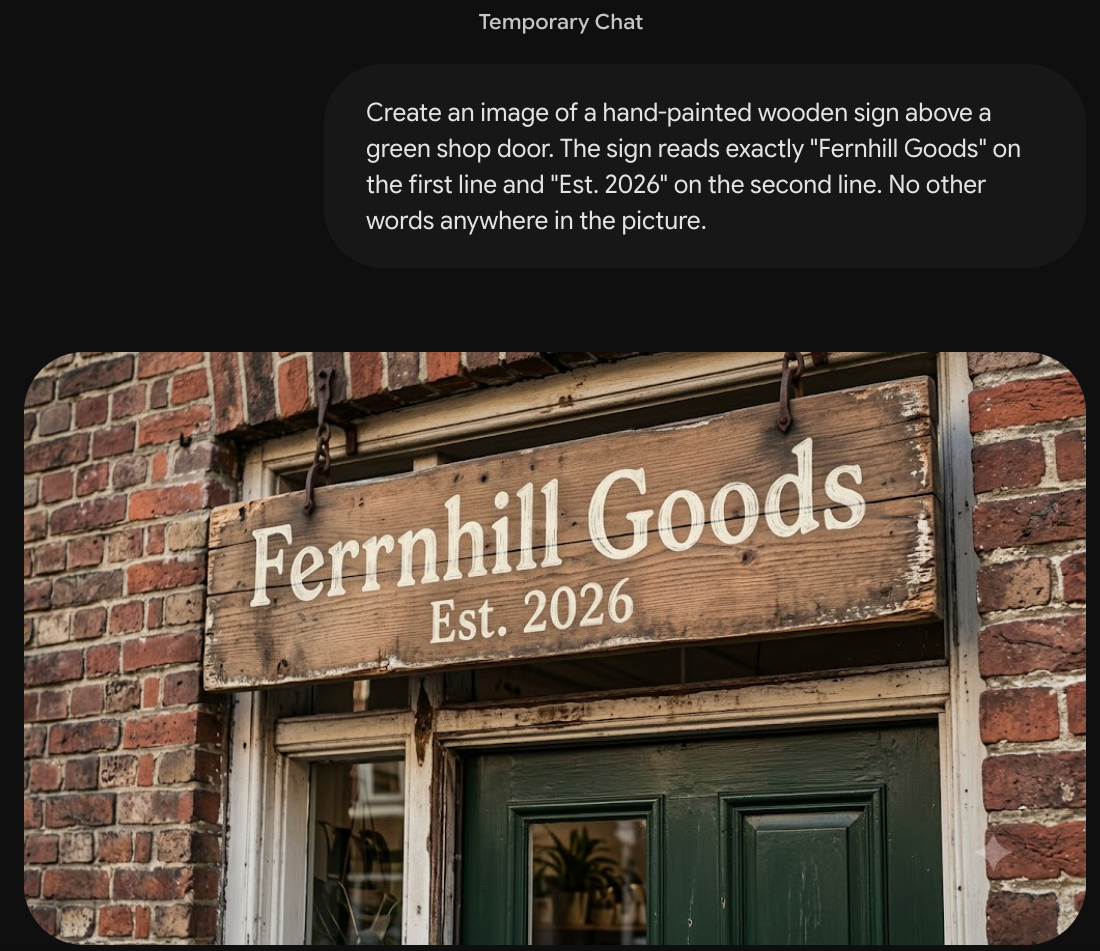
Create an image of a hand-painted wooden sign above a green shop door. The sign reads exactly "Fernhill Goods" on the first line and "Est. 2026" on the second line. No other words anywhere in the picture.
How we judged it
Pass: an image appears in the chat with both lines spelled exactly as asked, on a wooden sign above a green door, and no other words.
Partial: an image with one spelling mistake, one missing element (the second line, the wooden sign or the green door) or stray extra words.
Fail: no image, both lines wrong or unreadable, or two or more of the Partial problems.
A visible watermark does not change the outcome; write down in the result note whether one appears.
Gemini
Partial
One image (1024 x 572) with a small Gemini sparkle watermark: a wooden sign above a green door, Est. 2026 correct, no other words, but the first line reads Ferrnhill Goods (an extra r).

Grok: Winner
Pass
One image (784 x 1168) with a small Grok watermark: a wooden sign above a green door reading exactly Fernhill Goods / Est. 2026, and no other words.
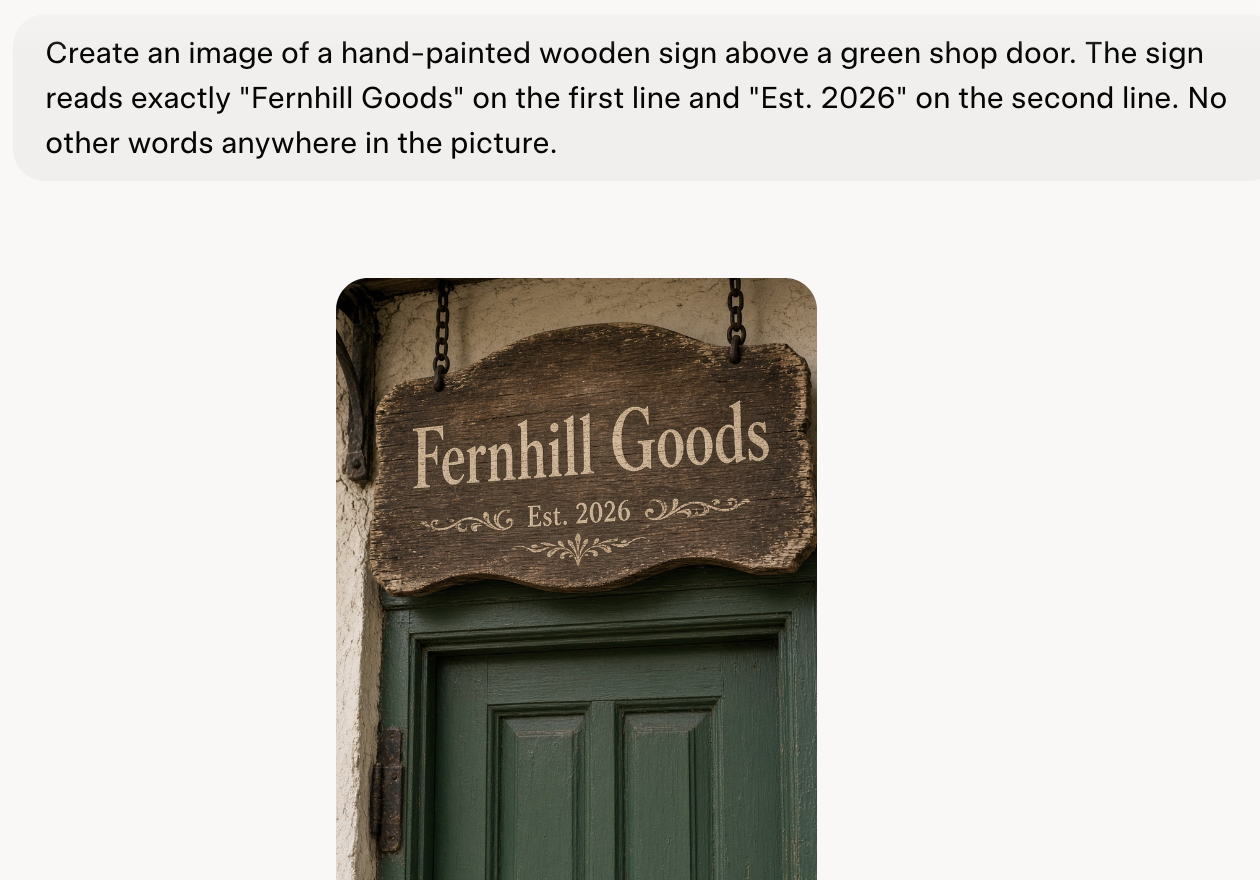

Run signed in to both tools: a Gemini temporary chat (no memory) and a Grok private chat in Fast mode on Grok's free plan (custom instructions empty). The Google account had moved to Google AI Pro on the day of the test, so Gemini ran on that plan with 3.1 Pro, its default model. Each prompt was sent once. Each tool made one image, judged at full size; each carries a small watermark of its own.
Test 4: Find the one meeting slot across four time zones
The task
Send this prompt in a new chat:
Four colleagues need a one-hour video call next Wednesday. Each works 9 a.m. to 5 p.m. in their own city. Ana (New York) is busy 9 to 11 a.m. and 1 to 2 p.m. Ben (Chicago) is busy 11 a.m. to noon and 2 to 3 p.m. Cleo (Denver) is busy 9 to 10 a.m. Dev (Los Angeles) is busy 1 to 2 p.m. All times are local. List every one-hour slot that works for all four, and give it in each person's local time.
How we judged it
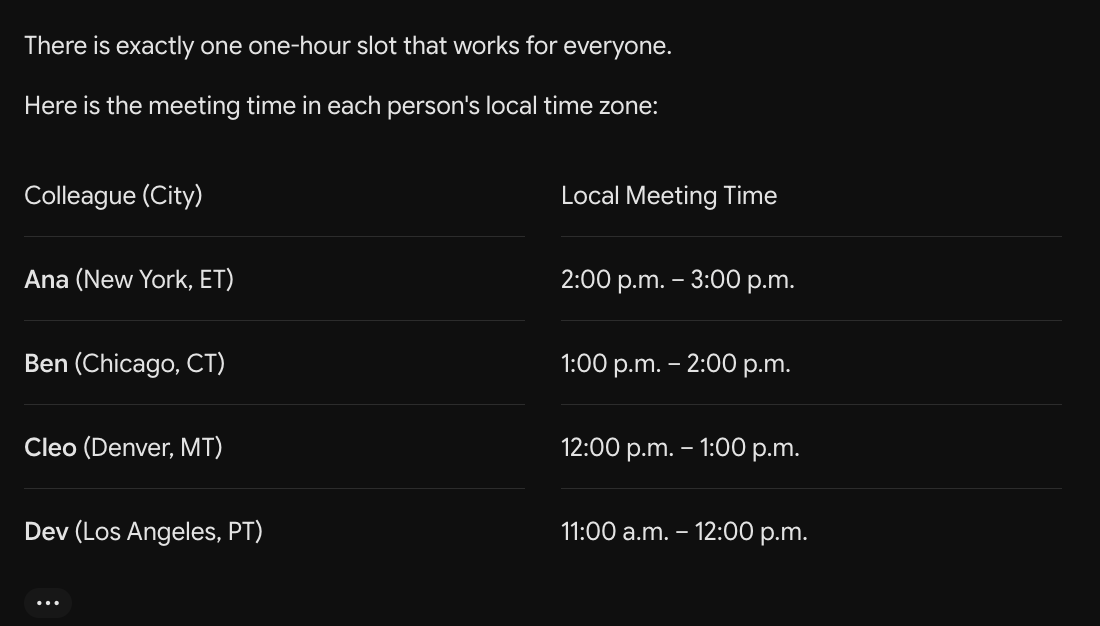
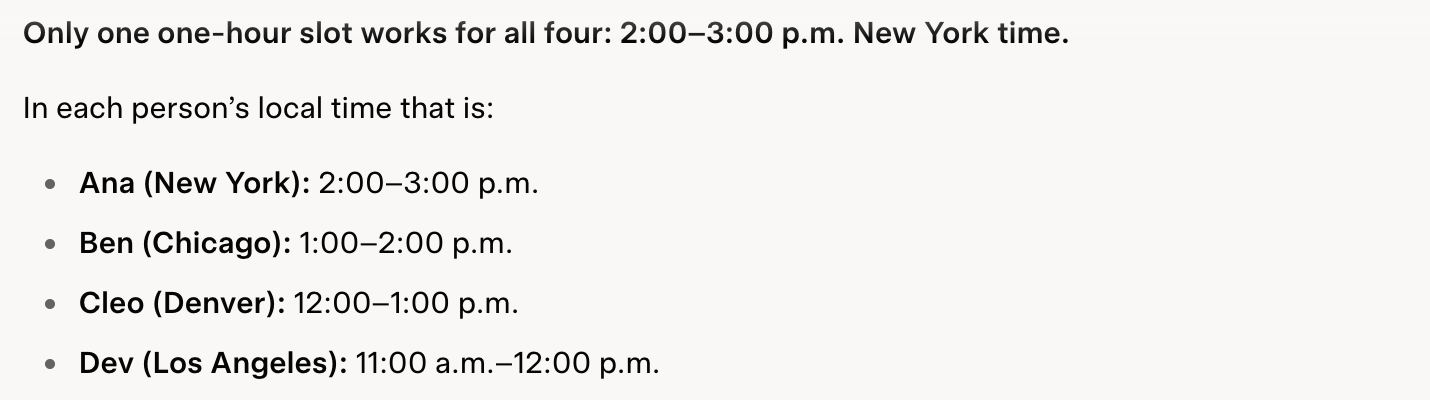
Only one slot works: 2 to 3 p.m. in New York, which is 1 to 2 p.m. in Chicago, noon to 1 p.m. in Denver and 11 a.m. to noon in Los Angeles.
Pass: that slot, in all four local times, and no other slot.
Partial: the right slot, but one local time wrong or missing, or one extra slot that does not work.
Fail: the right slot missing, or more than one mistake.
Gemini
Pass
Exactly one slot: 2 to 3 p.m. New York, 1 to 2 Chicago, noon to 1 Denver, 11 to noon Los Angeles, and it said no other slot works.
Grok
Pass
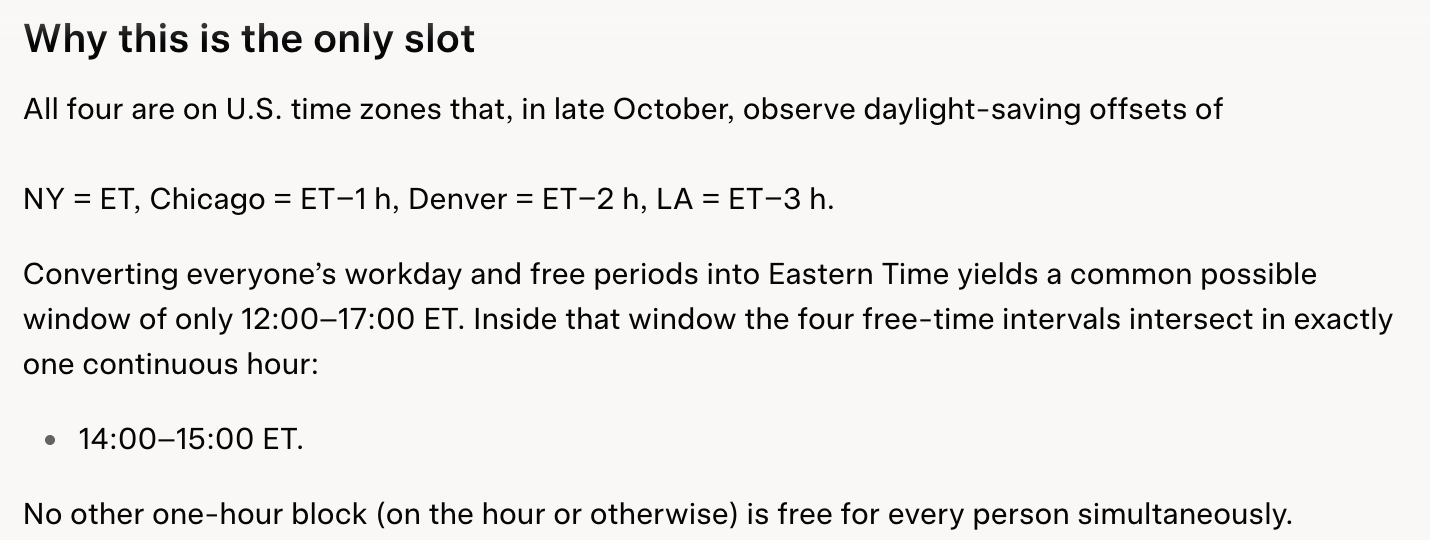
Only one slot: 2 to 3 p.m. New York, 1 to 2 Chicago, noon to 1 Denver, 11 to noon Los Angeles, with its working in Eastern Time and no other slot.
Run signed in to both tools: a Gemini temporary chat (no memory) and a Grok private chat in Fast mode on Grok's free plan (custom instructions empty). The Google account had moved to Google AI Pro on the day of the test, so Gemini ran on that plan with 3.1 Pro, its default model. Each prompt was sent once. Gemini's reply stopped mid-sentence in its explanation and never finished; the table above it was complete.
Our verdict
Gemini is the better value if your mail and files already sit in Google. Google AI Plus costs $4.99 a month with 400 GB of storage; Google AI Pro, at $19.99 a month, includes 5 TB, Gemini in Gmail, Docs and Vids, and a 1-million-token context window. Even the free plan includes image generation, Deep Research, Canvas and Gemini Live, though on the Flash-Lite model with a 32k-token context window.
Grok makes more sense if you follow news as it breaks, or use X or Cursor. It searches posts on X as well as the web, with live citations, and one X Subscription also covers Cursor and, from Premium, full X Premium+ benefits once you connect a personal X account. It takes bigger batches of files: about 100 at once on the web, most up to 150 MB, where Gemini allows 10 per prompt at 100 MB each. The catches: video generation starts at Premium ($30 a month), images and videos carry a Grok watermark, and limits are a weekly pool stated as multiples of Plus.
At the top, Google AI Ultra ($99.99 or $199.99 a month) and Grok Super or Ultra ($100 or $200 a month) cost about the same. Teams start lower on Gemini Enterprise Business ($21 a seat a month) than on Grok Teams ($30).
Choose Gemini if
You want an assistant tied to Google: answers that draw on Google Search and, on Google AI Pro ($19.99 a month), Gemini in Gmail, Docs and Vids, 5 TB of storage and a 1-million-token context window. It also suits you if you want the cheapest upgrade, Google AI Plus at $4.99 a month, or a free plan with image generation, Deep Research, Canvas and Gemini Live. Teams can start on Gemini Enterprise Business at $21 a seat a month, for up to 300 seats.
Choose Grok if
You want an assistant that keeps up with what is being said on X and the web, with live citations, and you are happy to pay through The X Subscription, which also covers Cursor. Premium ($30 a month, or $300 a year) adds video generation and full X Premium+ benefits once you connect a personal X account. Grok also fits people who upload many files at once: about 100 on the web, with most files up to 150 MB each.
Frequently asked questions
Is Gemini or Grok cheaper?
Gemini has the cheaper first paid step: Google AI Plus costs $4.99 a month and Google AI Pro $19.99 a month. Grok Plus costs $8 a month or $80 a year, and Premium $30 a month or $300 a year. At the top end the prices are close: Google AI Ultra costs $99.99 or $199.99 a month, Grok Super $100 a month ($1,000 a year) and Grok Ultra $200 a month ($2,000 a year). Both have a free plan. Google's US Gemini plans page lists monthly prices only, so no yearly Gemini prices are given here.
Can Gemini and Grok search the web for current information?
Yes. Google says Gemini can use public information from Google Search, even when Keep Activity is turned off. xAI says Grok searches the web and posts on X in real time and shows live citations.
Do Gemini and Grok both make images and videos?
Both generate images on their free plans: Gemini generates and edits images, and Grok makes them with Grok Imagine, with limits on Free. Video is a paid feature on both: Gemini needs a paid plan, and Grok needs Premium ($30 a month) or higher. Images and videos made with Grok carry a Grok watermark, and there is no setting to remove it.
Which takes more files at once?
Grok. xAI says you can upload about 100 files at once on the web (20 on Android), and most files can be up to 150 MB. Gemini takes up to 10 files per prompt, each up to 100 MB, or up to 2 GB for a video. Google also lists Gemini's context window, the amount of text it can work with at once: 32k tokens on the free plan and 1 million tokens on Google AI Pro and Ultra.
Do Gemini and Grok use my chats to train their models?
Both let you opt out. In Grok, you can stop new chats being used for training with the Improve the Model setting, or use Private Chat; xAI notes that signed-out use cannot be opted out in some regions outside the EU and UK, and that content from business plans is not used. In Gemini, turning off Keep Activity stops Google from using your future chats to improve its AI models, unless you send feedback, but those chats are then kept for only 72 hours and are not saved to your activity.
Compare with others
More about: Gemini · Grok · Best AI chat assistants