
Wix vs WordPress.com: Which is better in 2026?
WordPress.com has the cheaper first paid plan and suits writing-led sites that may grow through plugins; Wix suits a template-led business site with listings, a directory or a store.
Tested hands-on: 4 tests on a MacBook Pro (M1 Pro), October 29–30, 2026. How we tested
Some links on this page are affiliate links. If you buy through them we may earn a commission at no extra cost to you. This never affects our verdicts.
Quick answer
- Choose Wix if: You want to design pages visually, starting from one of 2,000+ templates or an AI prompt and arranging the layout in a drag-and-drop editor.
- Choose WordPress.com if: You want WordPress without running your own server: hosting, security and WordPress updates are managed for you on every plan.
- Price at a glance: Wix: Free plan; paid from $17/mo, billed yearly · WordPress.com: Free plan; paid from $9/mo
At a glance
 Wix |  WordPress.com | |
|---|---|---|
| Free plan | Yes | Yes |
| Paid plans | From $17/mo, billed yearly | From $9/mo |
| Our tests | Won 1 of 42 ties | Won 1 of 42 ties |
| Best for | Small businesses and first-time site owners who want to start free with a visual editor and plenty of templates, then upgrade to Core when they are ready to sell. | Bloggers, publishers and small businesses that want WordPress and its plugins without running their own hosting. |
Wix and WordPress.com are both hosted website builders with a free plan, and hosting is included on every plan of each. Wix, founded in 2006, is built around a drag-and-drop editor, 2,000+ templates and a CMS with collections and dynamic pages. WordPress.com is the hosted version of the open-source WordPress software, developed by Automattic and launched publicly in 2005, with themes, a built-in newsletter and, on paid plans, plugins. Below we compare their US plan prices, what each free plan leaves out, which plan first lets you sell, the fees on memberships and paid subscriptions, and how far each lets you go with plugins and custom code.
Pricing
| Plan | Monthly | Yearly (12-month total) |
|---|---|---|
| Wix | ||
| FreeWix branding and a wixsite.com address; no custom domain | Free Free plan | |
| Light$17/month billed yearly; 2 GB storage, no payments; month-to-month price not shown on the plans page | no monthly price | $204/yr, billed yearly ($17/mo) |
| Core$29/month billed yearly; accept payments, basic eCommerce, 50 GB storage, 4% Pricing Plans fee | no monthly price | $348/yr, billed yearly ($29/mo) |
| Business$39/month billed yearly; standard eCommerce, 100 GB storage, 2% Pricing Plans fee | no monthly price | $468/yr, billed yearly ($39/mo) |
| Business Elite$159/month billed yearly; advanced eCommerce, unlimited storage, advanced developer platform, 0% Pricing Plans fee | no monthly price | $1,908/yr, billed yearly ($159/mo) |
| WordPress.com | ||
| FreeNo expiration; wordpress.com subdomain, 1 GB storage, shows ads | Free Free plan | |
| Personal$4/month billed yearly, excl. taxes; 6 GB storage, plugins, no ads | $9/mo | $48/yr ($4/mo) |
| Premium$8/month billed yearly, excl. taxes; 13 GB storage, SEO tools, payment buttons | $18/mo | $96/yr ($8/mo) |
| Business$25/month billed yearly, excl. taxes; 50 GB storage, SFTP/SSH, WooCommerce via plugins | $40/mo | $300/yr ($25/mo) |
| Commerce$45/month billed yearly, excl. taxes; integrated WooCommerce store extensions | $70/mo | $540/yr ($45/mo) |
Prices checked on .
Features compared
| Feature | Wix | WordPress.com |
|---|---|---|
| E-commerce | Yes · Core plan and up; catalog up to 50,000 products | Yes · WooCommerce on Business and Commerce |
| CMS | Yes · Collections and dynamic pages | Yes · WordPress posts, pages and revisions |
| Custom code | Yes · Head/body snippets with a connected domain; Velo | Yes · CSS and plugins on paid plans; SFTP/SSH from Business |
| Hosting included | Yes · All plans, including Free | Yes · All plans, incl. Free; global CDN and SSL |
| Design freedom | Yes · Drag-and-drop editor | Yes · Themes, patterns and drag-and-drop layouts |
| Templates | Yes · 2,000+ templates | Yes · Free themes; premium themes on paid plans |
| SEO tools | Yes · Setup checklist, redirect manager, editable robots.txt | Yes · Premium plan and up |
| Memberships | Yes · Pricing Plans from Core; fee 4% Core, 2% Business, 0% Business Elite | Yes · Paid subscribers; fee 10% (Free) to 0% (Commerce) |
| Free plan | Yes · Wix branding and wixsite.com address | Yes · 1 GB, wordpress.com subdomain, shows ads |
How we tested
We gave Wix and WordPress.com the same 4 tasks on the same MacBook Pro (M1 Pro). Each test below lists the task, how we judged it, both results and screenshots; select a screenshot to see it at full size.
- Device
- MacBook Pro (M1 Pro) · macOS 26.6.2 · Chrome 156
- Tested
- October 29–30, 2026
- Plans used
- Wix: Free · WordPress.com: Free
- App versions
- Wix: Harmony editor (web), Add panel and Wix Forms, Harmony editor (web), Site Preview Mobile (390 px), Harmony editor (web), page SEO settings, Wix Blog (free app), Post History (web) · WordPress.com: Block editor and Settings > General (web), Markdown shortcuts, /contact form, Block editor (web), Mobile preview (479 px), Jetpack sidebar and Jetpack > Traffic (web), Block editor and revisions screen (web)
| Test | Wix | WordPress.com | Winner |
|---|---|---|---|
| Build a one-page site for a fictional bookshop on the free plan (timed) | Pass1.33 min | Pass0.1 min | WordPress.comby Time to build the page |
| Check the bookshop page on a phone-sized screen | Pass | Pass | Tie |
| Set the home page's search title and description on the free plan | Pass | Fail | Wix |
| Edit a blog post draft, then restore its first version | Pass | Pass | Tie |
| Tests won | 1 | 1 | 2 ties |
Test 1: Build a one-page site for a fictional bookshop on the free plan (timed)
The task
In each builder, on its free plan, create a new site from a blank or plain template and build a one-page site for Fernhill Books (FICTIONAL) with: a header with the name, three sections (About, Opening hours, Events with two dated items) and a contact form with name, email and message fields.
How we judged it
Pass: every element of the brief is there and looks finished, within 30 minutes.
Partial: one element missing or unfinished, or it took more than 30 minutes.
Fail: two or more elements missing.
No upgrades: an element that needs a paid plan counts as missing. The time is measured from opening the editor until the last element is done.
Wix
Pass 1.33 min
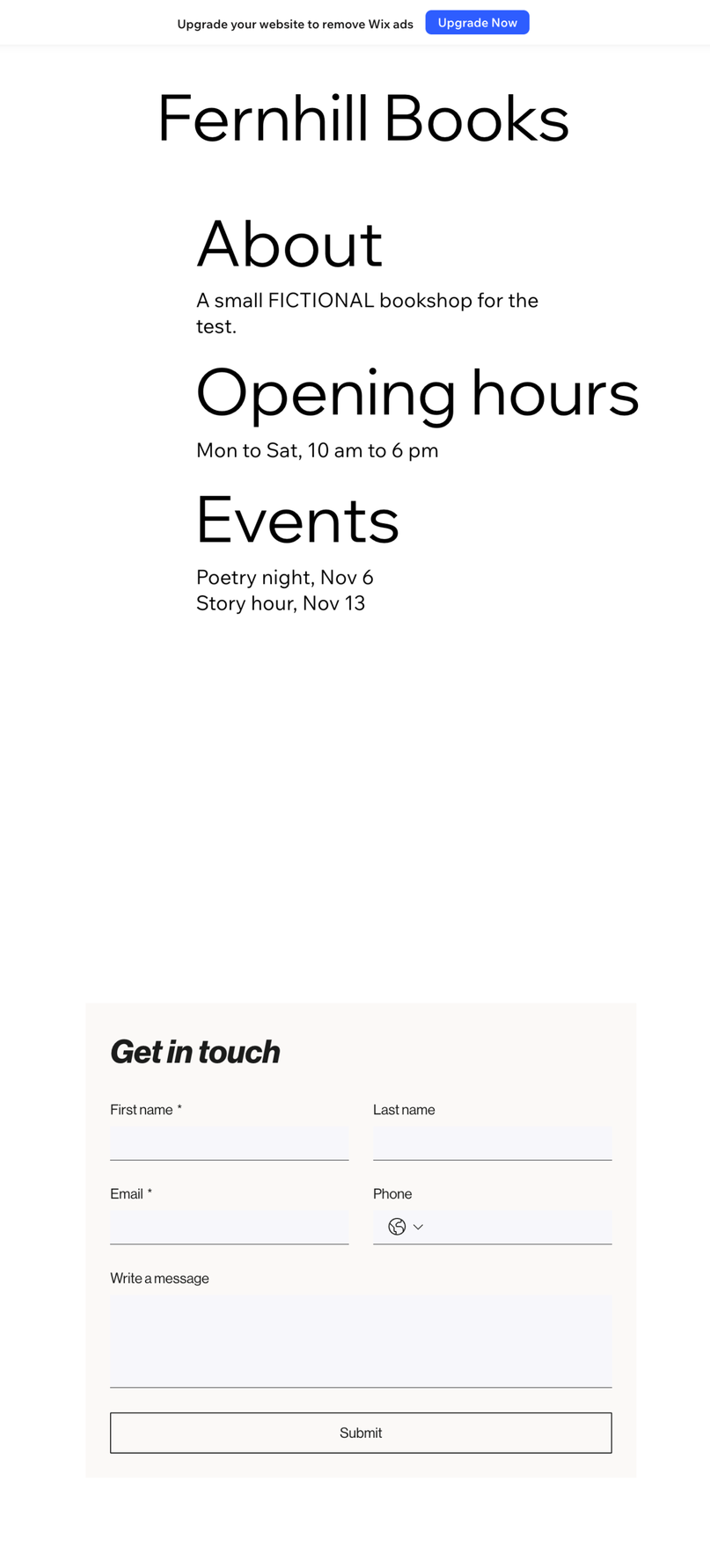
A blank page got the name in the header, About, Opening hours and Events with two dated items in one column, and a Get in touch form (name, email, message, plus last name and phone).
WordPress.com: Winner
Pass 0.1 min
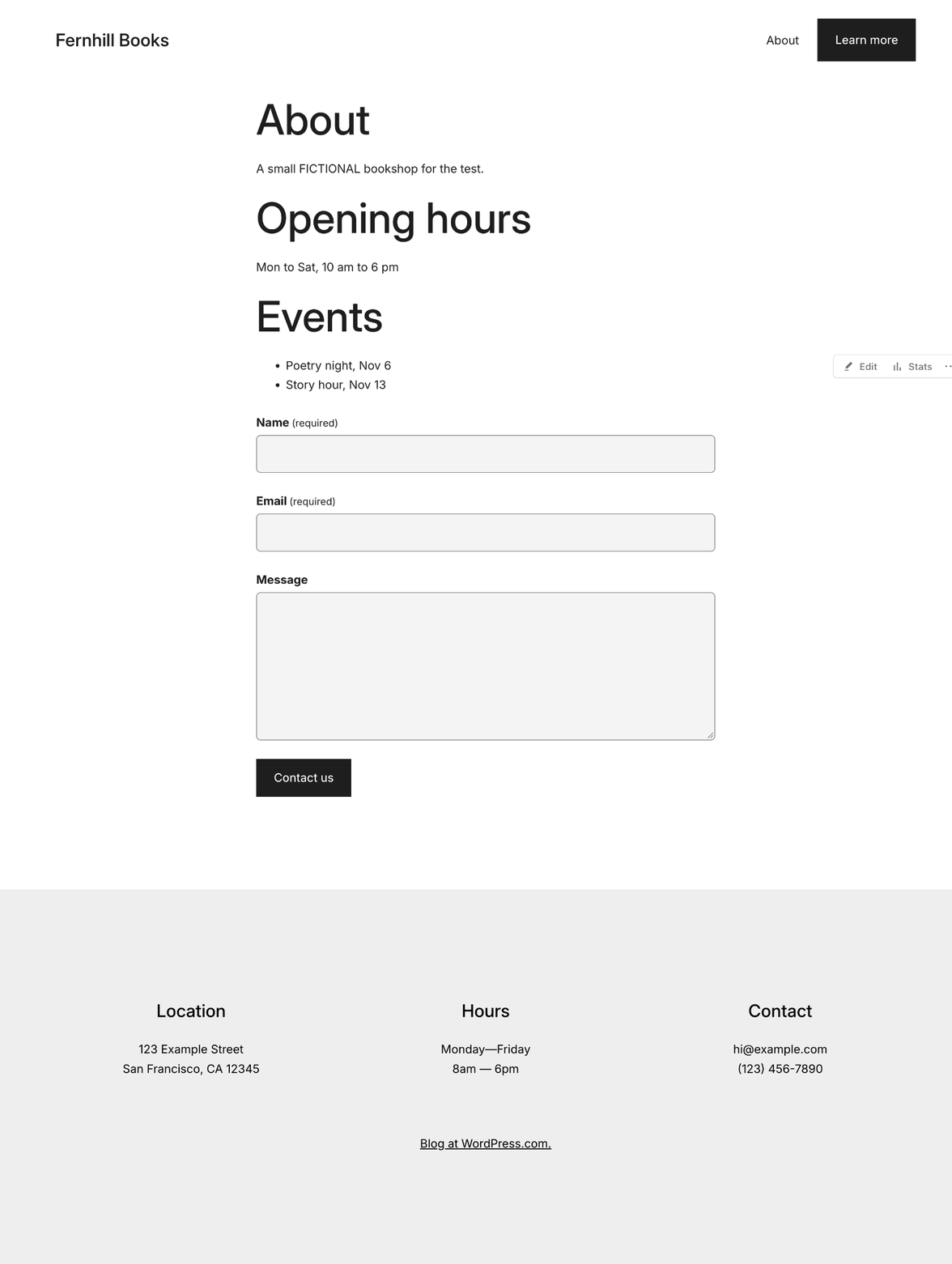
A new page typed with ## headings, a - list and /contact form gave About, Opening hours, Events with two dated items and a Name, Email, Message form; the site title was set in Settings.
Run by the assistant in the owner's Chrome, signed in, on the routes found in untimed rehearsals; the times count steps more than speed. WordPress.com: the page in the fresh editor with Markdown shortcuts (Oct 29), then the site title, shown in the Assembler theme's header, in Settings, General (Oct 30; getting there not timed); 2 fixed 1 s waits. Wix: after untimed setup (AI panel closed, zoom 40%), drags from the Add panel in five timed parts after 4 void attempts (a look before part 5 clicked the section, redone in it); 40 fixed 1-3 s waits (52 s), 9.7 s of form loading, 19 script checks.
Test 2: Check the bookshop page on a phone-sized screen
The task
Open the Fernhill Books page from the first test in each builder's mobile preview and check it as a phone visitor would, before making any mobile-only edits.
How we judged it
Pass: no sideways scrolling, the text is readable without zooming, and the form fields and buttons are easy to tap.
Partial: one of those fails and can be fixed in the editor without a paid plan.
Fail: two or more fail, or the layout breaks.
Wix
Pass
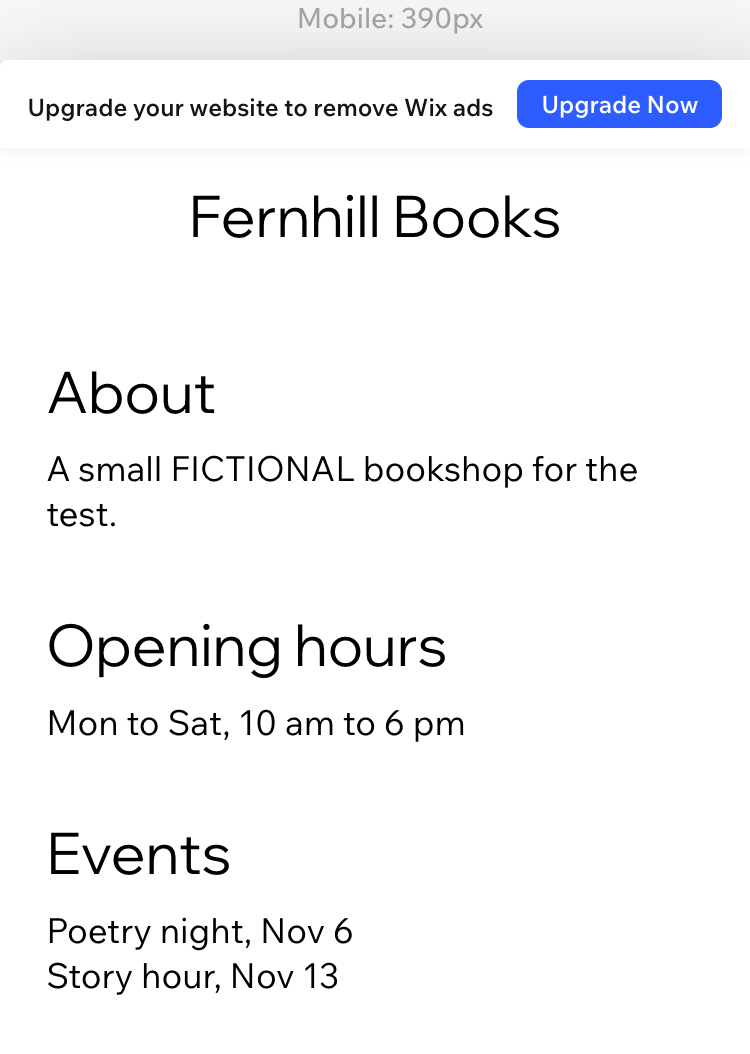
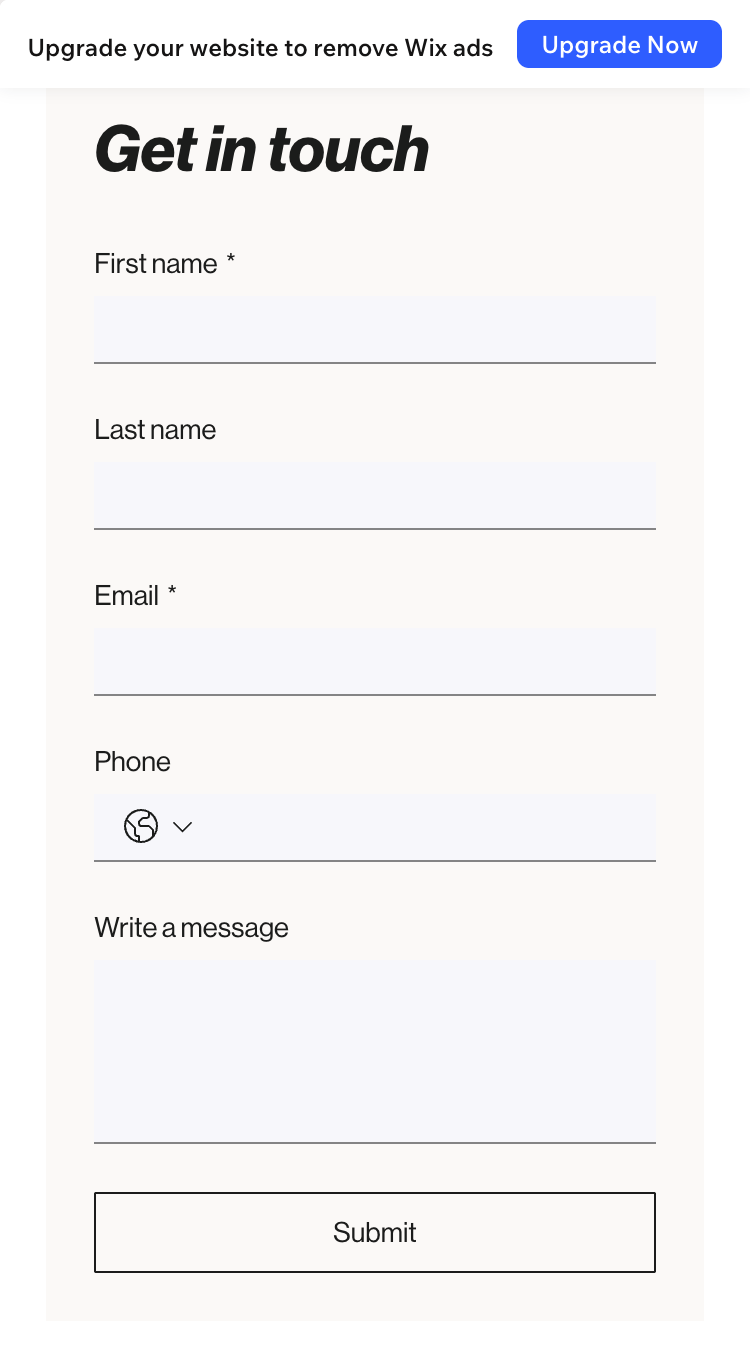
No sideways scrolling, 17 px body text and 29 px headings, 33 px tall fields as wide as the form and a 41 px Submit button; each field took the cursor when tapped.
WordPress.com
Pass
No sideways scrolling, 14 px body text and 37 px headings, 49 px tall Name and Email fields and button, a 70 px message box; each field took the cursor when tapped.
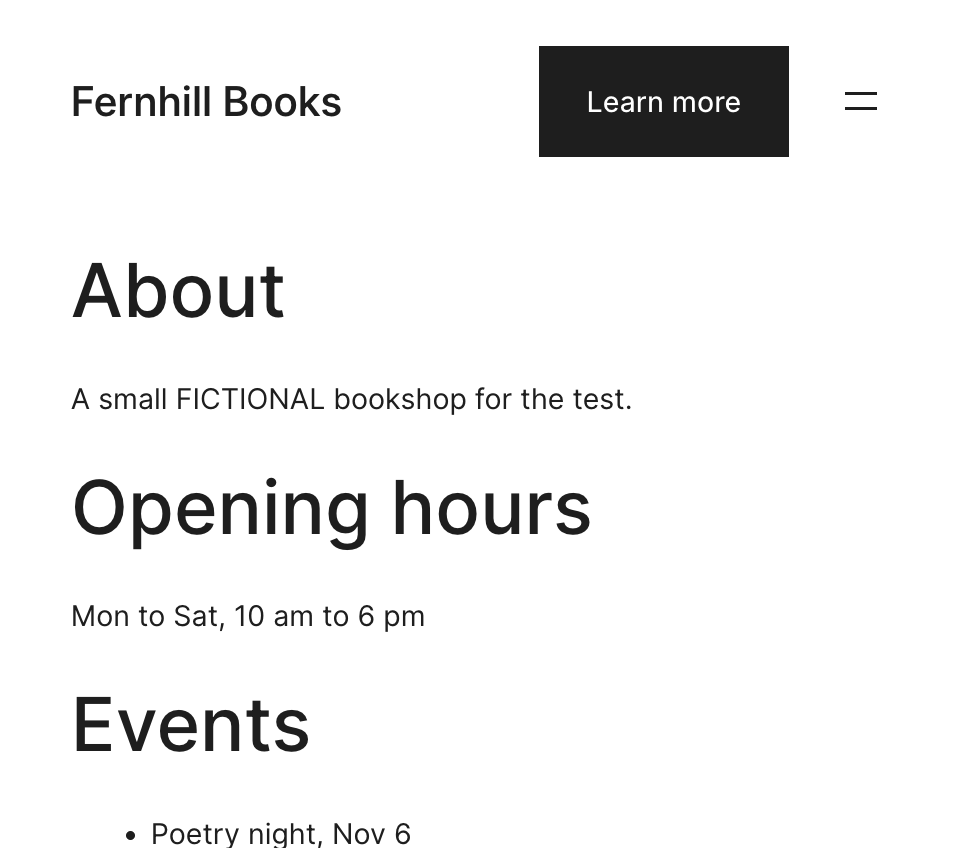
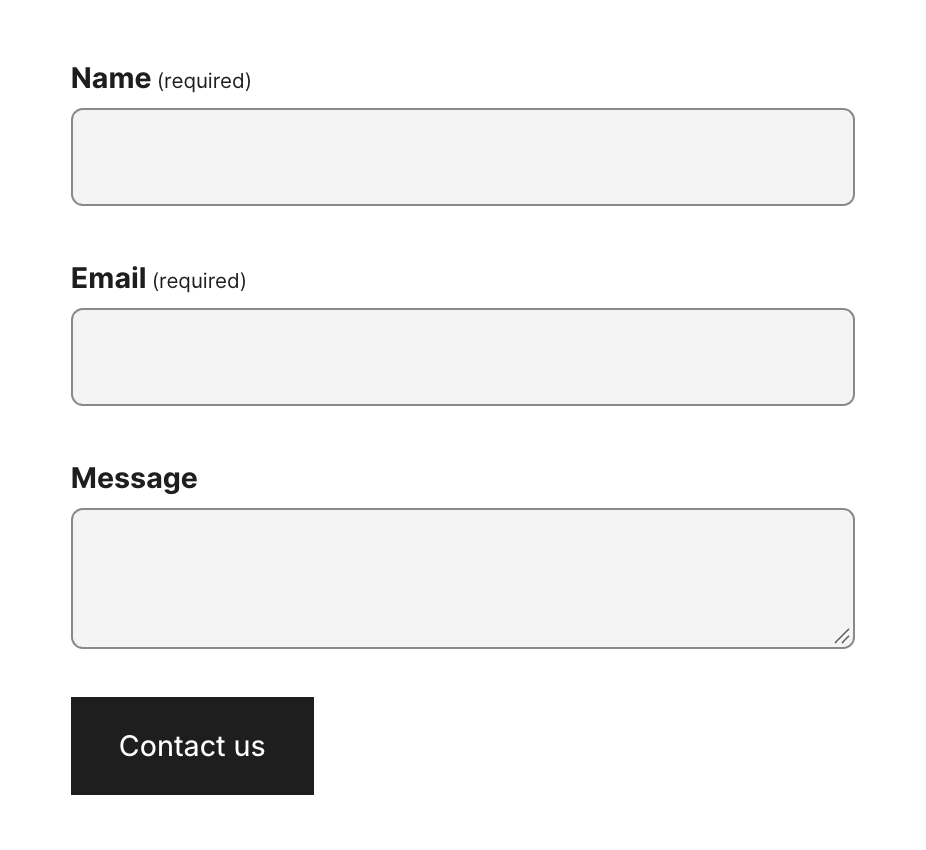
Checked in each editor's own mobile preview before any mobile edits, scrolling the whole page and tapping into each field. WordPress.com's block editor labels its preview Mobile (479 x 425), wider than most phones, and a tap there selects the field's block; Wix's Site Preview shows Mobile (390 px). Sizes were measured in those previews. Wix's form fields are full width but 33 px tall: above WCAG 2.2's 24 px minimum, under the 44 to 48 px often advised for touch.
Test 3: Set the home page's search title and description on the free plan
The task
On the Fernhill Books test site, set a custom search-engine title and meta description for the home page, using only what the free plan offers (no upgrade, no added plugin or app that needs a paid plan).
How we judged it
Pass: both the title and the description are set on the free plan, and the builder shows a preview of how the page may look in search results.
Partial: both are set but there is no preview, or only one of the two can be set.
Fail: neither can be set without upgrading.
Wix: Winner
Pass
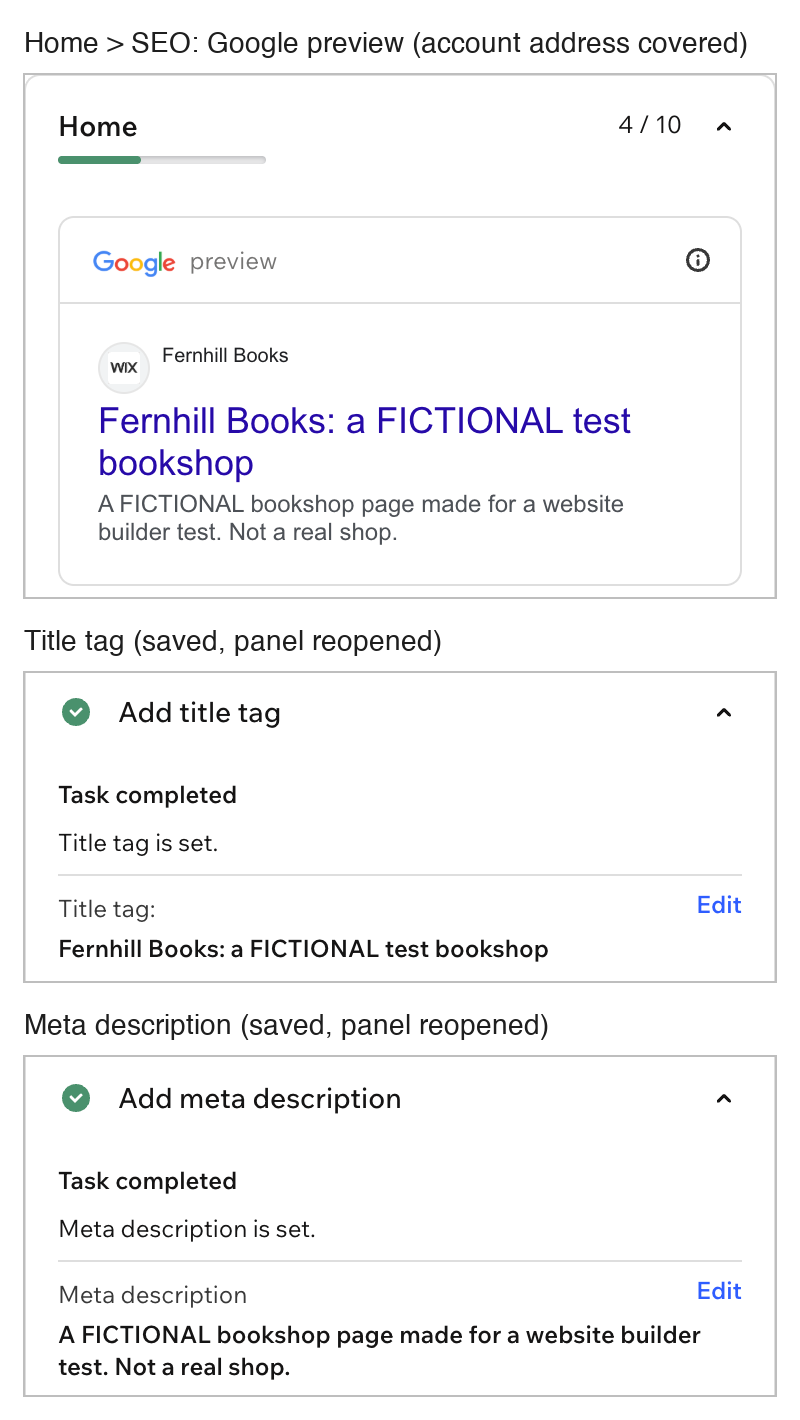
The Home page's title tag and meta description were set on the free plan, kept after the panel was reopened, and shown in a Google preview.
WordPress.com
Fail
Both SEO settings say the feature needs the Premium plan; the Free plan offers no search title or description field.
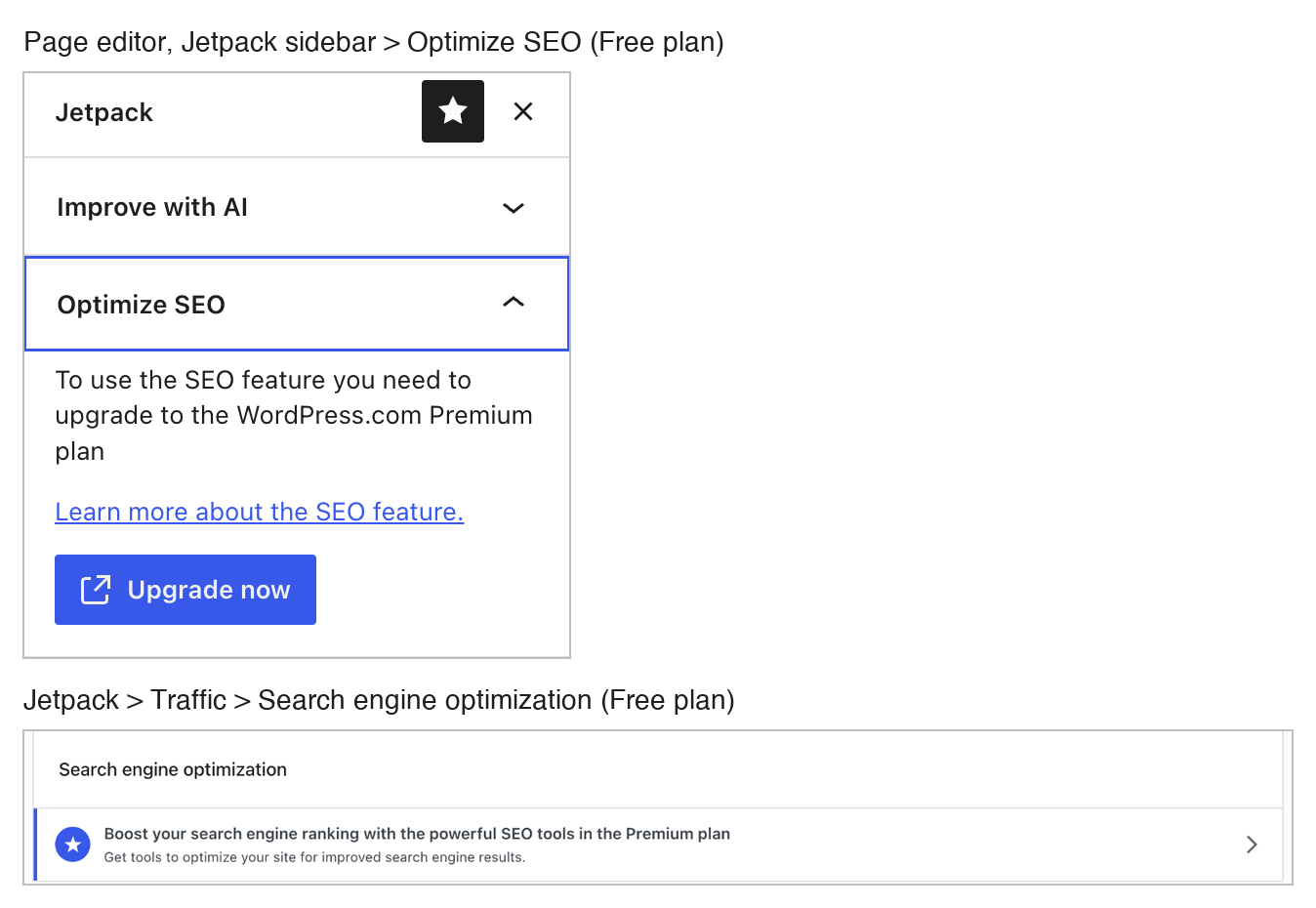
WordPress.com shows its SEO tools only as an upgrade to the Premium plan, both in the page editor's Jetpack sidebar and in Jetpack > Traffic; the site title and tagline do not count. Wix sets both texts per page under Site Pages > Home > More actions (...) > SEO and accessibility > SEO and shows a Google preview; the texts were checked after closing and reopening the panel, and again in a freshly loaded editor. Neither builder's AI button was used.
Test 4: Edit a blog post draft, then restore its first version
The task
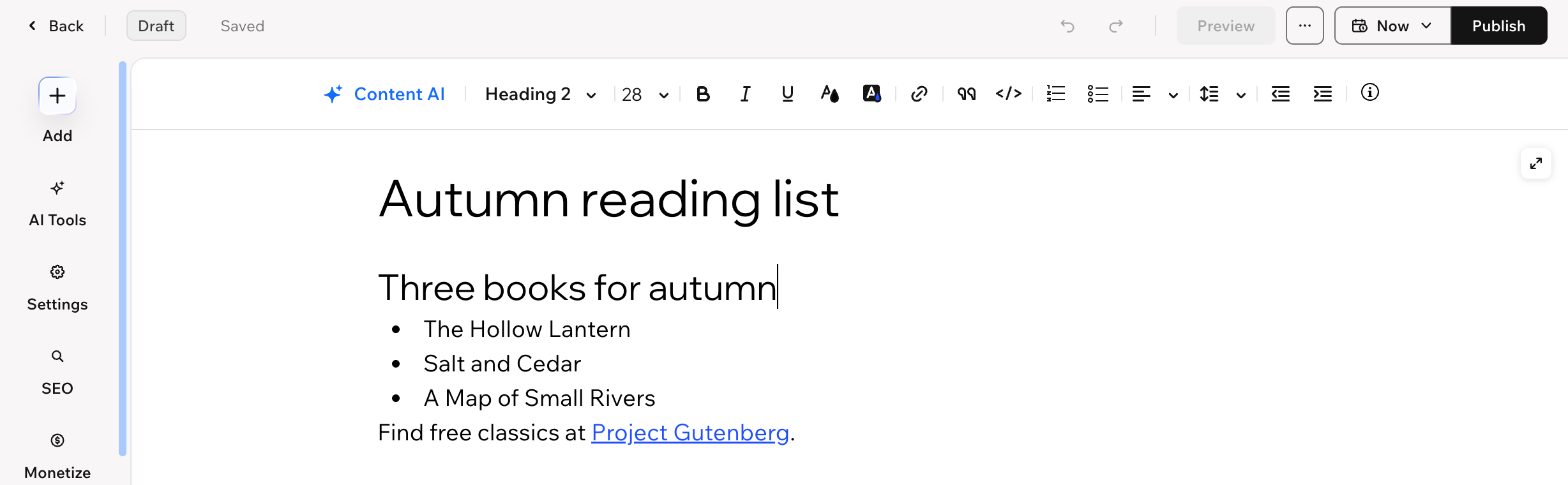
On the Fernhill Books test site, add a blog post (adding the builder's blog feature first if the site has none) titled "Autumn reading list", with a heading, a three-item bulleted list and one link to https://www.gutenberg.org/. Save it as a draft. Then replace the list with one sentence, save again, and use the builder's own history (post revisions or site history) to bring back the first version.
How we judged it
Pass: the first version (heading, three-item list and link) comes back through the builder's own history, without retyping.
Partial: the history shows the first version, but it has to be copied back by hand, or restoring it also undoes other changes to the site.
Fail: no history is available on the free plan, or the first version is lost.
Wix
Pass
Post History listed both saves; Restore on the first brought back the heading, the three-item list and the link.

WordPress.com
Pass
The revisions screen listed both saves and showed the change; Restore on the first brought back the heading, the three-item list and the link exactly.
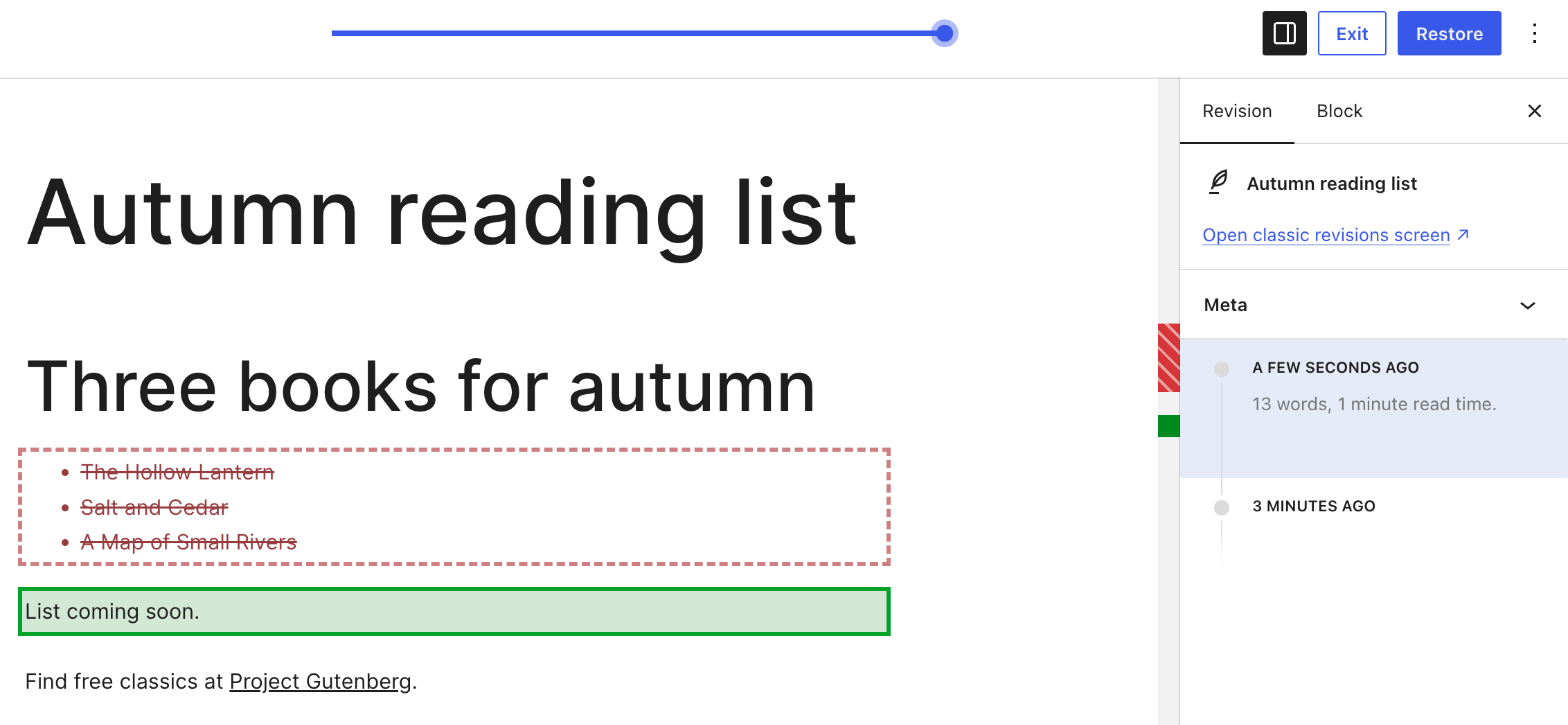

WordPress.com already had a blog; Wix needed its free Wix Blog app first, which added a Blog page and three sample posts, already marked published (left alone). In both, the post was saved as a draft, the list was replaced with "List coming soon." more than a minute later and saved again, and the first version came back with one Restore in the builder's own history: WordPress.com's revisions screen, Wix's Post History. Neither test post was published.
Our verdict
WordPress.com has the cheaper first paid plan and suits writing-led sites that may grow through plugins; Wix suits a template-led business site with listings, a directory or a store.
WordPress.com starts at $4 a month billed yearly for Personal, or $9 month to month, and every paid plan can install plugins and add CSS. Premium at $8 adds SEO tools and payment buttons; Business at $25 adds SFTP/SSH, WP-CLI, GitHub deployments, real-time backups and WooCommerce through plugins. The free plan never expires and can already charge for newsletter subscriptions, but it shows ads and has 1 GB of storage. The fee on paid subscriptions and payments falls from 10% on Free to 0% on Commerce at $45.
Wix charges more for its first paid plan: Light is $17 a month billed yearly and cannot take payments, and the plans page shows no month-to-month prices. You start from 2,000+ templates or an AI prompt, then work in a drag-and-drop editor, with a CMS of collections and dynamic pages for listings and directories. Core at $29 adds payments, basic eCommerce and 50 GB of storage, though a 0% Pricing Plans fee needs Business Elite at $159.
For a blog, newsletter or plugin-heavy site, start with WordPress.com. For a business site with a store or directory, start with Wix.
Choose Wix if
You want to design pages visually, starting from one of 2,000+ templates or an AI prompt and arranging the layout in a drag-and-drop editor. Wix also fits sites built on structured content, such as listings, directories or catalogs, through CMS collections and dynamic pages, with SEO tools such as an editable robots.txt and a redirect manager. Plan on Core at $29 a month billed yearly if you will sell: it adds payments and basic eCommerce, while the $17 Light plan cannot take payments.
Choose WordPress.com if
You want WordPress without running your own server: hosting, security and WordPress updates are managed for you on every plan. It suits bloggers, publishers and newsletter writers, with posts, pages, revisions and a built-in newsletter, and even the Free plan can charge for newsletter subscriptions, with a 10% fee. Paid plans start at $4 a month billed yearly or $9 month to month, and every one can install plugins and add CSS; Business at $25 adds SFTP/SSH, WP-CLI, GitHub deployments and real-time backups.
Frequently asked questions
Is WordPress.com cheaper than Wix?
For the cheapest paid plan, yes. On yearly billing, WordPress.com costs $4 a month for Personal, $8 for Premium, $25 for Business and $45 for Commerce, while Wix costs $17 for Light, $29 for Core, $39 for Business and $159 for Business Elite. Month to month, WordPress.com charges $9, $18, $40 and $70; Wix's plans page lists yearly prices only and shows other billing periods at checkout. Storage differs too: Wix Light has 2 GB and WordPress.com Personal 6 GB. Prices are the US dollar prices each vendor listed in October 2026, before taxes on both.
Do Wix and WordPress.com have free plans?
Both do, and both include hosting. Wix's Free plan gives you the drag-and-drop editor, but the site carries Wix branding and a wixsite.com address, and connecting your own domain requires a Premium plan. WordPress.com's Free plan has no expiration date; it uses a yoursite.wordpress.com address, has 1 GB of storage and shows ads to visitors, though it can already charge readers for a newsletter, with a 10% fee. On WordPress.com, the ads go away from Personal at $4 a month billed yearly, which is also the first plan that can install plugins.
Which is better for an online store?
It depends on how much you want to set up yourself. Wix accepts payments and adds basic eCommerce from Core at $29 a month billed yearly, with standard eCommerce on Business ($39) and advanced eCommerce on Business Elite ($159), and a catalog of up to 50,000 products on each of them; Wix Light cannot accept payments. On WordPress.com, Premium at $8 adds payment buttons, Business at $25 lets you run WooCommerce through plugins, and Commerce at $45 bundles the WooCommerce store extensions. On both Business and Commerce, WordPress.com takes a 0% transaction fee on WooCommerce payments, though the standard processing fee still applies. All prices are monthly rates on yearly billing.
What fees do Wix and WordPress.com take on memberships and paid subscriptions?
On Wix, memberships, subscriptions and packages are sold through Pricing Plans, which starts at Core: the plans page lists a Pricing Plans transaction fee of 4% on Core, 2% on Business and 0% on Business Elite, and Light does not include it. WordPress.com lets every plan, including Free, charge readers monthly or yearly for a newsletter or premium posts; its fee on paid subscriptions and payments is 10% on Free, 8% on Personal, 4% on Premium, 2% on Business and 0% on Commerce, and Stripe also collects 2.9% + $0.30 per payment. So the cheapest plan that can sell subscriptions is Free on WordPress.com and Core at $29 a month billed yearly on Wix, and a 0% fee on these sales starts at $45 on WordPress.com and $159 on Wix.
Can I use plugins or custom code on Wix and WordPress.com?
WordPress.com lets every paid plan, from Personal at $4 a month billed yearly, install plugins and add custom CSS; Business and Commerce add SFTP/SSH, WP-CLI and GitHub deployments. On Wix, you can add code snippets to the head or body of your pages once the site is published with a connected domain (connecting a domain needs a Premium plan), and Velo provides tools and APIs for building more complex, dynamic web applications. Wix's Business Elite plan adds its advanced developer platform.
Compare with others
More about: Wix · WordPress.com · Best Website builders