
Webflow vs WordPress.com: Which is better in 2026?
WordPress.com is the cheaper home for a blog, a newsletter or any site that publishes often; Webflow fits better when the design itself is the product.
Tested hands-on: 3 tests on a MacBook Pro (M1 Pro), October 30, 2026. How we tested
Some links on this page are affiliate links. If you buy through them we may earn a commission at no extra cost to you. This never affects our verdicts.
Quick answer
- Choose Webflow if: You want to control every page's layout yourself.
- Choose WordPress.com if: You want a site that publishes often without a large monthly bill.
- Price at a glance: Webflow: Free plan; paid from $25/mo · WordPress.com: Free plan; paid from $9/mo
At a glance
 Webflow |  WordPress.com | |
|---|---|---|
| Free plan | Yes | Yes |
| Paid plans | From $25/mo | From $9/mo |
| Our tests | Won 0 of 31 tie | Won 2 of 31 tie |
| Best for | Designers, agencies and marketing teams that want precise visual control over layout and interactions, with hosting, a CMS and custom code in one platform. | Bloggers, publishers and small businesses that want WordPress and its plugins without running their own hosting. |
Webflow and WordPress.com both host your site and both have a free plan, but they start from opposite ends. Webflow, which got its start in 2013, is a visual designer: you build each page on a blank canvas from HTML elements with flexbox and grid layouts, or begin from a template or an AI prompt. WordPress.com is the hosted version of the open-source WordPress software, developed by Automattic and launched publicly in 2005, and it is built around posts, pages, themes and, on paid plans, plugins. Below we compare US plan prices, the free plans, the cost of a CMS or blog, custom code and plugins, selling and memberships, and moving your site later.
Pricing
| Plan | Monthly | Yearly (12-month total) |
|---|---|---|
| Webflow | ||
| Starterwebflow.io address, 2 static pages, 1 GB bandwidth, 50 form submissions, limited CMS (50 items), Webflow badge | Free Free plan | |
| Basic$15/month billed yearly, plus taxes; custom domain, 300 static pages, 10 GB bandwidth, custom code, no CMS | $25/mo | $180/yr ($15/mo) |
| Premium$25/month billed yearly, plus taxes; 20,000 CMS items, 40 Collections, 50 GB bandwidth (paid add-ons up to 2.5 TB) | $39/mo | $300/yr ($25/mo) |
| Team$2,500/month on an annual contract; site and Workspace, Localize (2 locales), 5 full and 5 limited seats, priority support | no monthly price | $30,000/yr, billed yearly ($2,500/mo) |
| EnterpriseContact sales; custom scale, custom roles, SSO and enhanced SLAs | Custom | |
| Ecommerce Standard$29/month billed yearly, plus taxes; 500 ecommerce items, 2% transaction fee on top of Stripe or PayPal fees, 2,000 CMS items | $42/mo | $348/yr ($29/mo) |
| Ecommerce Plus$74/month billed yearly, plus taxes; 5,000 ecommerce items, 0% transaction fee, unbranded emails | $84/mo | $888/yr ($74/mo) |
| Ecommerce Advanced$212/month billed yearly, plus taxes; 15,000 ecommerce items, 0% transaction fee | $235/mo | $2,544/yr ($212/mo) |
| WordPress.com | ||
| FreeNo expiration; wordpress.com subdomain, 1 GB storage, shows ads | Free Free plan | |
| Personal$4/month billed yearly, excl. taxes; 6 GB storage, plugins, no ads | $9/mo | $48/yr ($4/mo) |
| Premium$8/month billed yearly, excl. taxes; 13 GB storage, SEO tools, payment buttons | $18/mo | $96/yr ($8/mo) |
| Business$25/month billed yearly, excl. taxes; 50 GB storage, SFTP/SSH, WooCommerce via plugins | $40/mo | $300/yr ($25/mo) |
| Commerce$45/month billed yearly, excl. taxes; integrated WooCommerce store extensions | $70/mo | $540/yr ($45/mo) |
Prices checked on .
Features compared
| Feature | Webflow | WordPress.com |
|---|---|---|
| E-commerce | Yes · Ecommerce Site plans from $29/month billed yearly; 2% transaction fee on Standard, 0% on Plus and Advanced | Yes · WooCommerce on Business and Commerce |
| CMS | Yes · Premium: 20,000 items in 40 Collections; Starter 50 items; none on Basic | Yes · WordPress posts, pages and revisions |
| Custom code | Yes · Site and page code on paid Site plans; code components on Premium | Yes · CSS and plugins on paid plans; SFTP/SSH from Business |
| Hosting included | Yes · Managed hosting with SSL and a global CDN; Starter publishes to webflow.io | Yes · All plans, incl. Free; global CDN and SSL |
| Design freedom | Yes · Blank canvas with HTML elements, flexbox and grid layouts, GSAP interactions | Yes · Themes, patterns and drag-and-drop layouts |
| Templates | Yes · 7,000+ free and premium templates; a paid one is a one-time fee ($29 to $129 among those listed) | Yes · Free themes; premium themes on paid plans |
| SEO tools | Yes · Meta tags on all plans; sitemap, robots.txt, schema markup and 301 redirects on paid Site plans | Yes · Premium plan and up |
| Memberships | No · Native User Accounts retired January 29, 2026; Webflow recommends Outseta or Memberstack | Yes · Paid subscribers; fee 10% (Free) to 0% (Commerce) |
| Free plan | Yes · Starter: webflow.io address, 2 static pages, 1 GB bandwidth, Webflow badge | Yes · 1 GB, wordpress.com subdomain, shows ads |
How we tested
We gave Webflow and WordPress.com the same 3 tasks on the same MacBook Pro (M1 Pro). Each test below lists the task, how we judged it, both results and screenshots; select a screenshot to see it at full size.
- Device
- MacBook Pro (M1 Pro) · macOS 26.6.2 · Chrome 156
- Tested
- October 30, 2026
- Plans used
- Webflow: Starter (free) · WordPress.com: Free
- App versions
- Webflow: Designer (web), Blank site, Quick Stacks and Form Block, Designer (web), Mobile (portrait) breakpoint, CMS collection and Collection List (web) · WordPress.com: Block editor (web), Assembler blank template, Columns, Pexels photo, form, Block editor (web), Mobile preview (479 x 425), Block editor (web), posts and Latest Posts block
| Test | Webflow | WordPress.com | Winner |
|---|---|---|---|
| Build a one-page studio site from a blank page on the free plan (timed) | Partial1.67 min | Partial0.8 min | WordPress.comby Time to build the page |
| Make the cards and columns stack on a phone without changing the desktop layout | Pass2 edits | Pass0 edits | WordPress.comby Edits needed for the phone layout |
| Show three dated news items as a list that updates itself | Pass | Pass | Tie |
| Tests won | 0 | 2 | 1 tie |
Test 1: Build a one-page studio site from a blank page on the free plan (timed)
The task
In each builder, on its free plan, create a new site, start from a blank page (not a template made for the business) and build a one-page site for Fernhill Studio (FICTIONAL), a small design studio, with: a header with the name and a button, a row of three equal cards side by side (each with a heading and one sentence), a two-column section with text on the left and an image on the right, and a contact form with name, email and message fields.
How we judged it
Pass: every element of the brief is there and looks finished, and on a desktop screen the three cards are the same width in one row, within 40 minutes.
Partial: one element missing, unfinished or misaligned, or it took more than 40 minutes.
Fail: two or more elements missing.
No upgrades: an element that needs a paid plan counts as missing. The time is measured from opening the editor until the last element is done.
Webflow
Partial 1.67 min
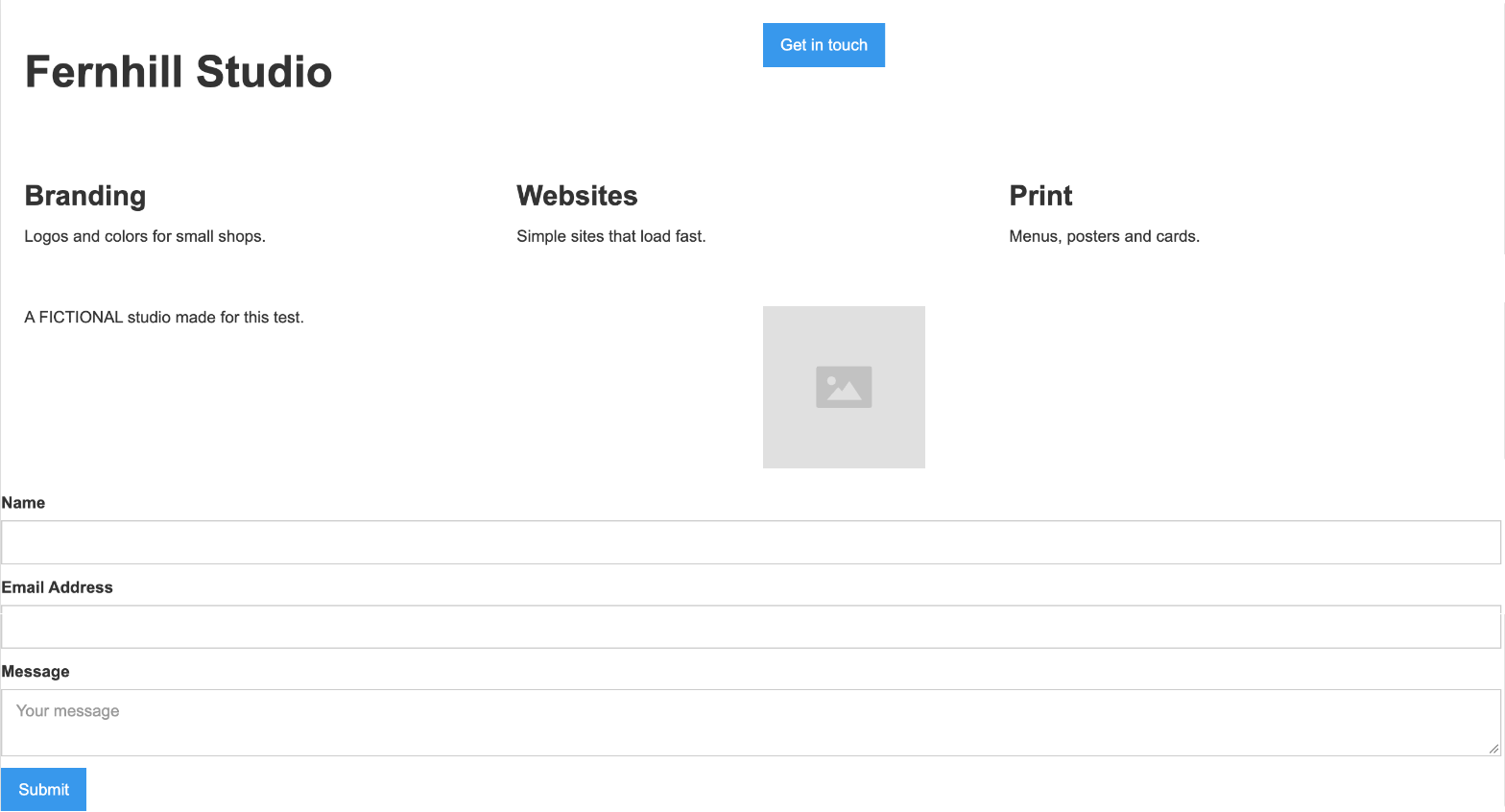
Every element is there and the three cards are equal in one row, but with default styles the form runs to the page edge, out of line with the rest, and the button sits atop the header's right half.
WordPress.com: Winner
Partial 0.8 min
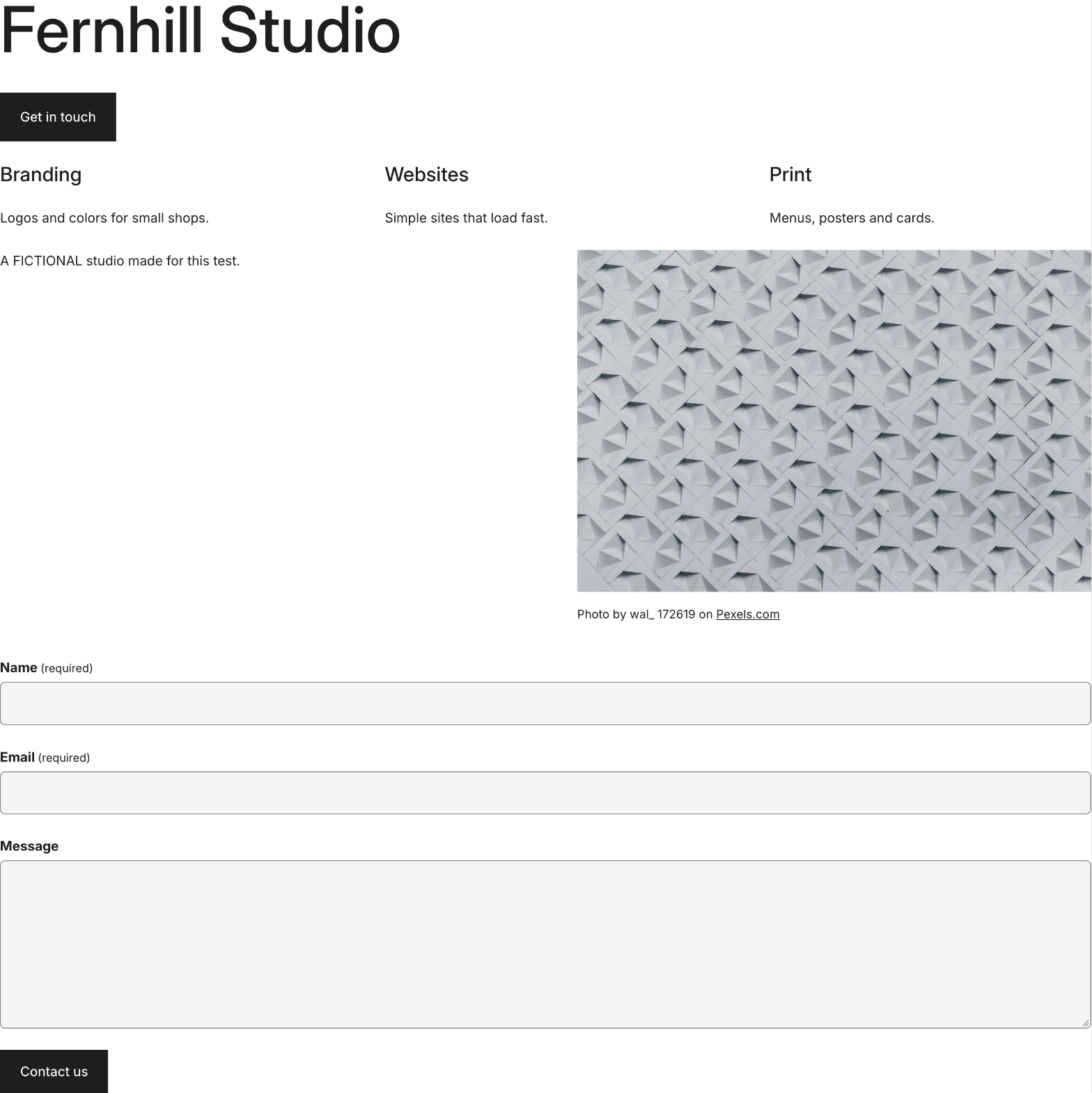
Every element is there and the three cards are equal in one row, but the Assembler theme's blank page template gives no side margins: the text, cards, photo and form run to the window edges.
Run by the assistant in the owner's Chrome, signed in, on routes found in untimed rehearsals; the times count steps more than speed; opening the editor and looks between timed parts are not counted. Webflow (Oct 29): a new blank site, seven parts after a void attempt; 70 fixed 1-2 s waits (86 s), 18 script checks. WordPress.com (Oct 30): a new free site, a page on Assembler's blank template, ten parts after a void attempt; 37 fixed waits (39 s), 3.4 s for the photo, 24 checks. No styling was added to either page: Webflow's form runs to the page edge, WordPress.com's page has no side margins.
Test 2: Make the cards and columns stack on a phone without changing the desktop layout
The task
Open the Fernhill Studio page from the first test in each builder's phone preview. If the three cards and the two-column section do not already stack into one column, make them stack on phones with the builder's own layout settings (no custom code), without changing how the page looks on a desktop screen.
How we judged it
Pass: in the phone preview the cards and both columns form one readable column with no sideways scrolling, and the desktop layout is unchanged, on the free plan.
Partial: they stack, but only with a change that also alters the desktop layout, or one of the two sections stays side by side.
Fail: neither section stacks on a phone, or the layout breaks.
Webflow
Pass 2 edits
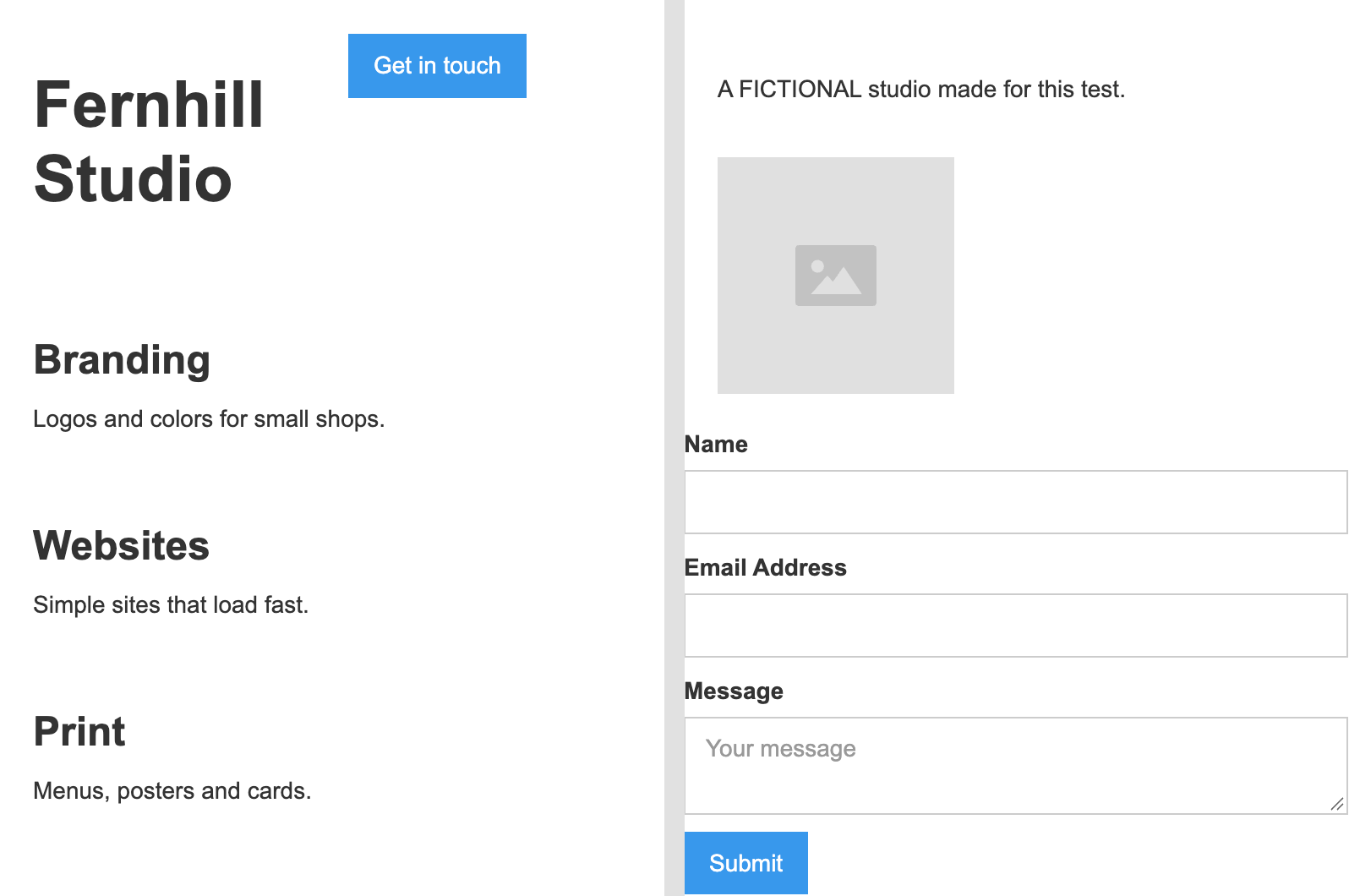
Neither section stacked at first; setting the cards' and the two-column section's Quick Stacks to one column at the phone breakpoint stacked both; the desktop kept three cards in a row.
WordPress.com: Winner
Pass 0 edits
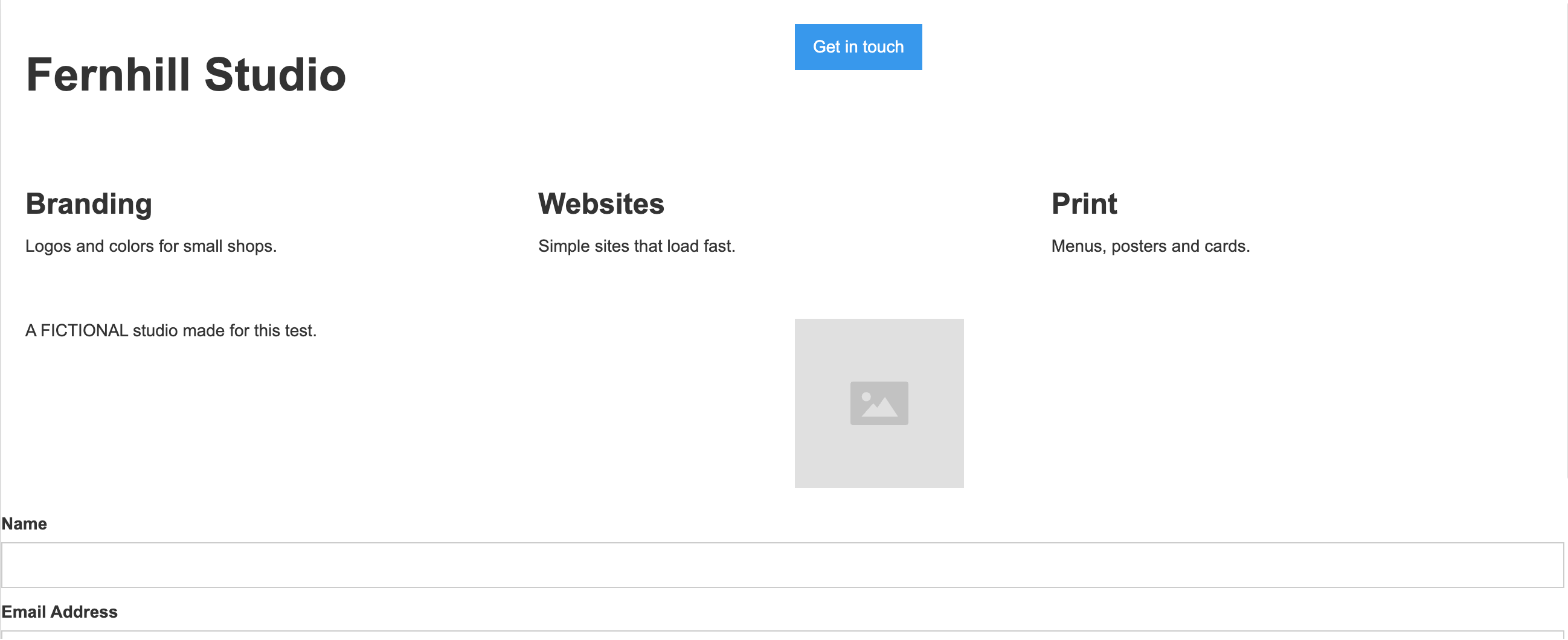
Both sections already stacked in the phone preview (Columns stack by default) with no sideways scrolling; no edits, and the desktop page kept three cards in a row.
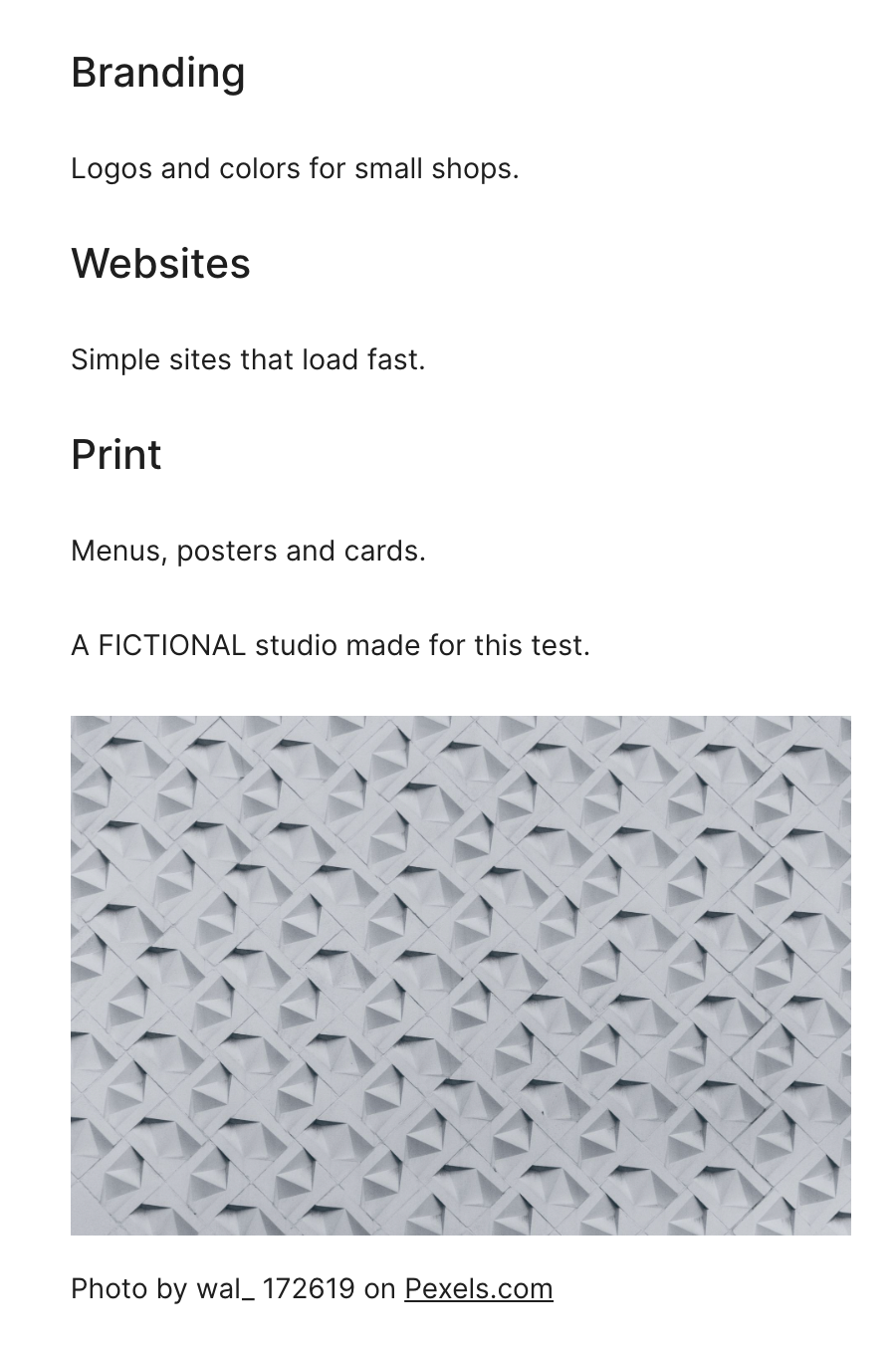
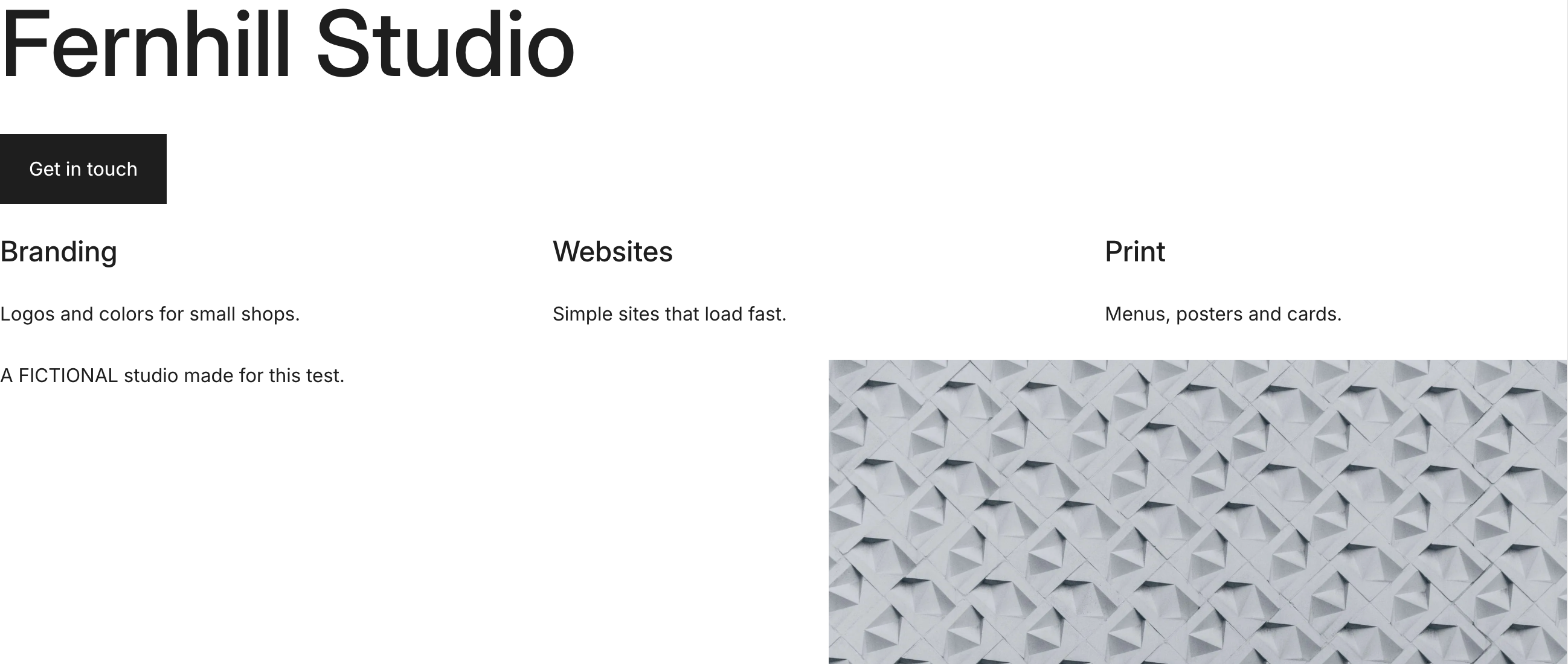
Checked in each editor's phone view before any edit (Webflow Oct 29, WordPress.com Oct 30). Webflow's Mobile (portrait) breakpoint, 393 px: no sideways scrolling, but the cards stayed in three columns and the text and image side by side; both were set to one column at that breakpoint only (it affects 479 px and below) with the Quick Stack column setting; its header stayed in two columns. WordPress.com's Mobile preview (479 x 425): its Columns stack by default, so no edits; there the content sits about 36 px in from each side, but the 1312 px preview tab showed no side margins.
Test 3: Show three dated news items as a list that updates itself
The task
On the Fernhill Studio test site, store three news items as structured content (CMS items, blog posts or the builder's nearest equivalent on its free plan), each with a title, a date and one sentence, and show them on the page as a list sorted by date, newest first. Then add a fourth item and check that the list shows it without editing the page layout.
How we judged it
Pass: all four items show in the list, newest first, each with its title, date and sentence, and the fourth appeared without editing the page layout, on the free plan.
Partial: the list works, but the order or the dates had to be set by hand on the page, or the page had to be edited to show the fourth item.
Fail: the items cannot be stored or listed on the free plan.
Webflow
Pass
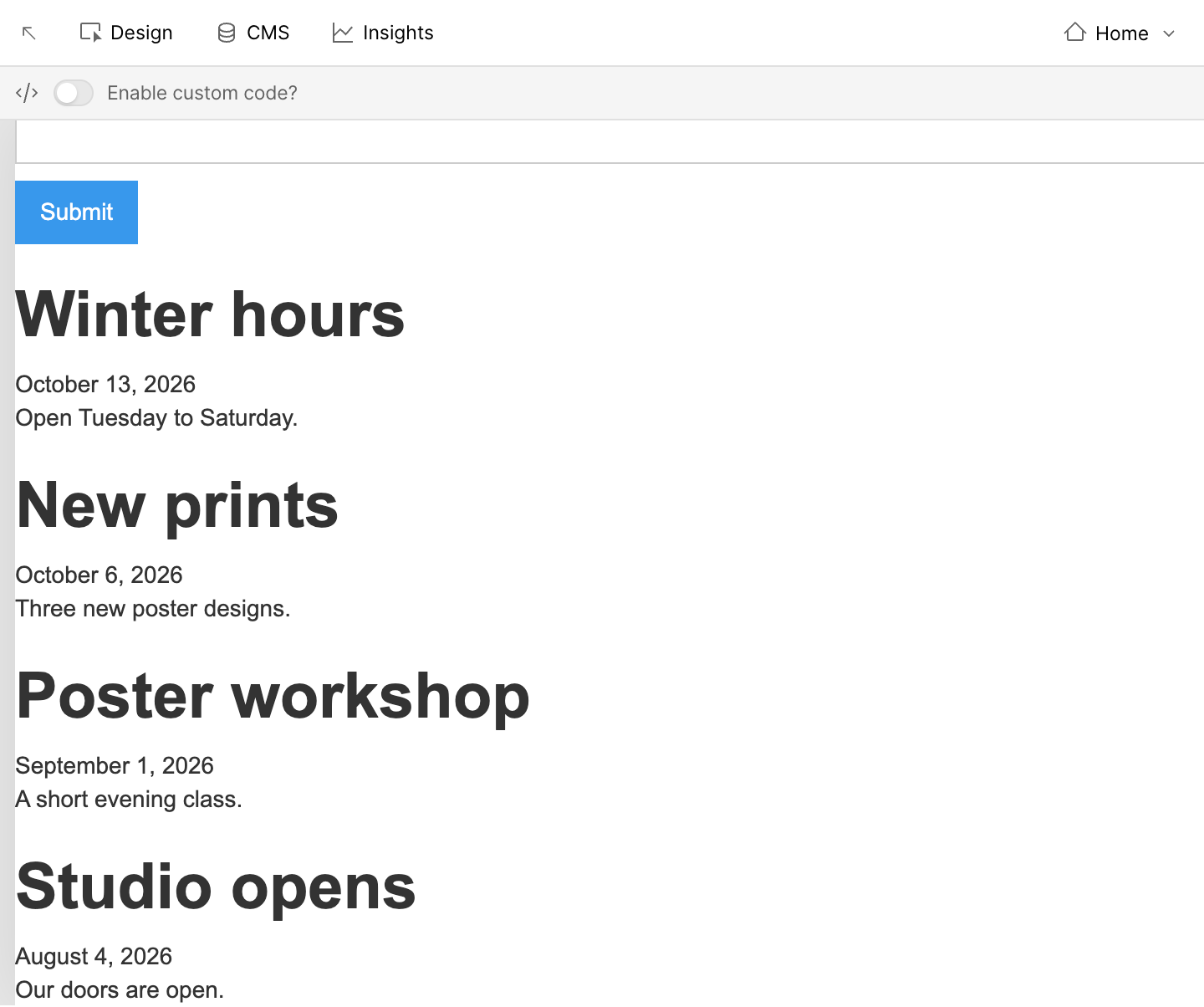
Four CMS items listed newest first with title, date and sentence; Winter hours, added last in the CMS, appeared at the top without editing the page.
WordPress.com
Pass
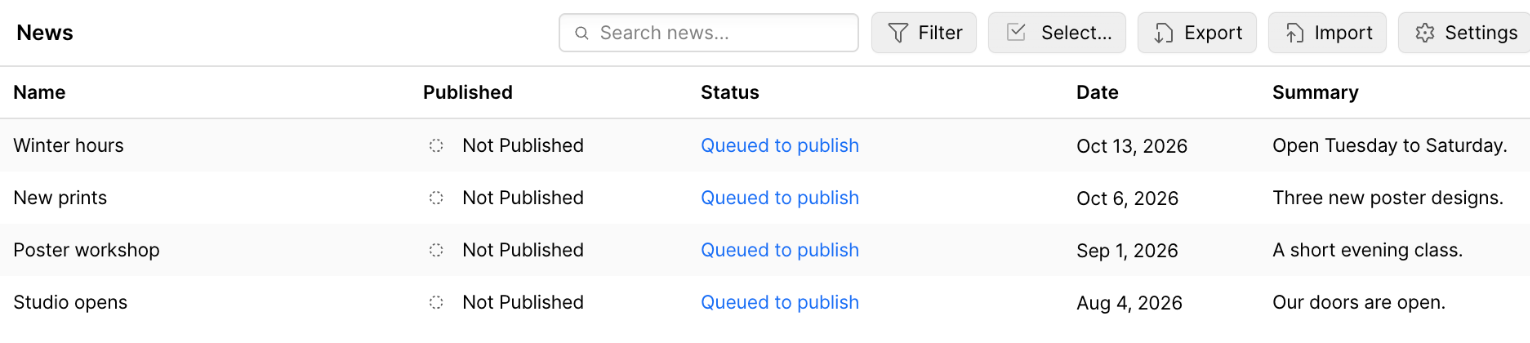
Four dated posts listed newest first with title, date and sentence; Winter hours, published last, appeared at the top without editing the page.
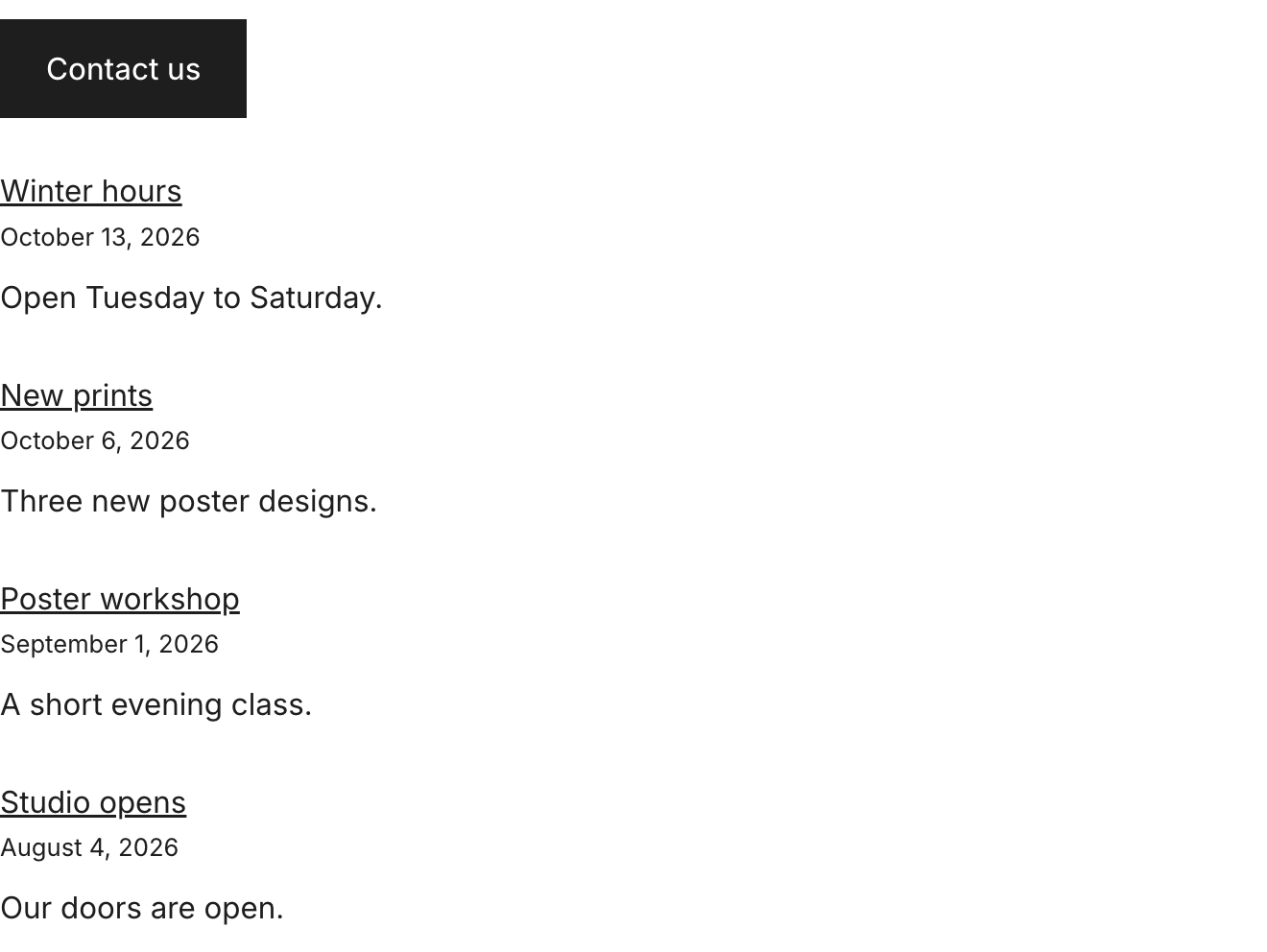
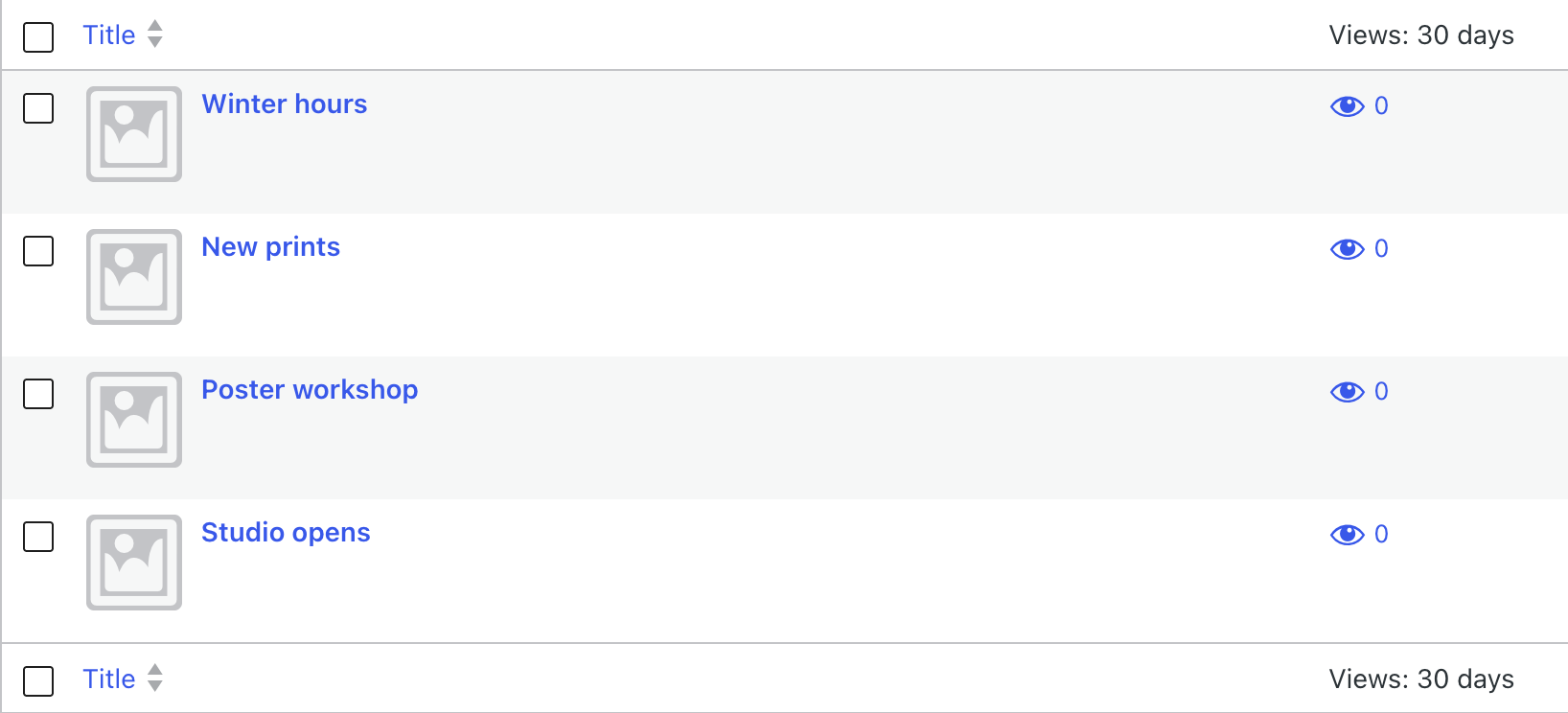
Webflow (Oct 29) keeps the items in a CMS collection (free on the Starter plan) with a Date field, shown by a Collection List sorted by that field with the heading, date and sentence bound to it; the items were queued for the next site publish and the site was never published. WordPress.com (Oct 30) uses posts with their publish dates and a Latest Posts block (newest first by default, date and excerpt turned on); the site stayed private and unlaunched, and its starter post was moved to Trash.
Our verdict
WordPress.com is the cheaper home for a blog, a newsletter or any site that publishes often; Webflow fits better when the design itself is the product.
Webflow gives you control down to the element: a blank canvas with flexbox and grid layouts, GSAP-powered interactions, and site-wide and page-level custom code on every paid Site plan. Content features cost more, though. Basic at $15 a month billed yearly has no CMS, so a dynamic blog or portfolio needs Premium at $25 ($39 month to month), with 20,000 CMS items and scheduled publishing. Checkout needs an Ecommerce Site plan from $29 a month billed yearly, and native memberships ended in January 2026.
WordPress.com keeps posts, pages and revisions at the center, and every plan, Free included, can charge readers for a newsletter or premium posts. Paid plans start at $4 a month billed yearly, with plugins and custom CSS from that first plan. Business costs $300 a year, the same as Webflow Premium, and adds SFTP/SSH, WP-CLI, GitHub deployments and WooCommerce through plugins. Design starts from themes, patterns and drag-and-drop layouts.
For a custom-designed portfolio, landing page or brand site, start with Webflow. For a site built on regular posts, paid subscriptions or plugins, start with WordPress.com.
Choose Webflow if
You want to control every page's layout yourself. Webflow's Designer starts from a blank canvas with HTML elements, flexbox and grid layouts and GSAP-powered interactions, or from one of 7,000+ free and premium templates. It suits designers, agencies and marketing teams building portfolios, landing pages and brand sites. Custom code works on every paid Site plan, and meta tags are editable even on the free Starter plan. Budget for Premium at $25 a month billed yearly if the site needs a CMS-driven blog or collection pages.
Choose WordPress.com if
You want a site that publishes often without a large monthly bill. Posts, pages and revisions are part of WordPress itself, and every plan, Free included, can charge readers for a newsletter or premium posts. Paid plans start at $4 a month billed yearly or $9 month to month; each can install plugins and add CSS, and annual billing includes a free domain for the first year. It suits bloggers, publishers and small businesses; for developers, Business at $25 a month billed yearly adds SFTP/SSH, WP-CLI and GitHub deployments.
Frequently asked questions
Is WordPress.com cheaper than Webflow?
For a simple site or a blog, yes. On yearly billing, WordPress.com costs $4 a month for Personal, $8 for Premium, $25 for Business and $45 for Commerce ($9, $18, $40 and $70 month to month). Webflow's Basic and Premium Site plans cost $15 and $25 a month ($25 and $39 month to month), and its Ecommerce plans start at $29. For a blog on your own domain, that is $4 against $25: Webflow Basic has no CMS, so Webflow's cheapest paid plan with a CMS is Premium, while posts are part of every WordPress.com plan. At $300 a year, Webflow Premium and WordPress.com Business cost the same. For a store, Webflow's Ecommerce Standard ($29) costs less than WordPress.com Commerce ($45) but more than Business ($25), which runs WooCommerce through plugins. Prices are the US dollar prices each vendor listed in October 2026, before taxes.
What do the free plans of Webflow and WordPress.com include?
Webflow's Starter plan publishes to a webflow.io address with 2 static pages, 1 GB of bandwidth, 50 form submissions and up to 50 CMS items, and the site shows the Made in Webflow badge; there is no time limit. WordPress.com's Free plan has no expiration date and uses a yoursite.wordpress.com address with 1 GB of storage, and visitors see ads. Neither free plan uses your own domain: Webflow adds a custom domain from Basic at $15 a month billed yearly, and WordPress.com's paid plans include a free domain for the first year on annual billing.
Can I sell products or memberships with Webflow or WordPress.com?
Both can sell products, in different ways. On Webflow, checkout needs an Ecommerce Site plan instead of Basic or Premium: Standard costs $29 a month billed yearly, with 500 ecommerce items and a 2% transaction fee on top of Stripe or PayPal fees, while Plus ($74) and Advanced ($212) charge 0%. Webflow retired its native memberships (User Accounts) on January 29, 2026 and points to Outseta or Memberstack instead. On WordPress.com, Premium at $8 adds payment buttons, Business at $25 runs WooCommerce through plugins and Commerce at $45 bundles the store extensions; on both, standard WooCommerce payments carry a 0% transaction fee, though the standard processing fee still applies. Every WordPress.com plan, Free included, can sell newsletter or premium-post subscriptions, with a fee of 10% on Free, 8% on Personal, 4% on Premium, 2% on Business and 0% on Commerce, plus Stripe's processing fee.
Can I add custom code, plugins and SEO settings?
On Webflow, site-wide and page-level custom code works on every paid Site plan, and Premium adds code components. Meta tags can be edited on every plan, including Starter, while the sitemap, robots.txt, schema markup and 301 redirects come with paid Site plans. On WordPress.com, every paid plan from Personal at $4 a month billed yearly can install plugins and add CSS, the SEO tools start at Premium, and Business and Commerce add SFTP/SSH, WP-CLI and GitHub deployments.
Can I move my site away from Webflow or WordPress.com later?
Partly, on both. WordPress.com exports your posts, pages and comments, with their categories and tags, as an XML (WXR) file that links to your media files; the media library is exported separately, and the file leaves out your theme design, customizations and plugins. Business and Commerce can also download a full backup. On Webflow, any CMS Collection can be exported as a CSV file from the CMS panel, with images and files as links to their Webflow-hosted copies. Code export (HTML and CSS) needs a paid Workspace plan and leaves out dynamic CMS content, so CMS items and collection pages are not part of the exported code.
Compare with others
More about: Webflow · WordPress.com · Best Website builders