

Superhuman Docs
Collaborative doc workspace, formerly Coda, that combines pages, connected tables, formulas and built-in AI.
Founded 2014
Some links on this page are affiliate links. If you buy through them we may earn a commission at no extra cost to you. This never affects our verdicts.
Superhuman Docs is the name Coda has carried since July 8, 2026: a cloud doc workspace founded in 2014 and now part of the Superhuman suite with Grammarly, Mail and Go. A doc mixes pages of text with tables that work like a database, each with connected views such as cards, calendar, timeline, charts and forms, plus formulas, buttons and automations. Many people can edit the same doc in real time, and you pay only for Doc Makers, the people who create docs and pages; Editors are free. Docs can be published to the web, with custom domains on paid plans. A REST API and an MCP server connect outside tools and AI assistants such as Claude and ChatGPT. Docs AI, in beta, is included for Doc Makers on paid plans, while Free users and Editors get a limited trial. Offline editing works only in docs you opened while online.
Best for
Teams that want docs, trackers and simple apps in one shared workspace built on tables, formulas and automations, especially when many people edit but only a few create docs.
Pros
- Tables work like a database, with connected views (cards, calendar, timeline, charts, forms), formulas, buttons and automations
- You pay only for Doc Makers, even on Enterprise; Editors are free and unlimited
- Free plan includes real-time collaboration and has no object or row limits in docs you do not share
- Public REST API plus an MCP server for Claude, ChatGPT, Cursor and other AI tools
- Paid plans include Superhuman Go and Grammarly (on Pro only when billed yearly), and Business adds Superhuman Mail
Cons
- On the Free plan, shared docs are capped at 50 objects and 1,000 table rows, and every doc at 1 GB of attachments (10 MB per file)
- Offline editing works only in a doc you opened while online, and unsynced changes are lost if you reload or close it while offline
- Docs live in Superhuman's cloud; exports are PDFs, CSV tables, or .txt and .csv files of the docs you own
- Monthly billing costs more: Pro is $15 per Doc Maker billed monthly versus $12 billed yearly, and monthly Pro leaves out Grammarly Pro (a $15 add-on)
- Superhuman Databases (built for up to a million rows) are still in closed beta, and AI views are in open beta
From our tests
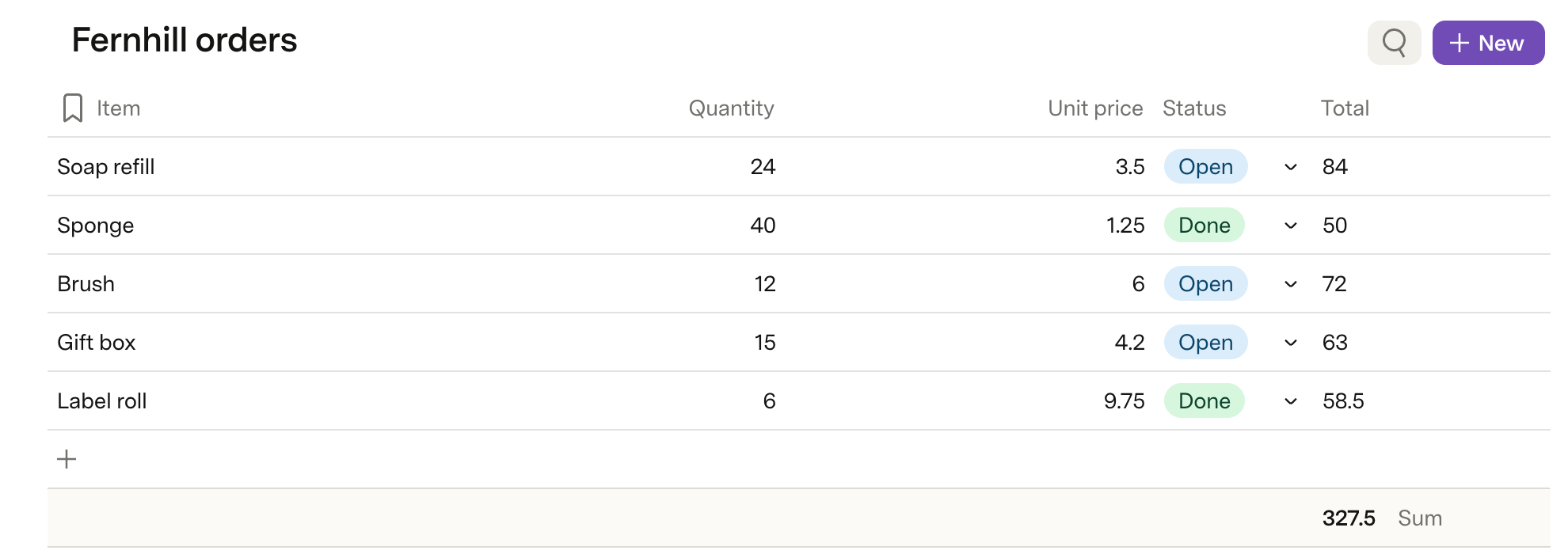
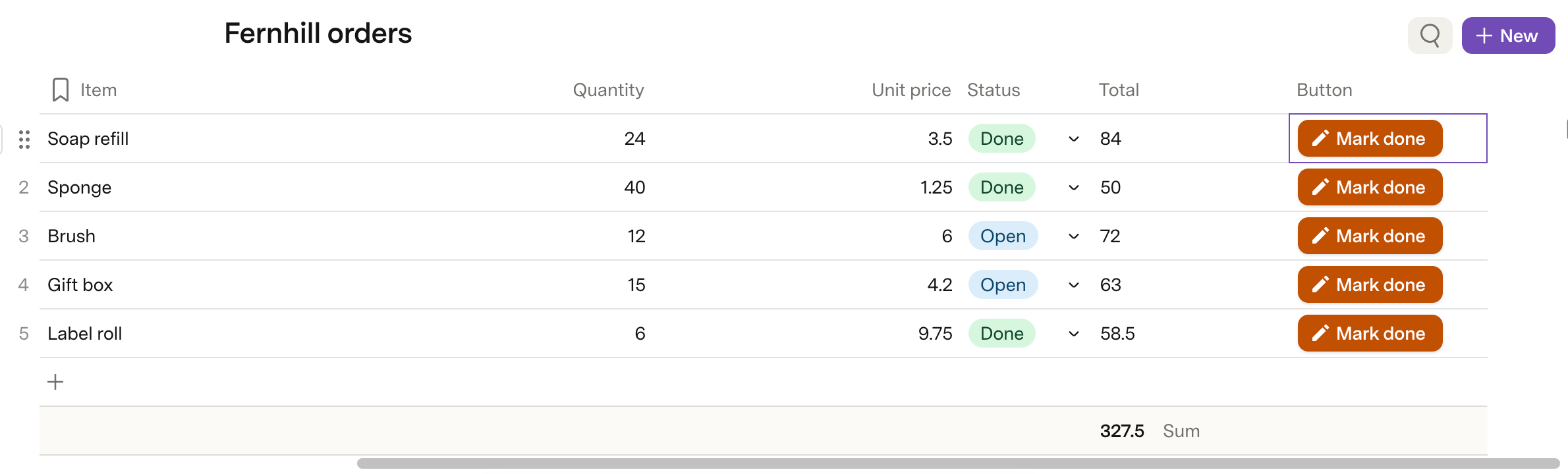
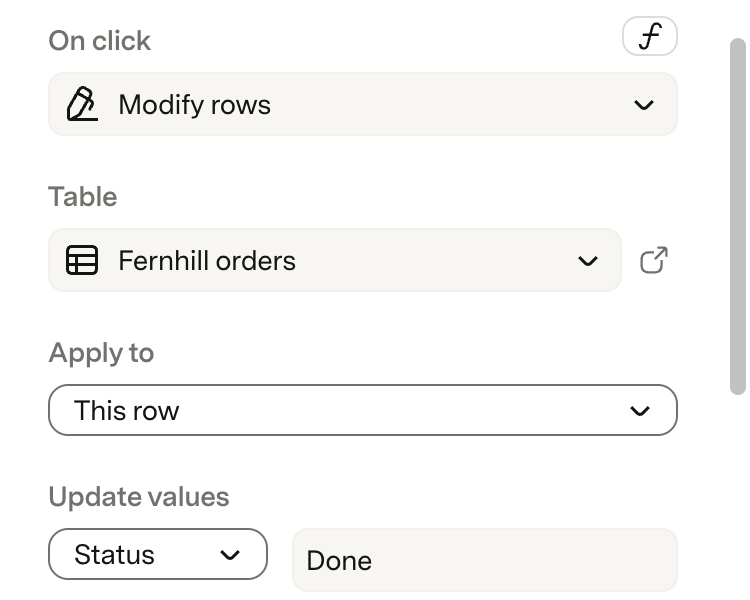
Screenshots of Superhuman Docs from our hands-on tests. Each links to the full-size image; the test name leads to the task, how we judged it and the other tool's result.

Pricing
| Plan | Monthly | Yearly (12-month total) |
|---|---|---|
| FreeShared docs up to 50 objects and 1,000 rows; 1 GB attachments per doc; 7-day version history; Docs AI and MCP trial | Free Free plan | |
| ProPer Doc Maker/month, Editors free; $12/month billed yearly ($144/year), $15 billed monthly; Grammarly Pro included yearly, a $15/month add-on monthly | $15/mo | $144/yr ($12/mo) |
| BusinessPer Doc Maker/month, Editors free; $33/month billed yearly ($396/year), $40 billed monthly; adds Superhuman Mail, unlimited automations and version history | $40/mo | $396/yr ($33/mo) |
| EnterpriseCustom pricing; contact sales; billed only for Doc Makers; SAML SSO, SCIM, audit logs, HIPAA compliance | Custom | |
Prices checked on .
Features
In Notes and knowledge
| Feature | Superhuman Docs |
|---|---|
| Offline use | Partial · Keeps working in docs already open; a connection is needed to open a doc; changes lost if reloaded offline |
| Local-first files | No · Cloud docs; export to PDF, CSV tables, or .txt/.csv files of docs you own |
| Databases | Yes · Tables with connected views (cards, calendar, timeline, charts, forms); Superhuman Databases in closed beta |
| Backlinks | Partial · No page backlinks documented; a linked relation column you add lists the table rows that reference a row |
| Real-time collaboration | Yes · Live edits and presence on all plans, incl. Free; Editors are free |
| API | Yes · REST API for all users; Docs MCP server, limited on Free to 30 requests a week (60 a month) |
| Publish to web | Yes · View, play or edit mode; new published docs are unlisted (not search-indexed) by default; custom domains on paid plans |
| Encryption | Partial · AES-256 at rest, TLS 1.2 in transit; BYOK listed as coming soon for Enterprise |
| AI features | Yes · Docs AI (beta) included for paid Doc Makers; limited trial on Free and for Editors |