
Descript vs VEED: Which is better in 2026?
It depends on your raw material: long recordings of people talking, or videos to subtitle, translate or build from a script.
Tested hands-on: 4 tests on a MacBook Pro (M1 Pro), October 31, 2026. How we tested
Some links on this page are affiliate links. If you buy through them we may earn a commission at no extra cost to you. This never affects our verdicts.
Quick answer
- Choose Descript if: You want to edit podcasts, interviews or talking-head videos by editing the transcript, then clean them up with Studio Sound, filler-word removal and Eye Contact.
- Choose VEED if: You want to cut, subtitle and translate your videos in the browser, and sometimes make a video from a script instead of footage.
- Price at a glance: Descript: Free plan; paid from $24/mo · VEED: Free plan; paid from $25/mo
At a glance
 Descript |  VEED | |
|---|---|---|
| Free plan | Yes | Yes |
| Paid plans | From $24/mo | From $25/mo |
| Our tests | Won 3 of 41 tie | Won 0 of 41 tie |
| Best for | Podcasters, YouTubers and marketing teams who edit their own recordings and want voice fixes, captions, dubbing and AI avatars inside the same editor. | Creators, marketers and small teams who edit, subtitle and translate their own videos in the browser and want AI avatars, voiceovers and text-to-video in the same tool. |
Descript and VEED are both video editors that let you cut a recording by editing its text, and both have added AI voices, avatars, translation and video generation. They start from different places. Descript is built around the transcript: deleting a word cuts it from the audio and video, and it runs as a Mac or Windows app or in the browser, with remote recording and Studio Sound for podcasts and talking-head videos. VEED is a browser timeline editor with subtitles in 125+ languages, a screen recorder, 60+ stock avatars and text-to-video. Both free plans export 720p with a watermark, and monthly plans start at $24 (Descript) and $25 (VEED).
Pricing
| Plan | Monthly | Yearly (12-month total) |
|---|---|---|
| Descript | ||
| Free1 seat; 60 media minutes/month; 100 AI credits (one-time); 720p export with Descript watermark; 5 GB storage | Free Free plan | |
| Hobbyist1 person; 10 media hours and 400 AI credits/month; 1080p export; $16/month billed annually (yearly total = 12 × $16, calculated) | $24/mo | $192/yr ($16/mo) |
| CreatorPer person, up to 3 seats; 30 media hours and 800 AI credits/month; 4K export; $24/month billed annually (12 × $24, calculated) | $35/mo | $288/yr ($24/mo) |
| BusinessPer person, up to 5 seats; 40 media hours and 1,500 AI credits/month; 4K export; $50/month billed annually (12 × $50, calculated) | $65/mo | $600/yr ($50/mo) |
| EnterpriseContact sales; AI credits and media hours sized to the team; SSO, SCIM and audit logs | Custom | |
| VEED | ||
| Free720p exports with a VEED watermark; videos up to 10 minutes; 2GB storage, 1GB uploads; auto subtitles 10 min/month; AI editing tools and voice clone: try once | Free Free plan | |
| CreatorPer user; no watermark, 1080p, unlimited video length, 5GB storage; 500 AI credits/month (6,000/year on yearly); yearly $147 ($12.25/month); credit tiers up to $125/month | $25/mo | $147/yr ($12.25/mo) |
| ProStarting price, per user; 4K export, 50GB storage, multiple brand kits; 2,500 AI credits/month (30,000/year on yearly); yearly $265; credit tiers up to $145/month | $45/mo | $265/yr ($22.08/mo) |
| StudioStarting price, per user; up to 5 editors and 1 reviewer; 15,000 AI credits/month (180,000/year on yearly); yearly $465 ($38.75/month); credit tiers up to $179/month | $79/mo | $465/yr ($38.75/mo) |
| EnterpriseCustom pricing and AI credits; SSO, private workspaces, integrations, unlimited reviewers; contact sales | Custom | |
Prices checked on .
Features compared
| Feature | Descript | VEED |
|---|---|---|
| Voice cloning | Yes · Custom voice clones on paid plans, limited on Free; the voice owner must record a consent statement | Yes · Your own voice only, recorded with a spoken consent line; voiceovers in 29 languages use AI credits; Free: try once |
| Text-to-video | Yes · Prompt to video with Underlord and the AI video maker; generated clips via models such as Veo 3.1 and Kling; limited on Free | Yes · Prompt, script or article to a narrated video with subtitles; avatar or voice-only; uses AI credits; up to 1 min a video on Creator, 5 on Pro, 30 on Studio |
| Avatars | Yes · Gallery of 35+ stock avatars, or create one from a text prompt or a photo; limited on Free | Yes · 60+ stock avatars; custom avatar of yourself from one recording; uses AI credits |
| Editing | Yes · Text-based editing plus timeline, scenes and layouts; timeline export to Premiere, Final Cut, DaVinci Resolve and Pro Tools from Creator | Yes · Full browser timeline editor with text-based editing; subtitles, screen recorder, AI clean-up (filler words, silences, background noise) |
| Languages | Yes · Transcription 25 languages, caption translation 61, dubbing 30; lip sync from Creator | Yes · Subtitles and translation in 125+ languages; AI dubbing in your own voice in 29 |
| Export limits | Yes · Free 720p with watermark; Hobbyist 1080p; Creator and Business 4K; web links 1 hour (Free, Hobbyist) or 3 hours | Yes · Free 720p, up to 10 min, watermark; Creator 1080p; Pro and up 4K; paid plans unlimited length |
| API | Yes · All paid plans at no extra cost, using plan media minutes and AI credits; early access; finished files only through a published web link | Add-on · Usage-based API (Fabric 1.0, Lip Sync 2.0, background removal) on prepaid API credits; separate account, not covered by plans |
| Free tier | Yes · 60 media minutes/month, 100 one-time AI credits, 720p export with watermark | Yes · 720p, watermark, videos up to 10 min, 2GB storage; AI editing tools once each |
| Commercial rights | Yes · You own Input and Output as far as the law allows (Terms 8.4); most stock media cleared for commercial use, GIPHY excepted; no plan limit found | Yes · You keep ownership of uploads and generated content; no plan limit stated; VEED markets avatars for ads; AI avatar content rules apply |
How we tested
We gave Descript and VEED the same 4 tasks on the same MacBook Pro (M1 Pro). Each test below lists the task, how we judged it, both results and screenshots; select a screenshot to see it at full size.
- Device
- MacBook Pro (M1 Pro) · macOS 26.6.2 · Chrome 156
- Tested
- October 31, 2026
- Plans used
- Descript: Free · VEED: Free
- App versions
- Descript: Web app, video project, automatic transcript, Script editing, then AI Tools > Remove filler words, Captions, then AI Tools > Repurpose > Translate, subtitles only, Export > Local export, MP4, 720p · VEED: Web editor, Auto-subtitle and Script panel, Script panel Remove, then AI Tools > Remove filler words, Subtitles > Add translation, Done, then free MP4 720p download
| Test | Descript | VEED | Winner |
|---|---|---|---|
| Transcribe a 35-second voice track and count the mistakes | Pass0 words | Pass0 words | Tie |
| Cut a sentence in the text and remove the fillers | Pass4 of 4 | Partial2 of 4 | Descript |
| Translate the subtitles into Spanish | Partial | Fail | Descript |
| Export the edited video as an MP4 (timed) | Pass5 s | Pass11 s | Descriptby Time until the file can be downloaded |
| Tests won | 3 | 0 | 1 tie |
Test 1: Transcribe a 35-second voice track and count the mistakes
The task
Make a short voice track with the Mac's built-in text-to-speech voice (so no real person's voice is used) from the FICTIONAL script below, then add the same file to a new project in each tool and let it transcribe the speech in English. Compare the transcript (or automatic subtitles) with the script.
Hello, and welcome to the Fernhill Goods update for October. Um, this month we have three pieces of news. First, every refill now comes in paper packaging, and one refill lasts about a month. Uh, second, our warehouse has moved to a new building on Quarry Lane. Third, the starter kit costs twenty-four dollars and fits under a kitchen sink. Please ignore this sentence, because it was recorded by mistake. Um, orders placed before noon still ship the same day. Uh, if you have a question, write to the Fernhill team. Thanks for listening, and see you next month.
How we judged it
A word is wrong when it is missing, added or replaced. Punctuation, capitals and number style do not count ("twenty-four dollars" may appear as "$24"), and neither do the four fillers (um, uh).
Pass: 0 to 2 words wrong, with Fernhill and Quarry Lane spelled right.
Partial: 3 to 6 words wrong, or a name misspelled.
Fail: more than 6 words wrong, or no English transcript on the plan used.
Descript
Pass 0 words
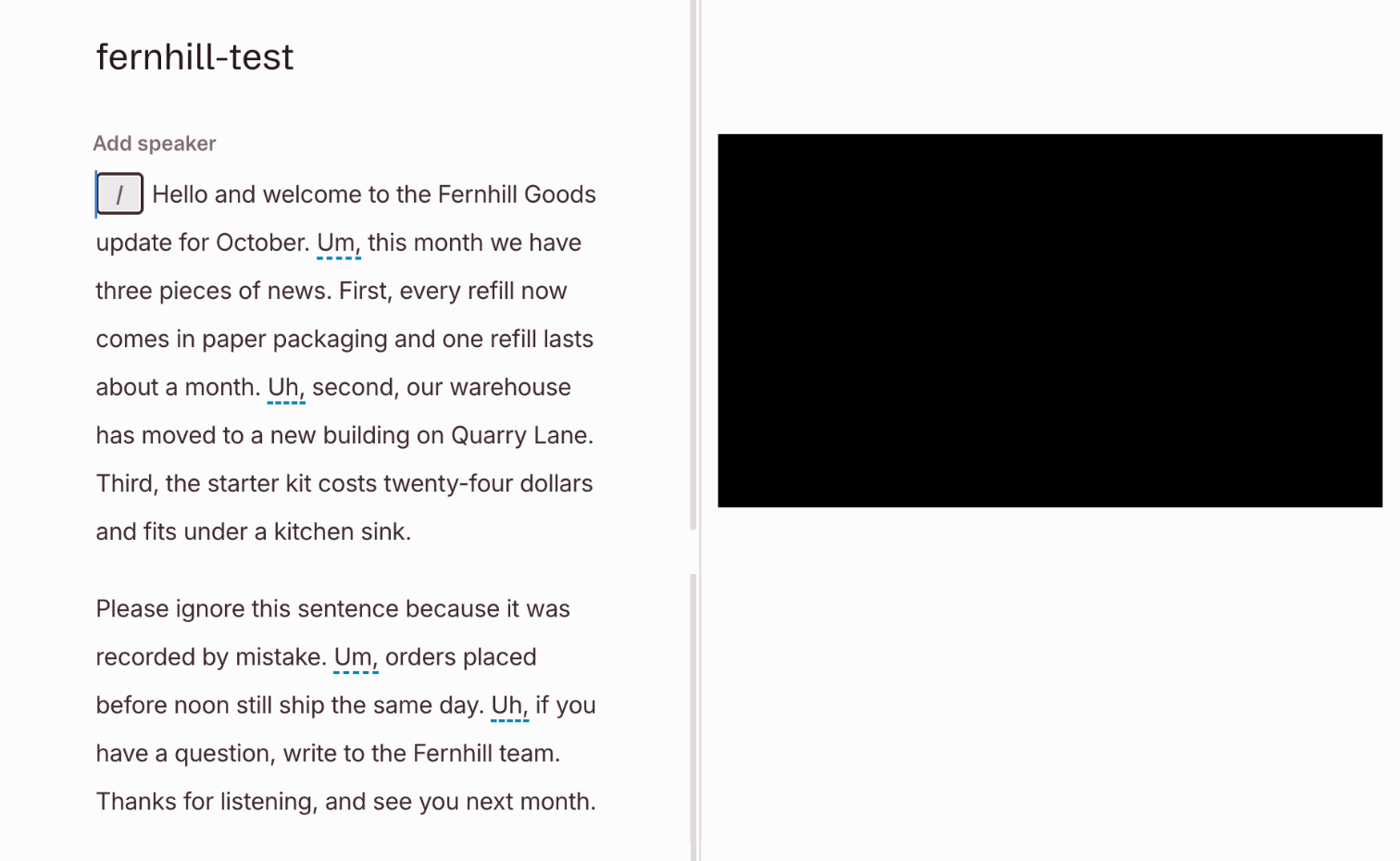
Every word of the 34-second track came out right, Fernhill and Quarry Lane included. It also kept all four fillers (um, uh), each underlined in the script.
VEED
Pass 0 words
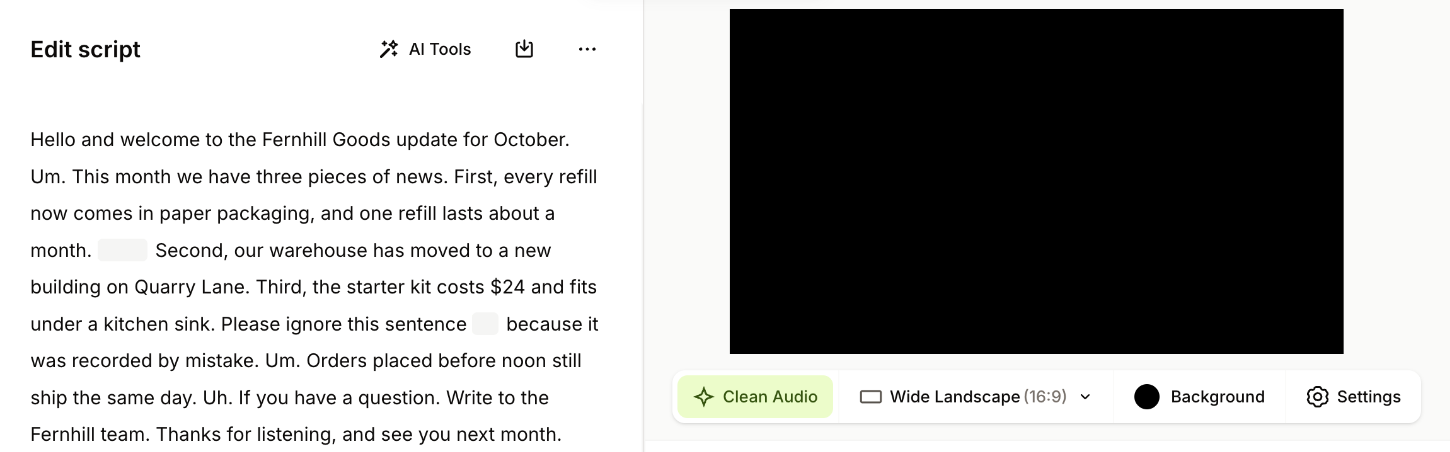
The auto-subtitles got every word right, with Fernhill and Quarry Lane spelled correctly, and left the four fillers out. The Script view of the same transcript shows three of them.
Run by the assistant in the owner's Chrome, signed in on both Free plans, not timed. Both tools got the same 34-second file, made with the Mac's say command (voice Samantha). A small program compared each transcript with the test script word by word, leaving out punctuation, capitals, number style and the four fillers. Descript kept all four fillers; VEED's subtitles left them out. The track used 1 of Descript's 60 free media minutes and 34 seconds of VEED's 10 free subtitle minutes a month.
Test 2: Cut a sentence in the text and remove the fillers
The task
In the project from the first test, delete the sentence "Please ignore this sentence, because it was recorded by mistake." by deleting it from the transcript, not on the timeline. Then run each tool's filler-word removal once on the whole track and count how many of the four fillers ("Um" before "this month", "Uh" before "second", "Um" before "orders", "Uh" before "if you have") it takes out on its own.
How we judged it
Pass: the sentence is gone from the audio, all four fillers are removed automatically, and no cut clips a word or jumps audibly.
Partial: two or three fillers removed, or one cut that clips a word or jumps audibly.
Fail: the sentence is still heard, a word that should stay is cut, one or no filler removed, or no transcript editing or filler-word removal on the plan used.
Descript: Winner
Pass 4 of 4
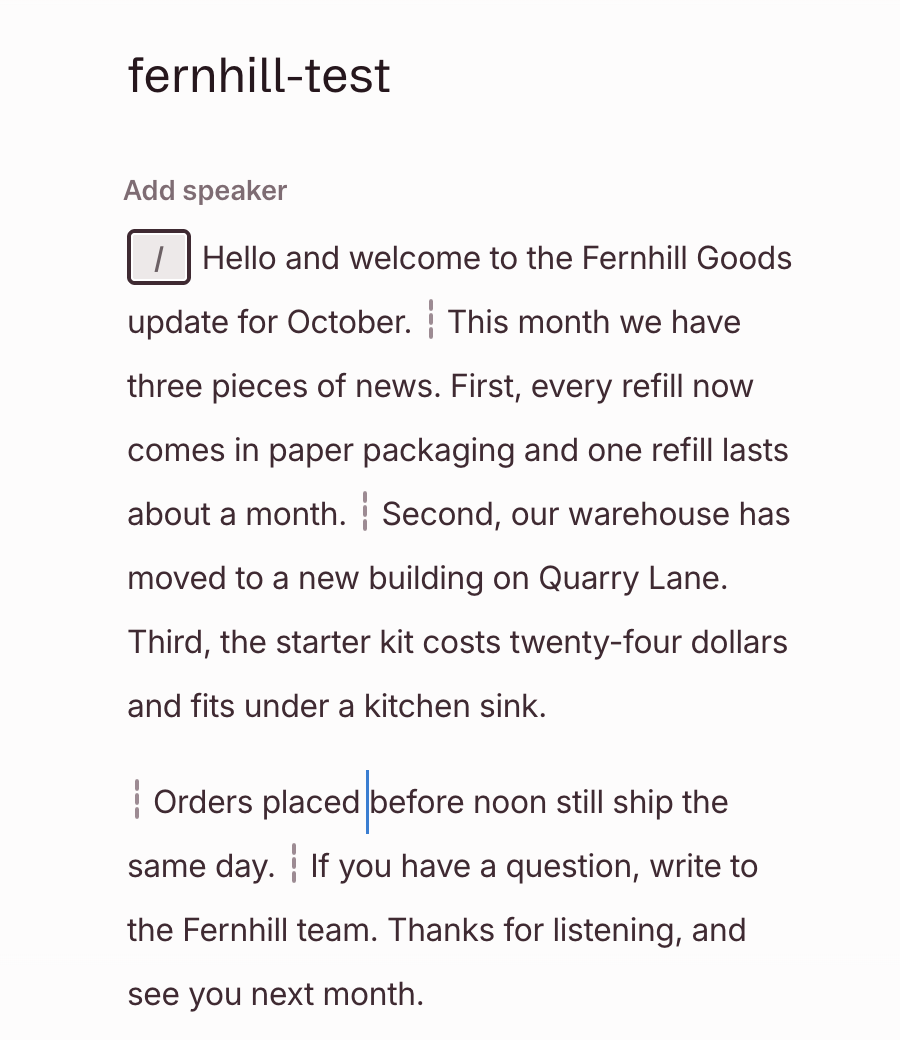
Deleting the sentence in the script cut it from the audio, and filler removal took out all four fillers (3 AI credits). Every cut falls in a pause with a short crossfade; none clips a word.
VEED
Partial 2 of 4
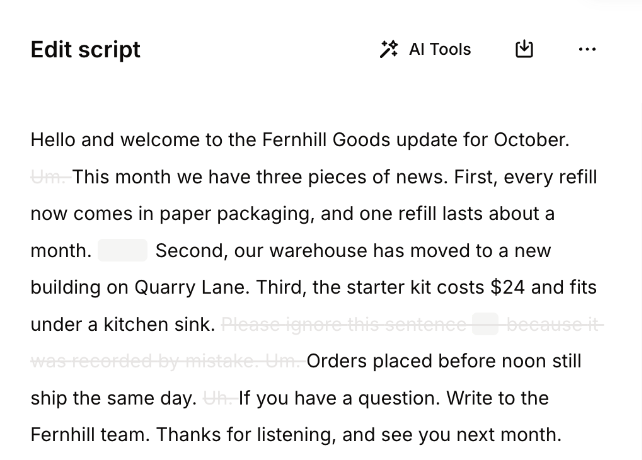
The sentence came out cleanly. Of the four fillers, one was fully removed and one all but a brief scrap; a third was cut off partway through, and the “uh” before “Second” stayed.
Run by the assistant in the owner's Chrome, signed in on both Free plans: the sentence was deleted in each tool's script, then filler removal ran once at default settings. The assistant cannot listen and the owner's listen was not conclusive, so the audio of the videos exported in the fourth test was matched against the original track. Descript's cuts all fall in pauses, with brief crossfades. VEED struck three fillers, but two keep their first 31 ms or 131 ms at full volume, cut off within about 1 ms; the first counts as removed, the second does not. No wanted word was lost in either.
Test 3: Translate the subtitles into Spanish
The task
Add automatic English subtitles to the edited project from the second test, then translate them into Spanish with each tool's own translation feature. For checking, the Spanish should say about this:
Hola y bienvenidos a las novedades de Fernhill Goods de octubre. Este mes tenemos tres noticias. Primero, cada recarga viene ahora en un empaque de papel y dura aproximadamente un mes. Segundo, nuestro almacén se mudó a un edificio nuevo en Quarry Lane. Tercero, el kit de inicio cuesta veinticuatro dólares y cabe debajo del fregadero de la cocina. Los pedidos hechos antes del mediodía se siguen enviando el mismo día. Si tienes alguna pregunta, escribe al equipo de Fernhill. Gracias por escuchar, y hasta el próximo mes.
How we judged it
Pass: every sentence in Spanish with its meaning kept (the names Fernhill Goods and Quarry Lane, about a month, twenty-four dollars, before noon), and each line on screen while its sentence is spoken.
Partial: one sentence wrong or missing, or lines drifting out of time.
Fail: two or more sentences wrong or missing, the wrong language, or no subtitle translation on the plan used.
Descript: Winner
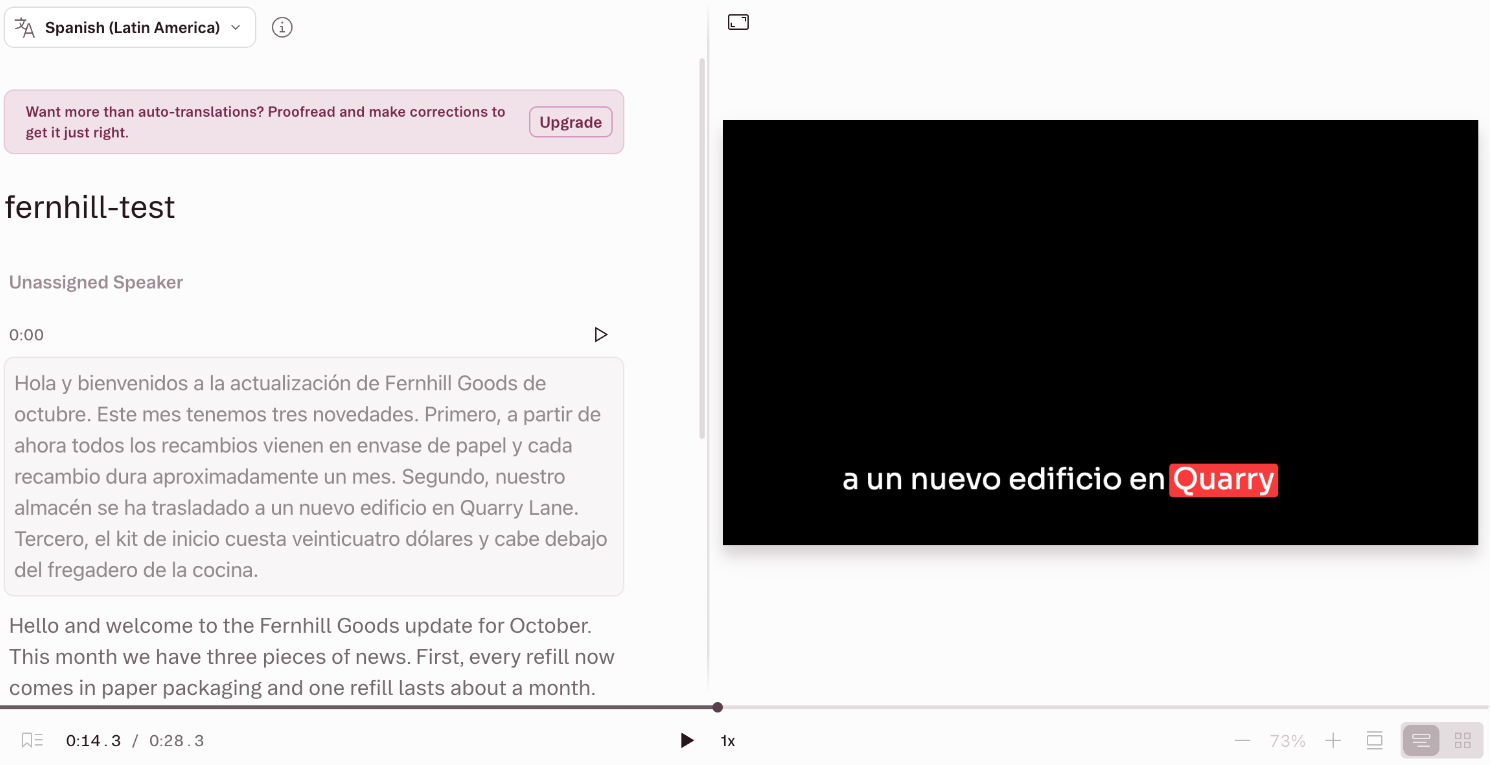
Partial
Every sentence came out in Spanish, with the names, “about a month,” the price and “before noon” kept. One line came early: “Primero” showed about a second before its sentence began.
VEED
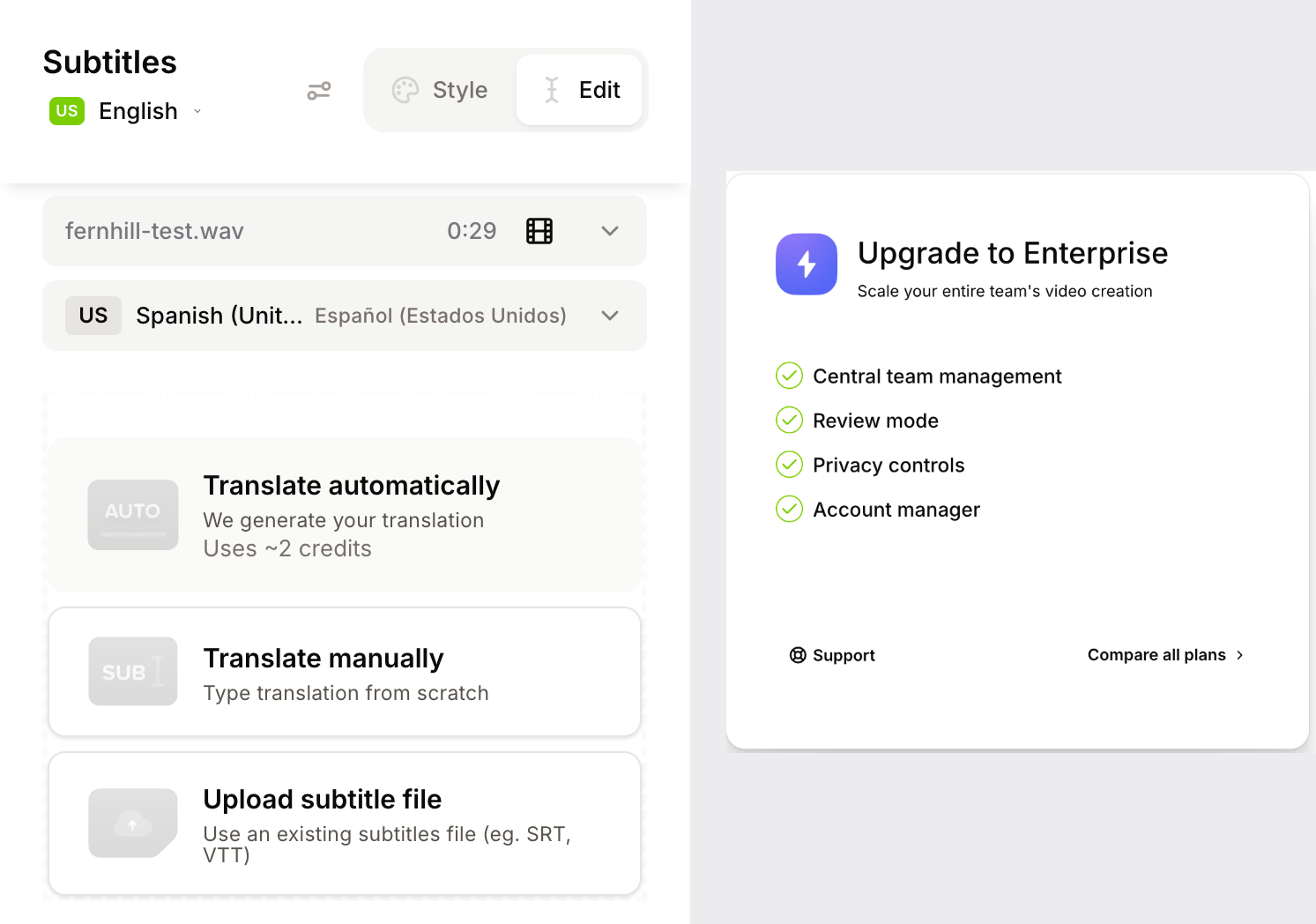
Fail
Automatic translation uses about 2 credits, and this Free account has none. Pressing it opened an Upgrade to Enterprise window, so no Spanish subtitles were made.
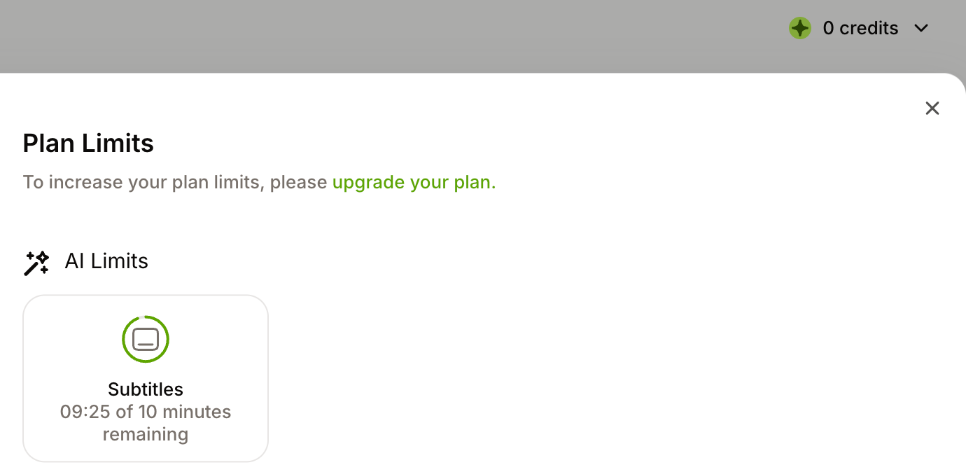
Run by the assistant in the owner's Chrome, signed in, on the projects edited in the second test. The assistant cannot listen, so timing was measured instead: the cue times in Descript's exported subtitle file were set against the pauses in the exported audio. Seven of the eight sentences get their first Spanish line within about half a second; the third sentence's line starts 1.2 seconds early, while the second is still spoken. The translation used 10 of Descript's 100 free AI credits. This VEED Free account lists no credit allowance.
Test 4: Export the edited video as an MP4 (timed)
The task
Export the project from the third test as an MP4 video with its subtitles shown in the picture, at the highest resolution the plan allows, and download it to the Mac. Note the resolution and whether a watermark shows. Then delete everything the four tests created.
How we judged it
Pass: an MP4 at the plan's highest resolution, with the subtitles and any edits from the second test kept, ready within 2 minutes of pressing export.
Partial: a usable MP4, but it takes 2 to 10 minutes, or a subtitle line or an edit is lost.
Fail: no MP4 export on the plan used, or the export fails or takes over 10 minutes.
The time is measured from pressing export until the file can be downloaded.
Descript: Winner
Pass 5 s
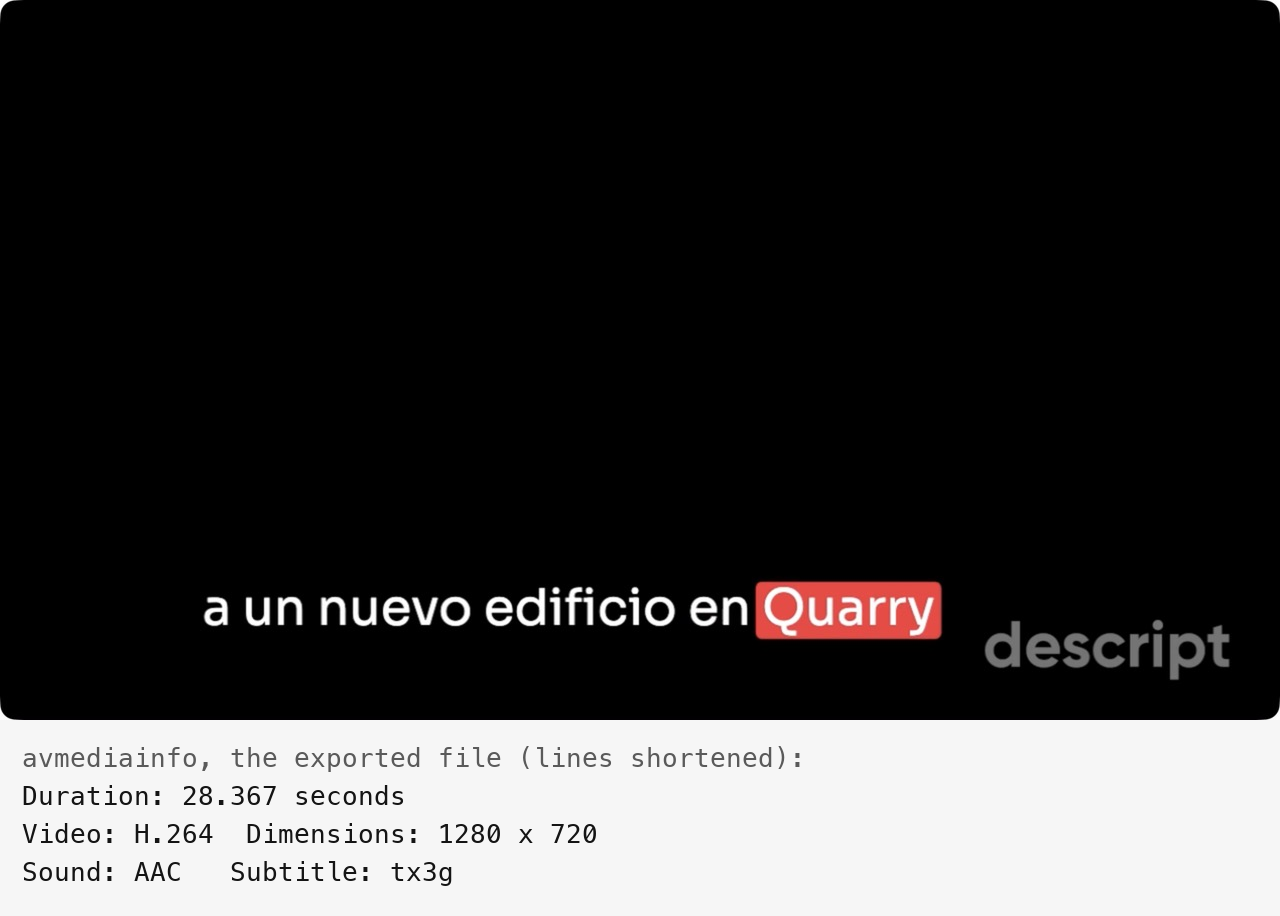
A 1280×720 MP4 with the Spanish captions in the picture and the edits kept was ready 5 seconds after Export. Free stops at 720p and adds a Descript watermark.
VEED
Pass 11 s
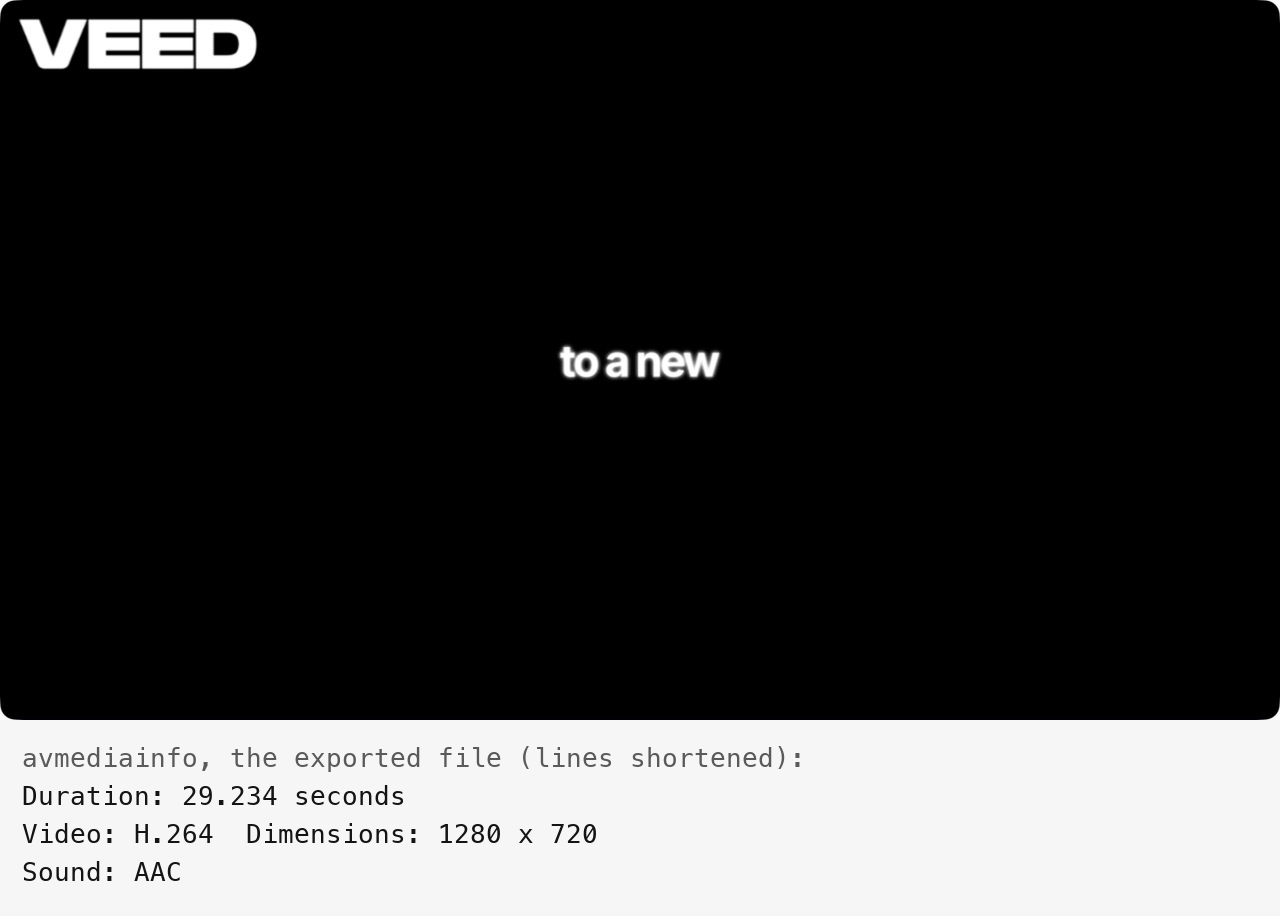
A 1280×720 MP4 with English captions in the picture and the edits kept was ready 11 seconds after Done, once 720p was set in the project's export settings. Free adds a VEED watermark.
Run by the assistant in the owner's Chrome, signed in, Free plans; timed from the export click (VEED: Done) until the file could be downloaded. Descript's export opens Chrome's Save panel, which the automated tab could not show; two tries ended without a file. For the counted one the panel was switched off in the page, so Descript used a plain browser download. VEED renders at Done with the project's settings (default 1024×576), so 720p was set first; of two earlier runs, the first stuck at “100% Rendering” until a reload. VEED's captions are English, as its Free account could not translate.
Our verdict
It depends on your raw material: long recordings of people talking, or videos to subtitle, translate or build from a script.
Descript suits recorded conversations. Podcasts, interviews and talking-head videos are edited through the transcript, even on the Free plan, while Studio Sound, filler-word removal and Eye Contact handle clean-up. Hobbyist costs $24 a month ($16 billed yearly) for 10 media hours a month and 1080p export. Creator adds 4K, lip sync for dubbing and timeline export to Premiere Pro, Final Cut Pro, DaVinci Resolve and Pro Tools. Its AI credits are spent at varying rates and do not roll over.
VEED suits videos you subtitle, translate or generate in the browser. Subtitles and translation cover 125+ languages, and its 60+ stock avatars and text-to-video can turn a script into a video without footage. On yearly billing it is the cheaper way in: VEED Creator costs $147 a year for watermark-free 1080p exports of any length, against $192 for Descript Hobbyist, and Pro adds 4K for $265 a year. The trade-offs: AI dubbing is only a one-time trial on Creator, avatars and generation use AI credits, and Free-plan uploads may be used to train VEED's models.
Either free plan, at 720p with a watermark, is enough to try a clip first.
Choose Descript if
You want to edit podcasts, interviews or talking-head videos by editing the transcript, then clean them up with Studio Sound, filler-word removal and Eye Contact. Descript runs as a desktop app for Mac and Windows or in the browser, and Hobbyist ($16 a month billed yearly) includes 10 media hours a month and 1080p export. Creator adds 4K and timeline export to Premiere Pro, Final Cut Pro, DaVinci Resolve and Pro Tools, and every paid plan includes API access at no extra cost.
Choose VEED if
You want to cut, subtitle and translate your videos in the browser, and sometimes make a video from a script instead of footage. VEED's subtitles and translation cover 125+ languages, it offers 60+ stock avatars or a custom avatar made from one recording of yourself, and text-to-video turns a prompt, script or article into a narrated video. Creator costs $147 a year ($12.25 a month) or $25 monthly for watermark-free 1080p exports of any length, and Pro adds 4K.
Frequently asked questions
Is Descript or VEED cheaper?
It depends on how you pay. Billed monthly, the entry plans are close: Descript Hobbyist costs $24 and VEED Creator $25, both with 1080p export and no watermark. Billed yearly, VEED Creator is cheaper at $147 against $192 for Hobbyist. For 4K, Descript Creator costs $35 a month or $288 a year, and VEED Pro $45 a month or $265 a year. For teams, Descript Business is $65 a person a month ($600 a year) and VEED Studio $79 a user a month ($465 a year). VEED's prices are starting prices for the smallest AI-credit tier. The allowances differ too: Descript meters media hours and AI credits, VEED meters AI credits with no video length limit on paid plans, and neither carries unused AI credits over.
What do the Descript and VEED free plans include?
Both export 720p video with a watermark. Descript Free gives one seat, 60 media minutes a month, 5 GB of storage and 100 AI credits once, not every month. VEED Free allows videos up to 10 minutes, 2 GB of storage, uploads up to 1 GB, 10 minutes of automatic subtitles a month, and one try of each AI editing tool and of voice cloning. VEED says content uploaded on the Free plan may be used to train its AI models; to object, you upgrade or delete the account.
Can you edit video by editing the transcript in both?
Yes. Descript is built around it: you edit a recording by editing its transcript, and deleting a word cuts it from the audio and video, with a timeline, scenes and layouts for finer control; its Free plan includes text-based editing. VEED's browser editor is built around a timeline, and its Script panel edits by transcript too: on our Free account in October 2026, removing a sentence there struck it through and cut it from the timeline. Both offer AI clean-up: VEED removes filler words, silences and background noise and can correct eye contact, while Descript has Studio Sound, filler-word removal and Eye Contact. Underlord, Descript's chat-based AI co-editor, is still in beta.
Which one covers more languages?
VEED lists subtitles and translation in 125+ languages and AI dubbing in your own voice in 29; dubbing is a one-time trial on Creator, while Pro includes 30 minutes a month (6 hours a year on yearly billing), and its translator can also turn on lip sync. Descript lists transcription in 25 languages, caption translation into 61 and dubbing into 30, with lip sync from the Creator plan; translation proofreading needs Business or Enterprise. The counts cover different features, so check that your languages are listed for the one you need.
Do Descript and VEED offer an API?
Yes, in different ways. Descript includes API access on every paid plan at no extra cost; it is in early access, draws on the plan's media minutes and AI credits, and returns finished files only through a published web link. Descript also has an MCP connector for Claude, ChatGPT and Cursor. VEED's API is usage-based and separate from the editor plans: you buy prepaid API credits in a separate API account, with Fabric 1.0 talking videos from $0.08 a second, Lip Sync 2.0 at $0.07 a second, and background removal.
Compare with others
More about: Descript · VEED · Best AI video and voice